







Question: Please type it on JAVA. Implement the Java application following the given restrictions. Phase 1: Design the following classes: An abstract University Person. Concrete Student,
Please type it on JAVA.
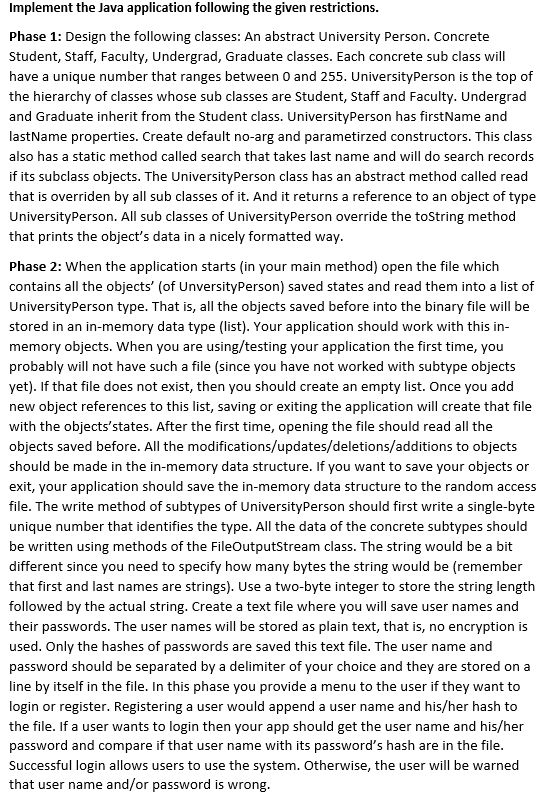
Implement the Java application following the given restrictions. Phase 1: Design the following classes: An abstract University Person. Concrete Student, Staff, Faculty, Undergrad, Graduate classes. Each concrete sub class will have a unique number that ranges between 0 and 255. UniversityPerson is the top of the hierarchy of classes whose sub classes are Student, Staff and Faculty. Undergrad and Graduate inherit from the Student class. UniversityPerson has firstName and lastName properties. Create default no-arg and parametirzed constructors. This class also has a static method called search that takes last name and will do search records if its subclass objects. The UniversityPerson class has an abstract method called read that is overriden by all sub classes of it. And it returns a reference to an object of type UniversityPerson. All sub classes of University Person override the toString method that prints the object's data in a nicely formatted way. Phase 2: When the application starts in your main method) open the file which contains all the objects' (of UnversityPerson) saved states and read them into a list of UniversityPerson type. That is, all the objects saved before into the binary file will be stored in an in-memory data type (list). Your application should work with this in- memory objects. When you are using/testing your application the first time, you probably will not have such a file (since you have not worked with subtype objects yet). If that file does not exist, then you should create an empty list. Once you add new object references to this list, saving or exiting the application will create that file with the objects'states. After the first time, opening the file should read all the objects saved before. All the modifications/updates/deletions/additions to objects should be made in the in-memory data structure. If you want to save your objects or exit, your application should save the in-memory data structure to the random access file. The write method of subtypes of UniversityPerson should first write a single-byte unique number that identifies the type. All the data of the concrete subtypes should be written using methods of the FileOutputStream class. The string would be a bit different since you need to specify how many bytes the string would be (remember that first and last names are strings). Use a two-byte integer to store the string length followed by the actual string. Create a text file where you will save user names and their passwords. The user names will be stored as plain text, that is, no encryption is used. Only the hashes of passwords are saved this text file. The user name and password should be separated by a delimiter of your choice and they are stored on a line by itself in the file. In this phase you provide a menu to the user if they want to login or register. Registering a user would append a user name and his/her hash to the file. If a user wants to login then your app should get the user name and his/her password and compare if that user name with its password's hash are in the file. Successful login allows users to use the system. Otherwise, the user will be warned that user name and/or password is wrong. Implement the Java application following the given restrictions. Phase 1: Design the following classes: An abstract University Person. Concrete Student, Staff, Faculty, Undergrad, Graduate classes. Each concrete sub class will have a unique number that ranges between 0 and 255. UniversityPerson is the top of the hierarchy of classes whose sub classes are Student, Staff and Faculty. Undergrad and Graduate inherit from the Student class. UniversityPerson has firstName and lastName properties. Create default no-arg and parametirzed constructors. This class also has a static method called search that takes last name and will do search records if its subclass objects. The UniversityPerson class has an abstract method called read that is overriden by all sub classes of it. And it returns a reference to an object of type UniversityPerson. All sub classes of University Person override the toString method that prints the object's data in a nicely formatted way. Phase 2: When the application starts in your main method) open the file which contains all the objects' (of UnversityPerson) saved states and read them into a list of UniversityPerson type. That is, all the objects saved before into the binary file will be stored in an in-memory data type (list). Your application should work with this in- memory objects. When you are using/testing your application the first time, you probably will not have such a file (since you have not worked with subtype objects yet). If that file does not exist, then you should create an empty list. Once you add new object references to this list, saving or exiting the application will create that file with the objects'states. After the first time, opening the file should read all the objects saved before. All the modifications/updates/deletions/additions to objects should be made in the in-memory data structure. If you want to save your objects or exit, your application should save the in-memory data structure to the random access file. The write method of subtypes of UniversityPerson should first write a single-byte unique number that identifies the type. All the data of the concrete subtypes should be written using methods of the FileOutputStream class. The string would be a bit different since you need to specify how many bytes the string would be (remember that first and last names are strings). Use a two-byte integer to store the string length followed by the actual string. Create a text file where you will save user names and their passwords. The user names will be stored as plain text, that is, no encryption is used. Only the hashes of passwords are saved this text file. The user name and password should be separated by a delimiter of your choice and they are stored on a line by itself in the file. In this phase you provide a menu to the user if they want to login or register. Registering a user would append a user name and his/her hash to the file. If a user wants to login then your app should get the user name and his/her password and compare if that user name with its password's hash are in the file. Successful login allows users to use the system. Otherwise, the user will be warned that user name and/or password is wrong
Step by Step Solution
There are 3 Steps involved in it

Get step-by-step solutions from verified subject matter experts
 Study Help