







Question: Please upload an excel file with the answers.... Create a worksheet to calculate the wages for hourly employees. (a) Start off with a heading, the
Please upload an excel file with the answers....
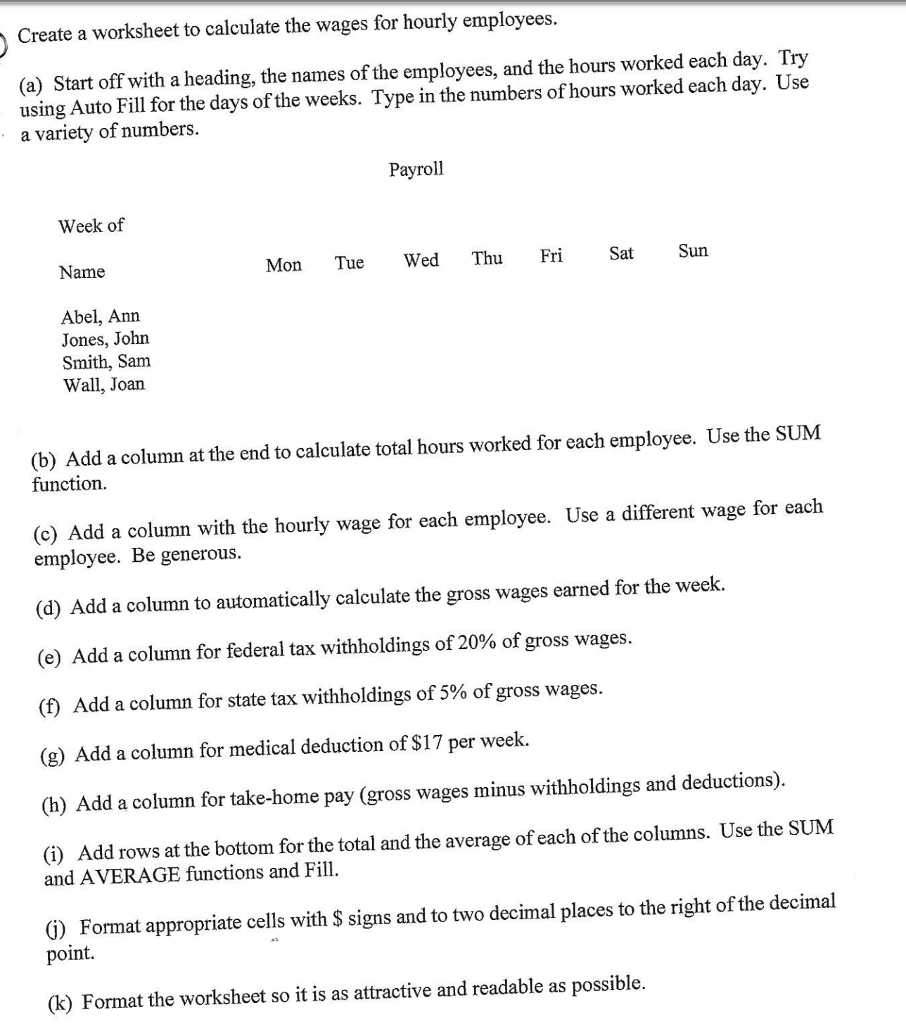
Create a worksheet to calculate the wages for hourly employees. (a) Start off with a heading, the names of the employees, and the hours worked each day. Try using Auto Fill for the days of the weeks. Type in the numbers of hours worked each day. Use a variety of numbers. (b) Add a column at the end to calculate total hours worked for each employee. Use the SUM function. (c) Add a column with the hourly wage for each employee. Use a different wage for each employee. Be generous. (d) Add a column to automatically calculate the gross wages earned for the week. (e) Add a column for federal tax withholdings of 20% of gross wages. (f) Add a column for state tax withholdings of 5% of gross wages. (g) Add a column for medical deduction of $17 per week. (h) Add a column for take-home pay (gross wages minus withholdings and deductions). (i) Add rows at the bottom for the total and the average of each of the columns. Use the SUM and AVERAGE functions and Fill. (j) Format appropriate cells with $ signs and to two decimal places to the right of the decimal point. (k) Format the worksheet so it is as attractive and readable as possible
Step by Step Solution
There are 3 Steps involved in it

Get step-by-step solutions from verified subject matter experts
 Study Help