







Question: Please use excel to solve this question. You just got a new internship position and your first project is to update the project management tool
 Please use excel to solve this question.
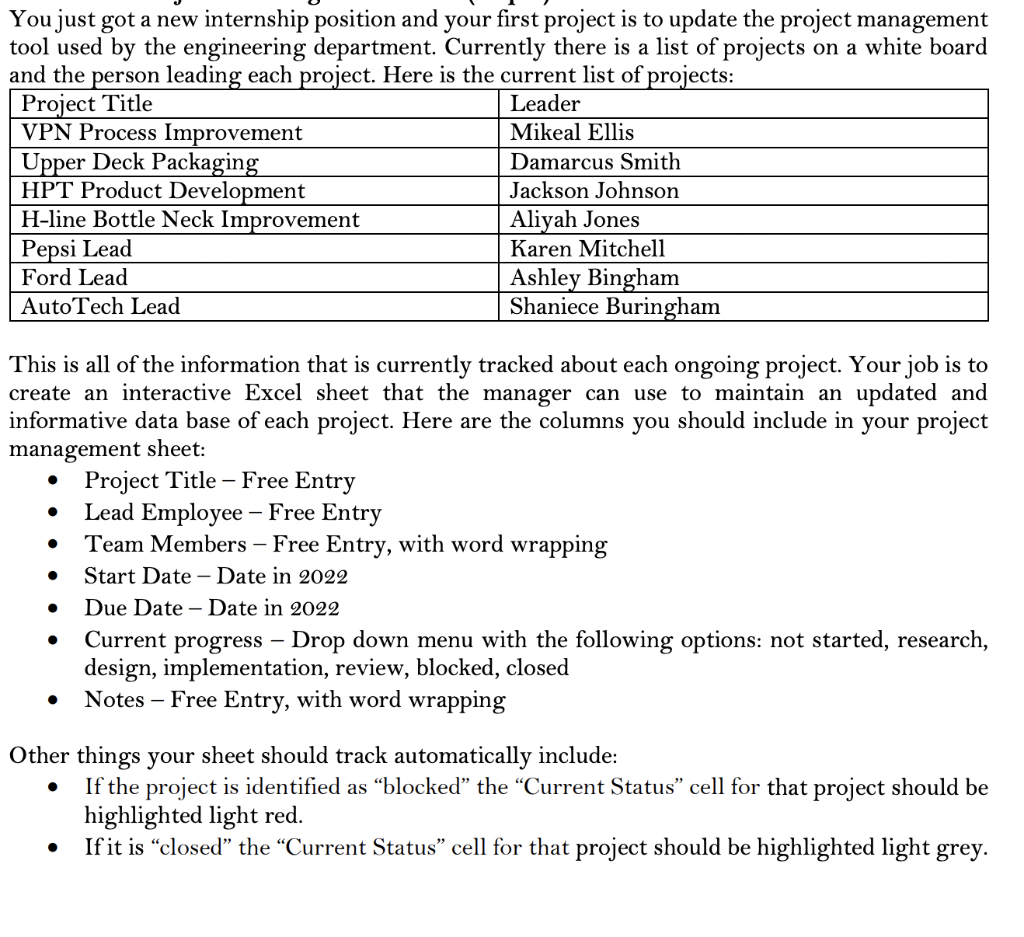
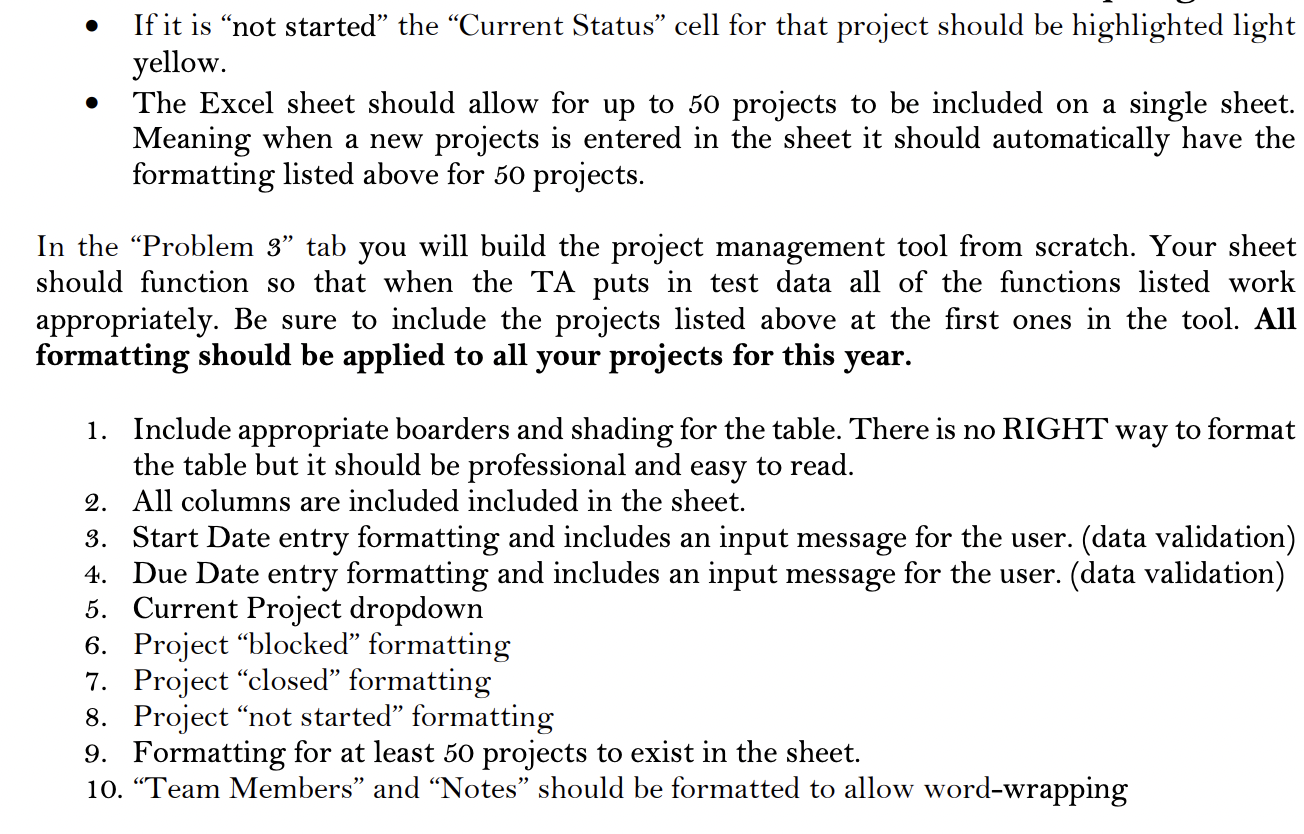
You just got a new internship position and your first project is to update the project management tool used by the engineering department. Currently there is a list of projects on a white board and the person leading each project. Here is the current list of projects: | Project Title Leader VPN Process Improvement Mikeal Ellis Upper Deck Packaging Damarcus Smith HPT Product Development Jackson Johnson H-line Bottle Neck Improvement Aliyah Jones Pepsi Lead Karen Mitchell Ford Lead Ashley Bingham AutoTech Lead Shaniece Buringham - This is all of the information that is currently tracked about each ongoing project. Your job is to create an interactive Excel sheet that the manager can use to maintain an updated and informative data base of each project. Here are the columns you should include in your project management sheet: Project Title - Free Entry Lead Employee - Free Entry Team Members - Free Entry, with word wrapping Start Date - Date in 2022 Due Date - Date in 2022 Current progress Drop down menu with the following options: not started, research, design, implementation, review, blocked, closed Notes Free Entry, with word wrapping . . . . Other things your sheet should track automatically include: If the project is identified as blocked the Current Status cell for that project should be highlighted light red. If it is closed the Current Status cell for that project should be highlighted light grey. If it is not started the Current Status cell for that project should be highlighted light yellow. The Excel sheet should allow for up to 50 projects to be included on a single sheet. Meaning when a new projects is entered in the sheet it should automatically have the formatting listed above for 50 projects. In the Problem 3 tab you will build the project management tool from scratch. Your sheet should function so that when the TA puts in test data all of the functions listed work appropriately. Be sure to include the projects listed above at the first ones in the tool. All formatting should be applied to all your projects for this year. 1. Include appropriate boarders and shading for the table. There is no RIGHT way to format the table but it should be professional and easy to read. 2. All columns are included included in the sheet. 3. Start Date entry formatting and includes an input message for the user. (data validation) 4. Due Date entry formatting and includes an input message for the user. (data validation) 5. Current Project dropdown 6. Project blocked formatting 7. Project closed formatting 8. Project not started formatting 9. Formatting for at least 50 projects to exist in the sheet. 10. Team Members and Notes should be formatted to allow word-wrapping You just got a new internship position and your first project is to update the project management tool used by the engineering department. Currently there is a list of projects on a white board and the person leading each project. Here is the current list of projects: | Project Title Leader VPN Process Improvement Mikeal Ellis Upper Deck Packaging Damarcus Smith HPT Product Development Jackson Johnson H-line Bottle Neck Improvement Aliyah Jones Pepsi Lead Karen Mitchell Ford Lead Ashley Bingham AutoTech Lead Shaniece Buringham - This is all of the information that is currently tracked about each ongoing project. Your job is to create an interactive Excel sheet that the manager can use to maintain an updated and informative data base of each project. Here are the columns you should include in your project management sheet: Project Title - Free Entry Lead Employee - Free Entry Team Members - Free Entry, with word wrapping Start Date - Date in 2022 Due Date - Date in 2022 Current progress Drop down menu with the following options: not started, research, design, implementation, review, blocked, closed Notes Free Entry, with word wrapping . . . . Other things your sheet should track automatically include: If the project is identified as blocked the Current Status cell for that project should be highlighted light red. If it is closed the Current Status cell for that project should be highlighted light grey. If it is not started the Current Status cell for that project should be highlighted light yellow. The Excel sheet should allow for up to 50 projects to be included on a single sheet. Meaning when a new projects is entered in the sheet it should automatically have the formatting listed above for 50 projects. In the Problem 3 tab you will build the project management tool from scratch. Your sheet should function so that when the TA puts in test data all of the functions listed work appropriately. Be sure to include the projects listed above at the first ones in the tool. All formatting should be applied to all your projects for this year. 1. Include appropriate boarders and shading for the table. There is no RIGHT way to format the table but it should be professional and easy to read. 2. All columns are included included in the sheet. 3. Start Date entry formatting and includes an input message for the user. (data validation) 4. Due Date entry formatting and includes an input message for the user. (data validation) 5. Current Project dropdown 6. Project blocked formatting 7. Project closed formatting 8. Project not started formatting 9. Formatting for at least 50 projects to exist in the sheet. 10. Team Members and Notes should be formatted to allow word-wrapping
Step by Step Solution
There are 3 Steps involved in it

Get step-by-step solutions from verified subject matter experts
 Study Help