







Question: Please use java netbeans ide 8 using JApplet form. Please help me make the code able to do the following commands. First picture is the
Please use java netbeans ide 8 using JApplet form. Please help me make the code able to do the following commands. First picture is the expected output, second picture is the design created in applet, third picture is the code that should be edited.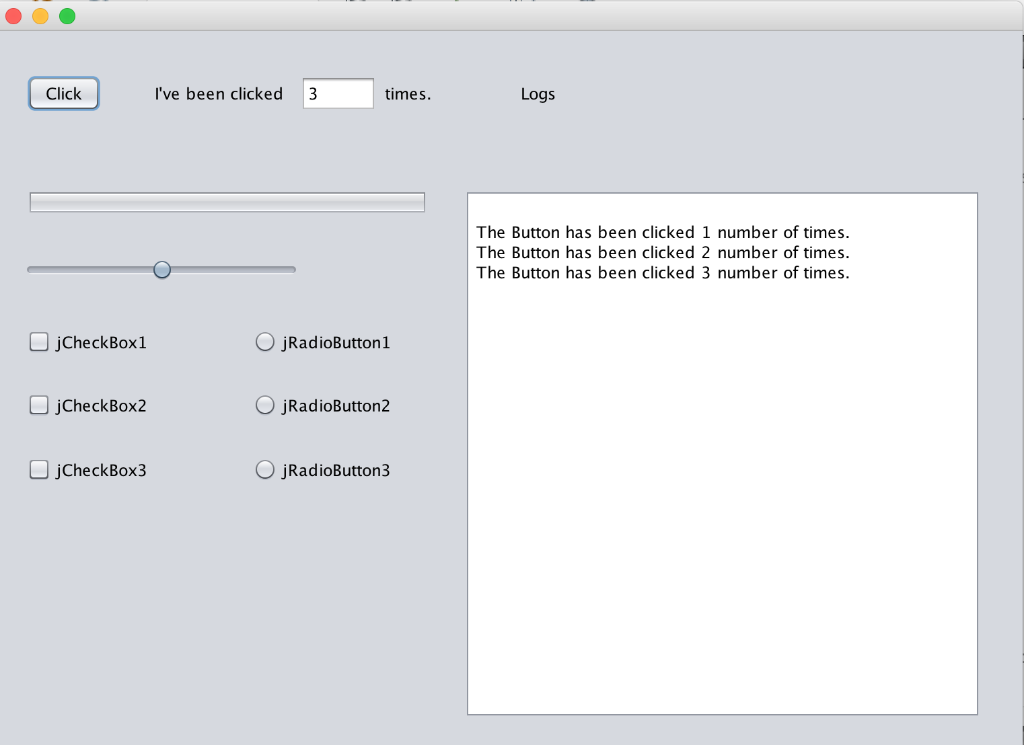
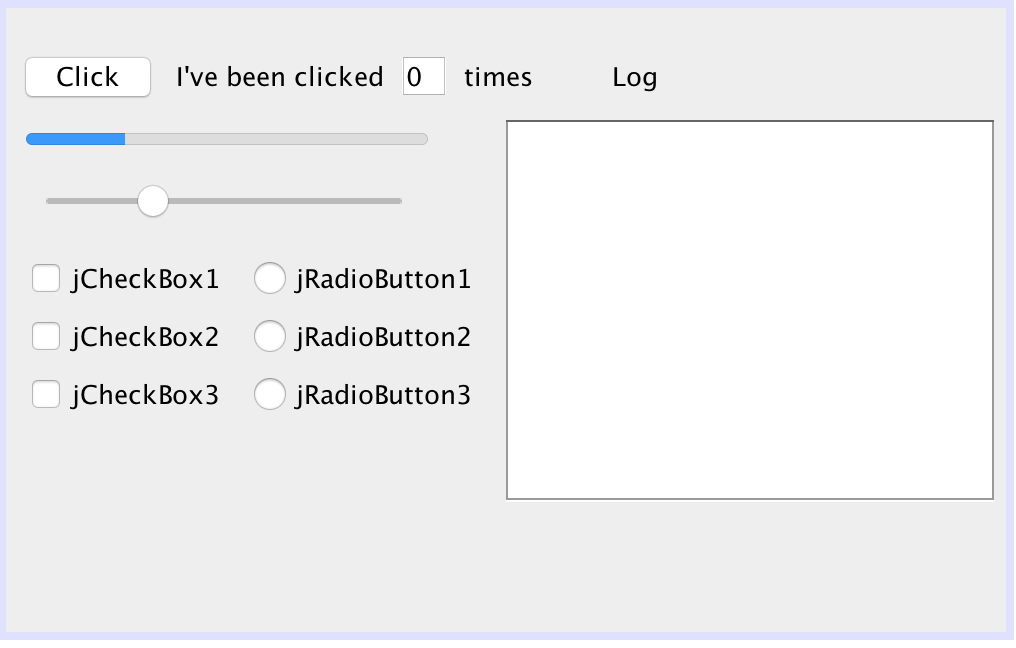
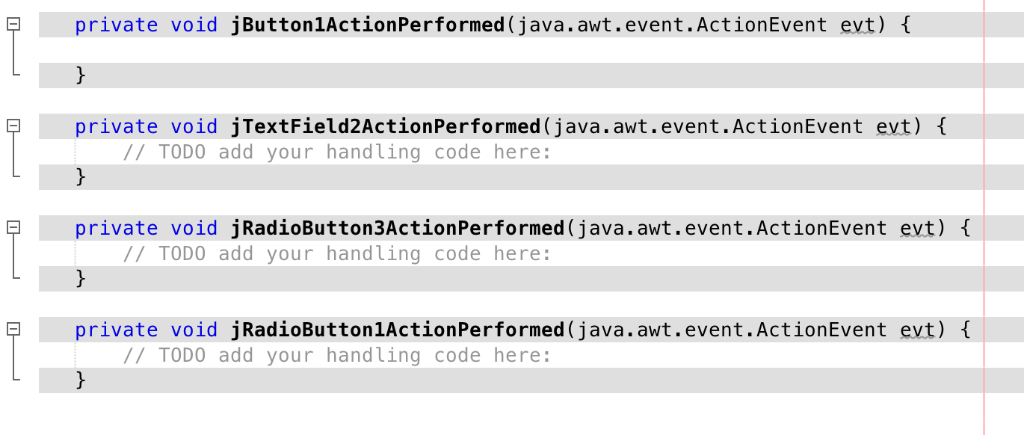
Click 've been clicked 3 times. Logs The Button has been clicked 1 number of times. The Button has been clicked 2 number of times. The Button has been clicked 3 number of times. jCheckBoxl jCheckBox2 jCheckBox3 O jRadioButton1 O jRadioButton2 O jRadioButton3 Click I've been clicked 0 times Log j jRadioButton1 jCheckBox2jRadioButton2 jCheckBox3 jRadioButton3 iCheckBox1 private void jButtonlActionPerformed (java.awt.event.ActionEvent evt) private void jTextField2ActionPerformed (java.awt.event.ActionEvent evt) ITODO add your handling code here: private void jRadioButton3ActionPerformed (java.awt.event.ActionEvent evt) ITODO add your handling code here: private void jRadioButton1ActionPerformed (java.awt.event.ActionEvent evt) TODO add your handling code here: Click 've been clicked 3 times. Logs The Button has been clicked 1 number of times. The Button has been clicked 2 number of times. The Button has been clicked 3 number of times. jCheckBoxl jCheckBox2 jCheckBox3 O jRadioButton1 O jRadioButton2 O jRadioButton3 Click I've been clicked 0 times Log j jRadioButton1 jCheckBox2jRadioButton2 jCheckBox3 jRadioButton3 iCheckBox1 private void jButtonlActionPerformed (java.awt.event.ActionEvent evt) private void jTextField2ActionPerformed (java.awt.event.ActionEvent evt) ITODO add your handling code here: private void jRadioButton3ActionPerformed (java.awt.event.ActionEvent evt) ITODO add your handling code here: private void jRadioButton1ActionPerformed (java.awt.event.ActionEvent evt) TODO add your handling code here
Step by Step Solution
There are 3 Steps involved in it

Get step-by-step solutions from verified subject matter experts
 Study Help