







Question: please, use mplab studio or c programming visual studio. Thanks Description: Create an application that uses the Led's and push buttons. Part I: Design a
please, use mplab studio or c programming visual studio. Thanks
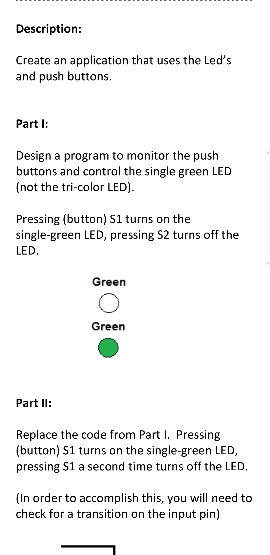
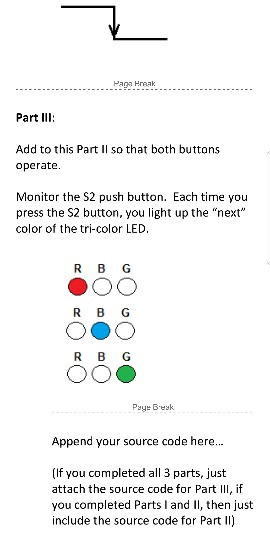
Description: Create an application that uses the Led's and push buttons. Part I: Design a program to monitor the push buttons and control the single green LED (not the tri-color LED). Pressing (button) S1 turns on the single-green LED, pressing S2 turns off the LED. Green Green Part Il: Replace the code from Part I. Pressing (button) S1 turns on the single-green LED, pressing S1 a second time turns off the LED, (In order to accomplish this, you will need to check for a transition on the input pin) Paga Hreak Part IlI: Add to this Part Il so that both buttons operate. Monitor the S2 push button. Each time you press the S2 button, you light up the "next" color of the tri-color LED. R B G R B G Paye Besk Append your source code here... (If you completed all 3 parts, just attach the source code for Part III, if you completed Parts I and II, then just include the source code for Part II) Description: Create an application that uses the Led's and push buttons. Part I: Design a program to monitor the push buttons and control the single green LED (not the tri-color LED). Pressing (button) S1 turns on the single-green LED, pressing S2 turns off the LED. Green Green Part Il: Replace the code from Part I. Pressing (button) S1 turns on the single-green LED, pressing S1 a second time turns off the LED, (In order to accomplish this, you will need to check for a transition on the input pin) Paga Hreak Part IlI: Add to this Part Il so that both buttons operate. Monitor the S2 push button. Each time you press the S2 button, you light up the "next" color of the tri-color LED. R B G R B G Paye Besk Append your source code here... (If you completed all 3 parts, just attach the source code for Part III, if you completed Parts I and II, then just include the source code for Part II)
Step by Step Solution
There are 3 Steps involved in it

Get step-by-step solutions from verified subject matter experts
 Study Help