







Question: Please use Python. Problem 2 Projectile motion with flat ground (10 pts) We want to illustrate the projectile problem with flat ground described in Lecture
Please use Python.
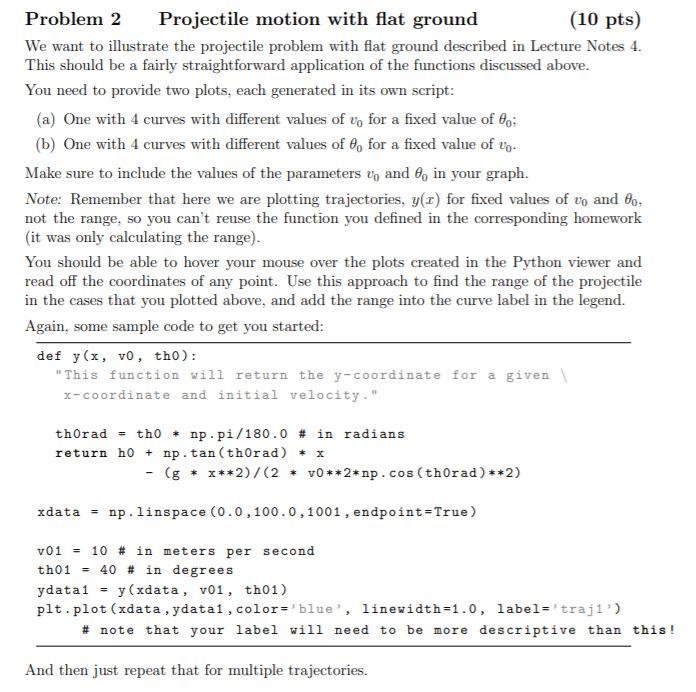
Problem 2 Projectile motion with flat ground (10 pts) We want to illustrate the projectile problem with flat ground described in Lecture Notes 4. This should be a fairly straightforward application of the functions discussed above. You need to provide two plots, each generated in its own script: (a) One with 4 curves with different values of vo for a fixed value of 8o; (b) One with 4 curves with different values of 8, for a fixed value of lg. Make sure to include the values of the parameters v, and 0, in your graph. Note: Remember that here we are plotting trajectories, y(x) for fixed values of vo and 80, not the range, so you can't reuse the function you defined in the corresponding homework (it was only calculating the range). You should be able to hover your mouse over the plots created in the Python viewer and read off the coordinates of any point. Use this approach to find the range of the projectile in the cases that you plotted above, and add the range into the curve label in the legend. Again, some sample code to get you started: def y(x, vo, tho): "This function will return the y-coordinate for a given x-coordinate and initial velocity." thorad = tho * np. pi/180.0 # in radians return ho + np. tan(thorad) + x (g* ***2)/(2* VO**2*np.cos(thorad)*+2) xdata = np.linspace (0.0,100.0, 1001, endpoint=True) v01 = 10 # in meters per second th01 = 40 # in degrees ydata1 = y(xdata, v01, th01) plt.plot (xdata , ydatal, color='blue', linewidth=1.0, label='trajl) # note that your label will need to be more descriptive than this! And then just repeat that for multiple trajectories. Problem 2 Projectile motion with flat ground (10 pts) We want to illustrate the projectile problem with flat ground described in Lecture Notes 4. This should be a fairly straightforward application of the functions discussed above. You need to provide two plots, each generated in its own script: (a) One with 4 curves with different values of vo for a fixed value of 8o; (b) One with 4 curves with different values of 8, for a fixed value of lg. Make sure to include the values of the parameters v, and 0, in your graph. Note: Remember that here we are plotting trajectories, y(x) for fixed values of vo and 80, not the range, so you can't reuse the function you defined in the corresponding homework (it was only calculating the range). You should be able to hover your mouse over the plots created in the Python viewer and read off the coordinates of any point. Use this approach to find the range of the projectile in the cases that you plotted above, and add the range into the curve label in the legend. Again, some sample code to get you started: def y(x, vo, tho): "This function will return the y-coordinate for a given x-coordinate and initial velocity." thorad = tho * np. pi/180.0 # in radians return ho + np. tan(thorad) + x (g* ***2)/(2* VO**2*np.cos(thorad)*+2) xdata = np.linspace (0.0,100.0, 1001, endpoint=True) v01 = 10 # in meters per second th01 = 40 # in degrees ydata1 = y(xdata, v01, th01) plt.plot (xdata , ydatal, color='blue', linewidth=1.0, label='trajl) # note that your label will need to be more descriptive than this! And then just repeat that for multiple trajectories
Step by Step Solution
There are 3 Steps involved in it

Get step-by-step solutions from verified subject matter experts
 Study Help