





Question: please use python Question1 Incorrect Marked out of 1.00 P Flag question A unction called account_summaryO has been provided for you. This function reads a
 please use python Question1 Incorrect Marked out of 1.00 P Flag

question A unction called account_summaryO has been provided for you. This function

please use python

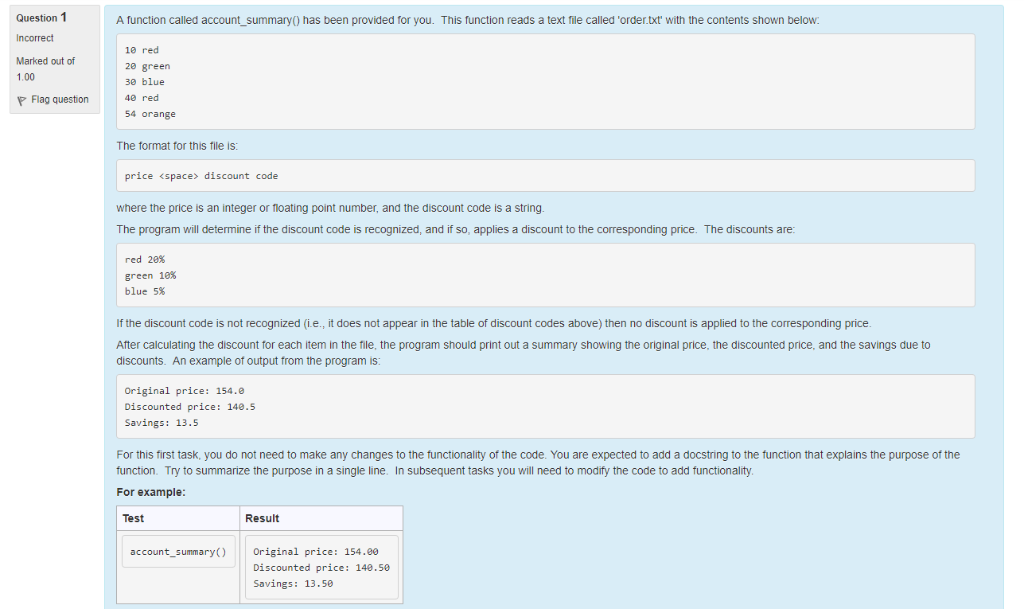
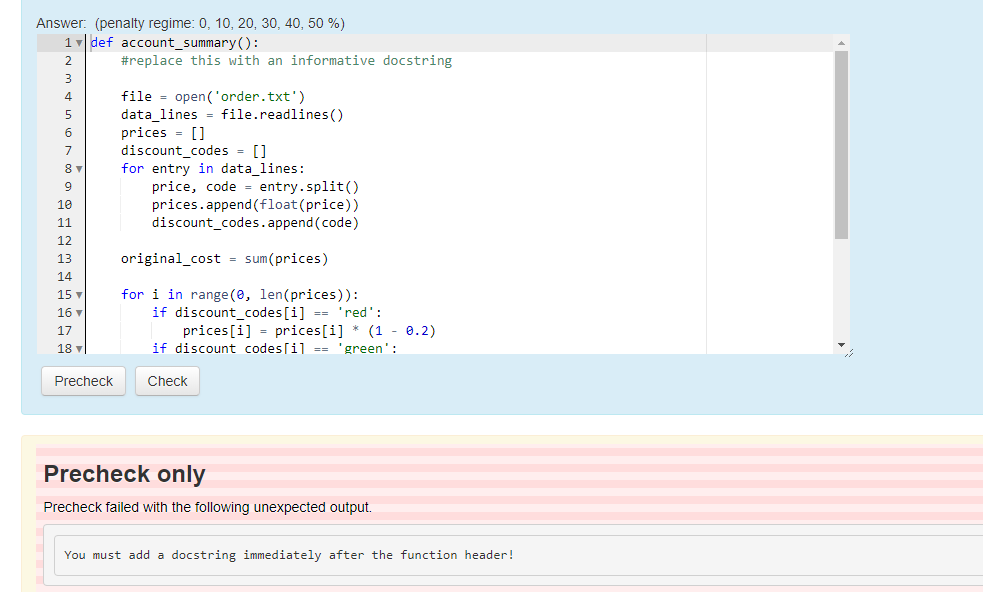
Question1 Incorrect Marked out of 1.00 P Flag question A unction called account_summaryO has been provided for you. This function reads a text file called 'order.txt' with the contents shown below 10 red 20 greern 30 blue 40 red 54 orange The format for this file is price discount code where the price is an integer or floating point number, and the discount code is a string. The program will determine if the discount code is recognized, and if so, applies a discount to the corresponding price. The discounts are red 20% green 18% blue 5% If the discount code is not recognized (i.e., it does not appear in the table of discount codes above) then no discount is applied to the corresponding price After calculating the discount for each item in the file, the program should print out a summary showing the original price, the discounted price, and the savings due to discounts. An example of output from the program is Original price: 154.8 Discounted price: 140.5 Savings: 13.5 For this first task, you do not need to make any changes to the functionality of the code. You are expected to add a docstring to the function that explains the purpose of the function. Try to summarize the purpose in a single line. In subsequent tasks you will need to modify the code to add functionality For example Test Result account summary) Original price: 154.80 Discounted price: 140.50 Savings: 13.5

Step by Step Solution

There are 3 Steps involved in it

1 Expert Approved Answer
Step: 1 Unlock blur-text-image
Question Has Been Solved by an Expert!

Get step-by-step solutions from verified subject matter experts

Step: 2 Unlock
Step: 3 Unlock

Students Have Also Explored These Related Databases Questions!