







Question: Please use R programming and download the jpeg file from below link to answer this: https://drive.google.com/file/d/1QGl5CCUzuBNLEcmy2HzAVWdceKTA5GJ3/view?usp=sharing There is a jpeg file (https://drive.google.com/file/d/1QGl5CCUzuBNLEcmy2HzAVWdceKTA5GJ3/view?usp=sharing) which stores which
Please use R programming and download the jpeg file from below link to answer this:
https://drive.google.com/file/d/1QGl5CCUzuBNLEcmy2HzAVWdceKTA5GJ3/view?usp=sharing
There is a jpeg file (https://drive.google.com/file/d/1QGl5CCUzuBNLEcmy2HzAVWdceKTA5GJ3/view?usp=sharing) which stores which stores a color photo. Use \prcomp" function to compress the photo such that the compression ratio is closest to, but not more than 10% under the following three settings:
(a) \prcomp" with center=FALSE, scale.=FALSE,
(b) \prcomp" with center=TRUE, scale.=FALSE, and
(c) \prcomp" with center=TRUE, scale.=TRUE.
Print the original photo and the decompressed photos (sample outputs for cat.jpeg are given in below figures). (Hint: In (b) and (c), data are transformed before low-rank approximation. You need to backtransform the decompressed image to get an approximate image. You can use the \scale" function with user-supplied center and scale parameters for the backtransformation.)
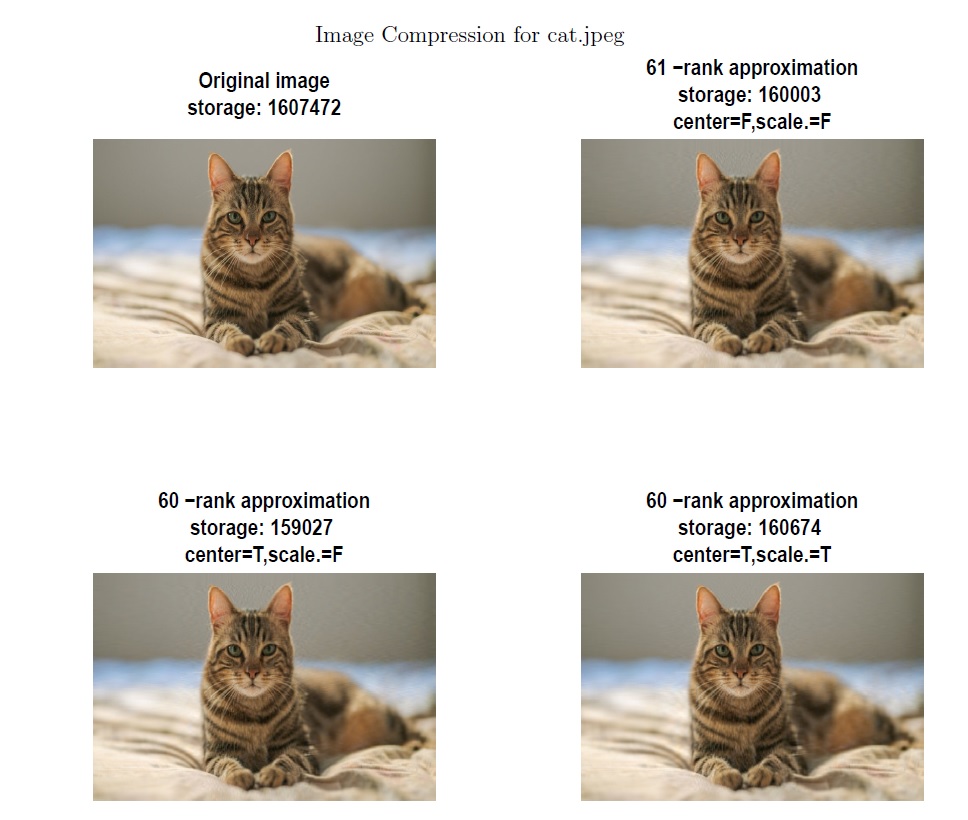
Image Compression for cat.jpeg Original image 61 -rank approximation storage: 160003 storage: 1607472 center=F,scale. =F 60-rankapproximationstorage:159027center=T,Scale.=F60-rankapproximationstorage:160674center=T,Scale.:=T
Step by Step Solution
There are 3 Steps involved in it

Get step-by-step solutions from verified subject matter experts
 Study Help