







Question: Please use RStudio, any other programming language will not be supported - Pre-lab work - Complete the pre-lab tutorials for Lab 4 first: https://stat212-learnr.stat.illinois.edu/ -
Please use RStudio, any other programming language will not be supported
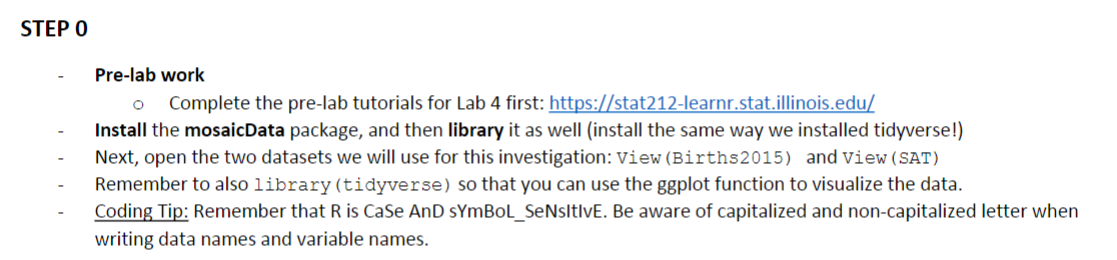
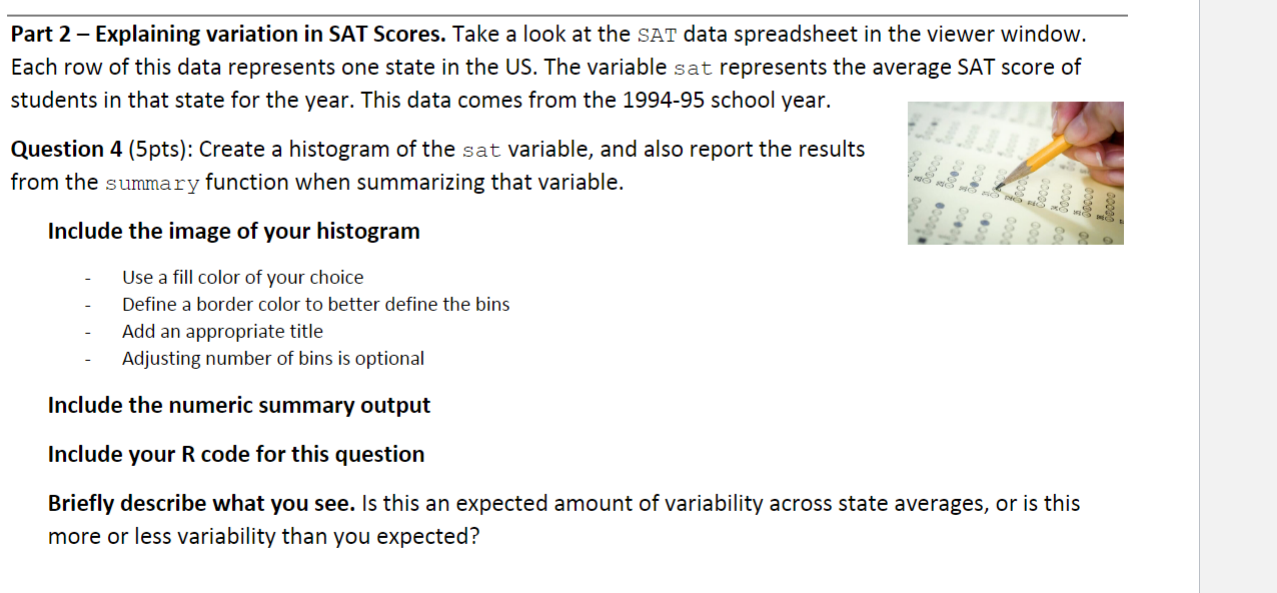
- Pre-lab work - Complete the pre-lab tutorials for Lab 4 first: https://stat212-learnr.stat.illinois.edu/ - Install the mosaicData package, and then library it as well (install the same way we installed tidyverse!) - Next, open the two datasets we will use for this investigation: View (Births2015) and View (SAT) - Remember to also library (tidyverse) so that you can use the ggplot function to visualize the data. - Coding Tip: Remember that R is CaSe AnD sYmBoL_SeNsItIvE. Be aware of capitalized and non-capitalized letter when writing data names and variable names. Part 2 - Explaining variation in SAT Scores. Take a look at the SAT data spreadsheet in the viewer window. Each row of this data represents one state in the US. The variable sat represents the average SAT score of students in that state for the year. This data comes from the 1994-95 school year. Question 4 (5pts): Create a histogram of the sat variable, and also report the results from the summary function when summarizing that variable. Include the image of your histogram - Use a fill color of your choice - Define a border color to better define the bins - Add an appropriate title - Adjusting number of bins is optional Include the numeric summary output Include your R code for this question Briefly describe what you see. Is this an expected amount of variability across state averages, or is this more or less variability than you expected? - Pre-lab work - Complete the pre-lab tutorials for Lab 4 first: https://stat212-learnr.stat.illinois.edu/ - Install the mosaicData package, and then library it as well (install the same way we installed tidyverse!) - Next, open the two datasets we will use for this investigation: View (Births2015) and View (SAT) - Remember to also library (tidyverse) so that you can use the ggplot function to visualize the data. - Coding Tip: Remember that R is CaSe AnD sYmBoL_SeNsItIvE. Be aware of capitalized and non-capitalized letter when writing data names and variable names. Part 2 - Explaining variation in SAT Scores. Take a look at the SAT data spreadsheet in the viewer window. Each row of this data represents one state in the US. The variable sat represents the average SAT score of students in that state for the year. This data comes from the 1994-95 school year. Question 4 (5pts): Create a histogram of the sat variable, and also report the results from the summary function when summarizing that variable. Include the image of your histogram - Use a fill color of your choice - Define a border color to better define the bins - Add an appropriate title - Adjusting number of bins is optional Include the numeric summary output Include your R code for this question Briefly describe what you see. Is this an expected amount of variability across state averages, or is this more or less variability than you expected
Step by Step Solution
There are 3 Steps involved in it

Get step-by-step solutions from verified subject matter experts
 Study Help