







Question: PLEASE USING WITH ONLY JAVAFX library , THANK YOU! My coding: import java.util.*; // for date public class Lab04Inner{ public static void main (String []
![[] args) throws InterruptedException{ firstThread ft1 = new firstThread(); // Being with](https://dsd5zvtm8ll6.cloudfront.net/si.experts.images/questions/2024/09/66f3dfad637b6_54066f3dfacd9e3d.jpg)
PLEASE USING WITH ONLY JAVAFX library, THANK YOU!
My coding:
import java.util.*; // for date
public class Lab04Inner{ public static void main (String [] args) throws InterruptedException{ firstThread ft1 = new firstThread(); // Being with the first thread secondThread st1 = new secondThread(); // Being with the second thread ft1.start(); // First thread starts st1.start(); // Second thread starts synchronized(ft1){ ft1.wait(); System.out.println("FT1: The object has been notified by the thread!"); } synchronized(st1){ ft1.wait(); System.out.println("MT: The object has been notified by the thread!"); } } }
class firstThread extends Thread { public void run() { for(int count = 1; count
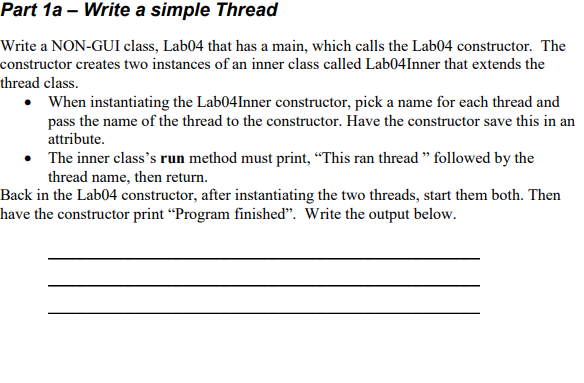
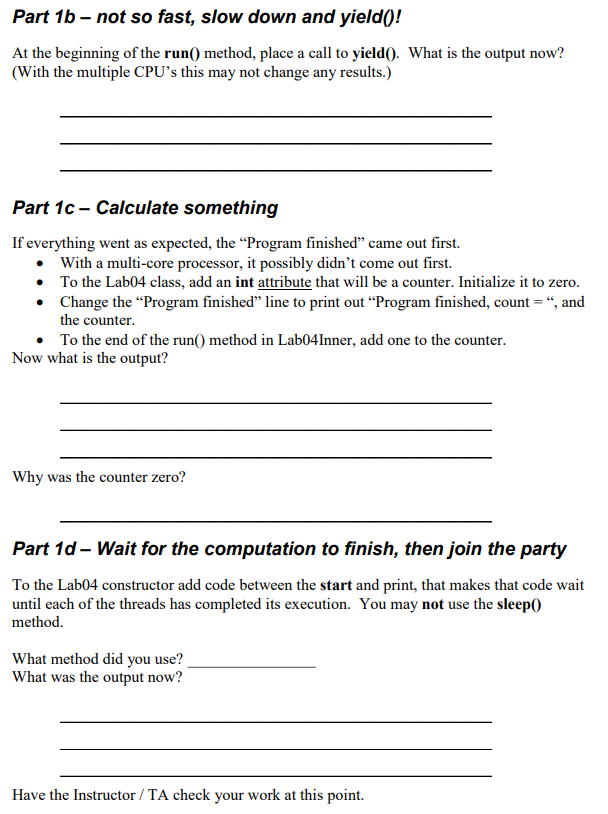
class secondThread extends Thread { public void run() { for(int counter = 0; counter Part 1a - Write a simple Thread Write a NON-GUI class, Lab04 that has a main, which calls the Lab04 constructor. The constructor creates two instances of an inner class called Lab04Inner that extends the thread class. .When instantiating the Lab04Inner constructor, pick a name for each thread and pass the name of the thread to the constructor. Have the constructor save this in an attribute The inner class's run method must print, "This ran thread" followed by the Back in the Lab04 constructor, after instantiating the two threads, start them both. Then have the constructor print "Program finished". Write the output below
Step by Step Solution
There are 3 Steps involved in it

Get step-by-step solutions from verified subject matter experts
 Study Help