







Question: pls do in java Place this data file in your project: It has - #title - #description, price, quantity - several lines of products followed
pls do in java
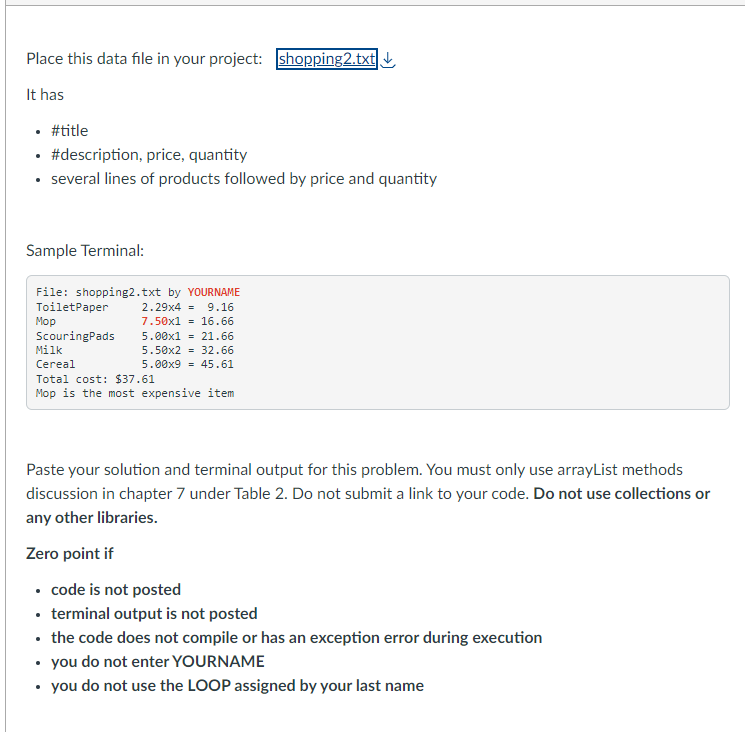
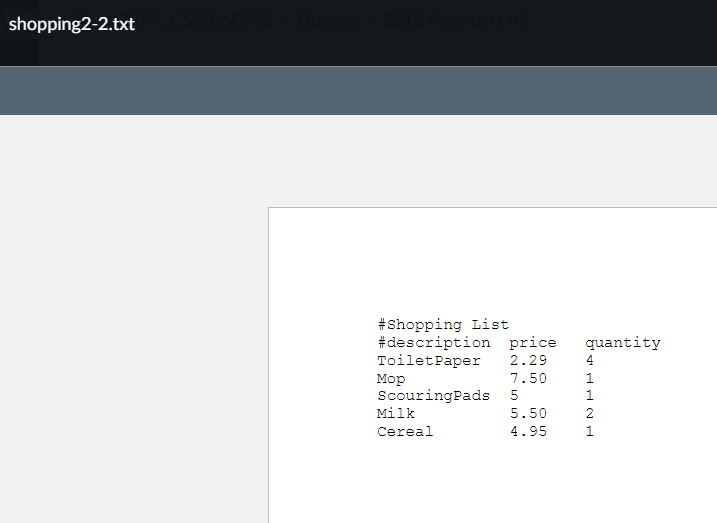
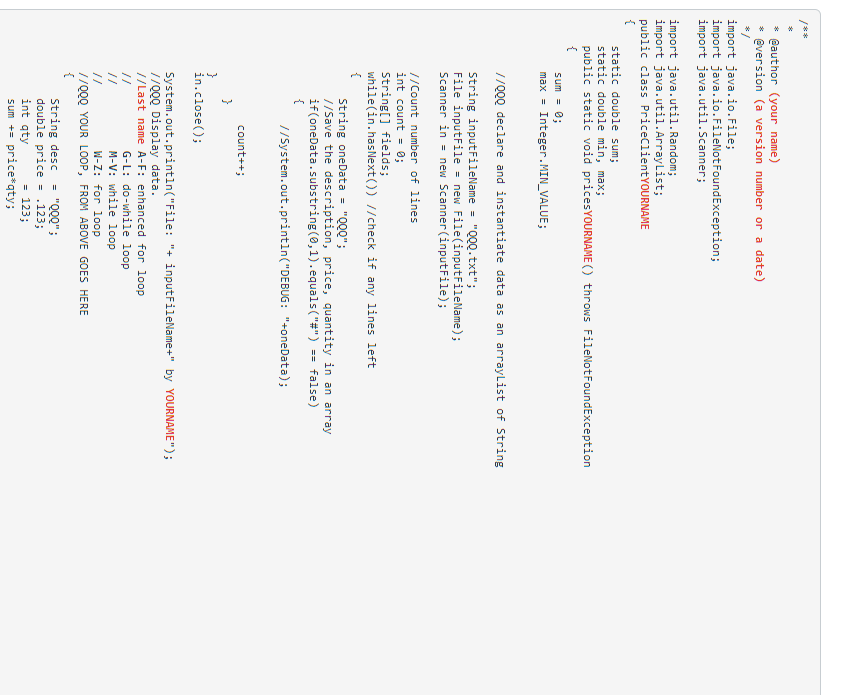
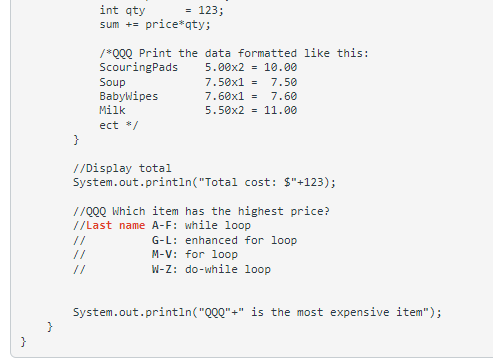
Place this data file in your project: It has - \#title - \#description, price, quantity - several lines of products followed by price and quantity Sample Terminal: Paste your solution and terminal output for this problem. You must only use arrayList methods discussion in chapter 7 under Table 2. Do not submit a link to your code. Do not use collections or any other libraries. Zero point if - code is not posted - terminal output is not posted - the code does not compile or has an exception error during execution - you do not enter YOURNAME - you do not use the LOOP assigned by your last name shopping2-2.txt #ShoppingList#descriptionToiletPaperMopScouringPadsMilkCerealprice2.297.5055.504.95quantity41121 Qauthor (your name) Qversion (a version number or a date) 8 mport java.io. File; mport java.io. FileNotFoundException; mport java. util. Scanner; mport java. util. Random; mport java.util. ArrayList; ublic class PriceClientYOURNAME static double sum; static double min, max; public static void pricesYOURNAME() throws FileNotFoundException \{ sum =0; max= Integer.MIN_VALUE; //QQQ declare and instantiate data as an arraylist of String String inputFileName = "QQQ.txt"; File inputFile = new File(inputFileName); Scanner in = new Scanner (inputFile); // Count number of lines int count =; String[] fields; while(in.hasNext()) //check if any lines left \{ String oneData = "QQQ"; //Save the description, price, quantity in an array if(oneData.substring (0,1). equals("\#") == false) \{ //System. out.println("DEBUG: "+oneData)
Step by Step Solution
There are 3 Steps involved in it

Get step-by-step solutions from verified subject matter experts
 Study Help