







Question: pls make a presentation video ECIFIC ASSIGNMENT INSTRUCTIONS 1. Submit video presentations (five to eight minutes) to a Discussion Board on Blackboard posted in the
pls make a presentation video
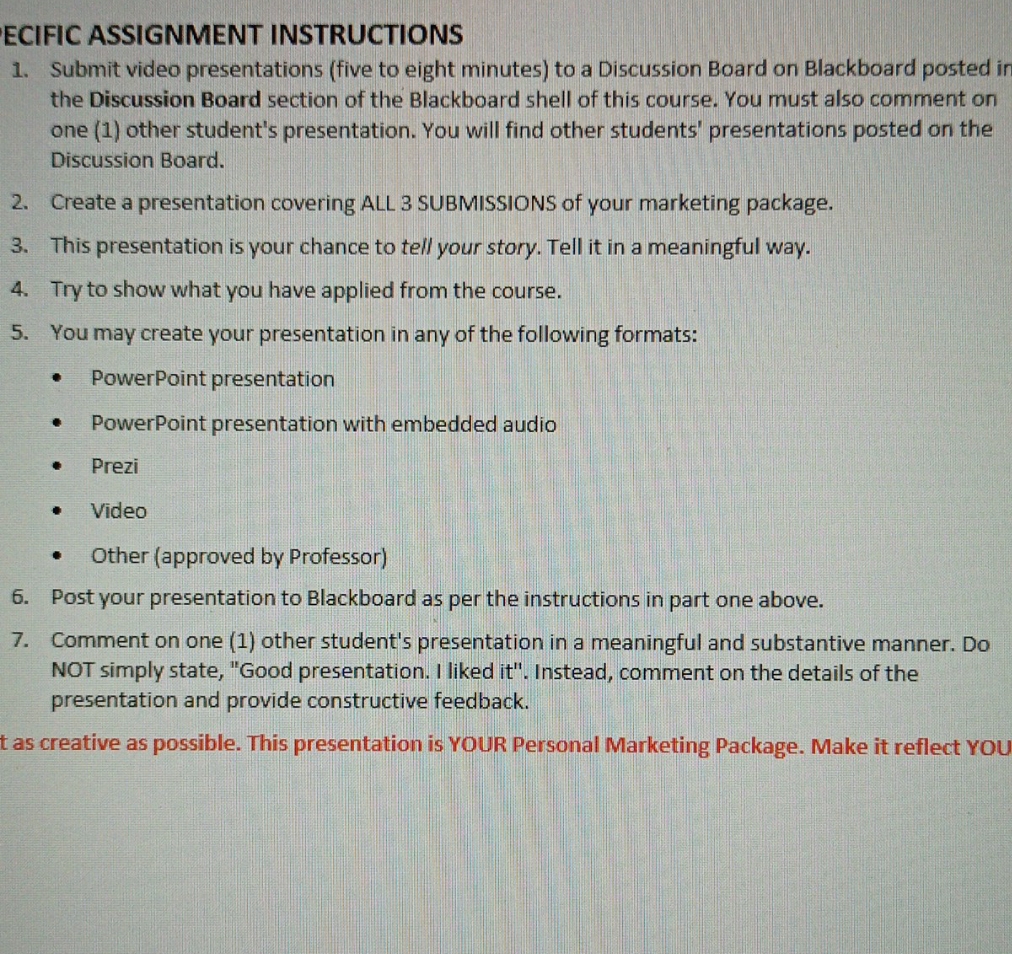
ECIFIC ASSIGNMENT INSTRUCTIONS 1. Submit video presentations (five to eight minutes) to a Discussion Board on Blackboard posted in the Discussion Board section of the Blackboard shell of this course. You must also comment on one (1) other student's presentation. You will find other students' presentations posted on the Discussion Board. 2. Create a presentation covering ALL 3 SUBMISSIONS of your marketing package. 3. This presentation is your chance to tell your story. Tell it in a meaningful way. 4. Try to show what you have applied from the course. 5. You may create your presentation in any of the following formats: PowerPoint presentation PowerPoint presentation with embedded audio . Prezi Video . Other (approved by Professor) 6. Post your presentation to Blackboard as per the instructions in part one above. 7. Comment on one (1) other student's presentation in a meaningful and substantive manner. Do NOT simply state, "Good presentation. I liked it". Instead, comment on the details of the presentation and provide constructive feedback. as creative as possible. This presentation is YOUR Personal Marketing Package. Make it reflect YOU
Step by Step Solution
There are 3 Steps involved in it

Get step-by-step solutions from verified subject matter experts
 Study Help