



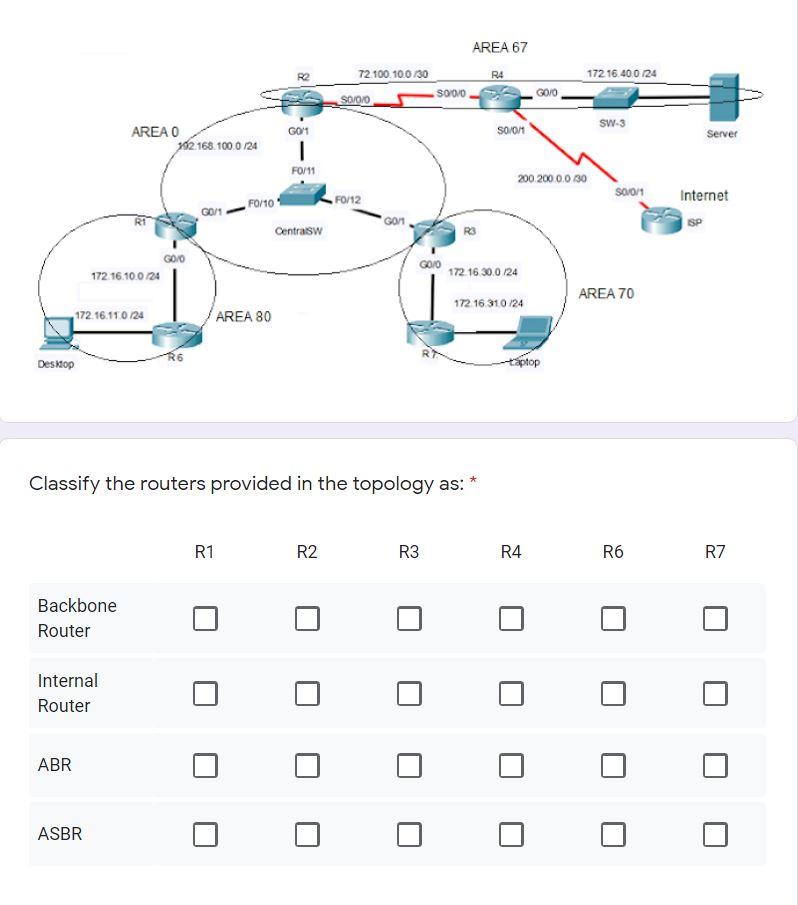
Question: plz solve all question thx AREA 67 72 100 100 130 RA 30/010 5000 172 16.400 124 S0101 SW-3 Server AREA O G01 102.168.1000 124
plz solve all question thx
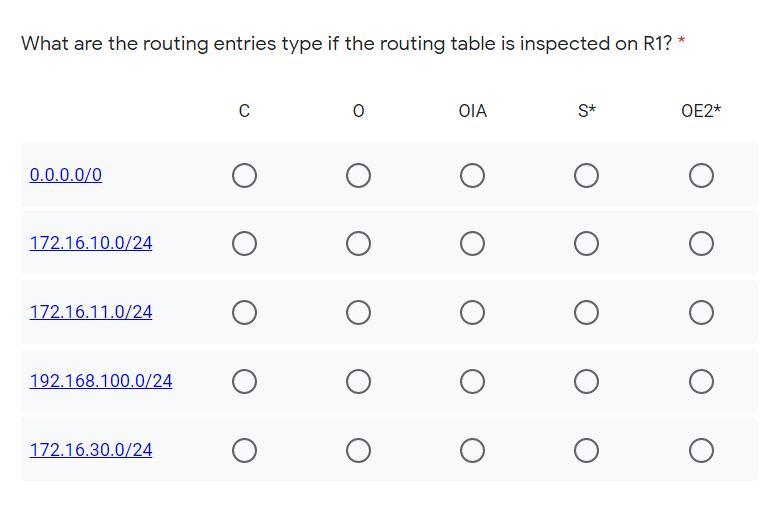
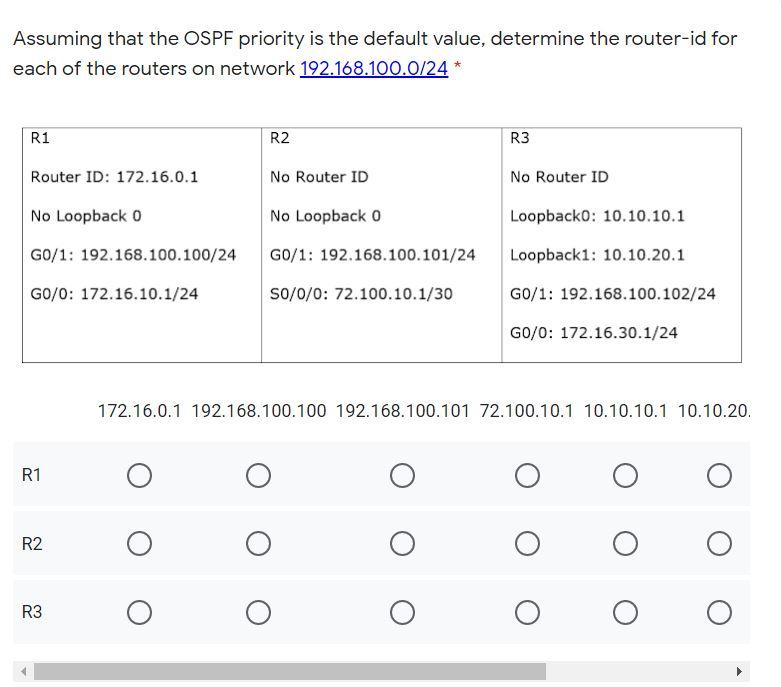
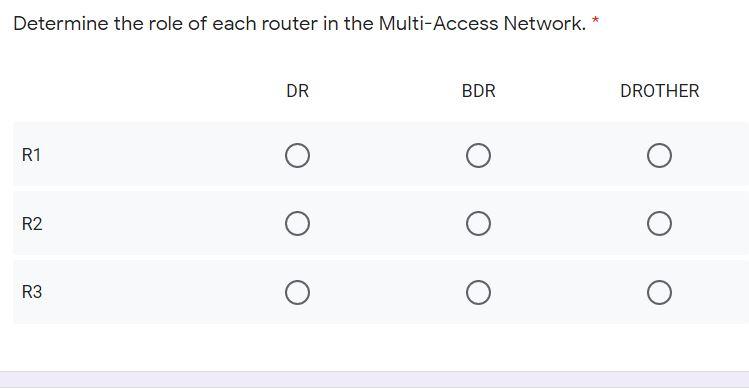
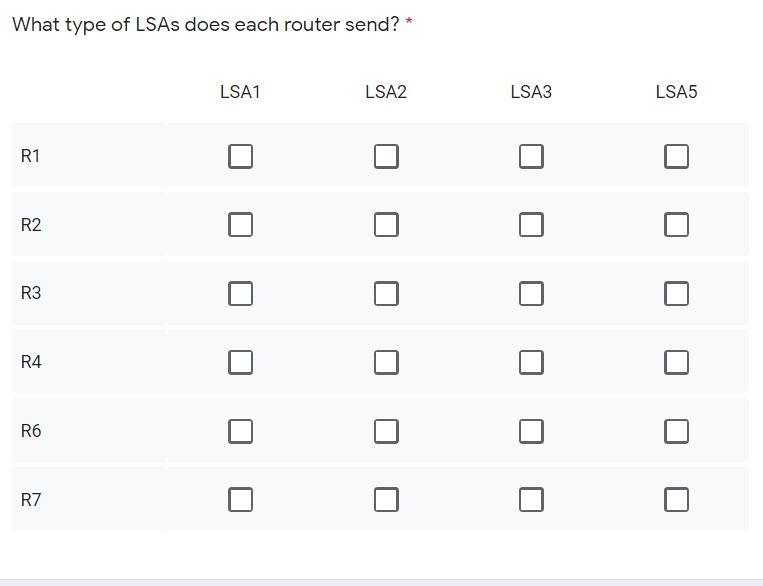
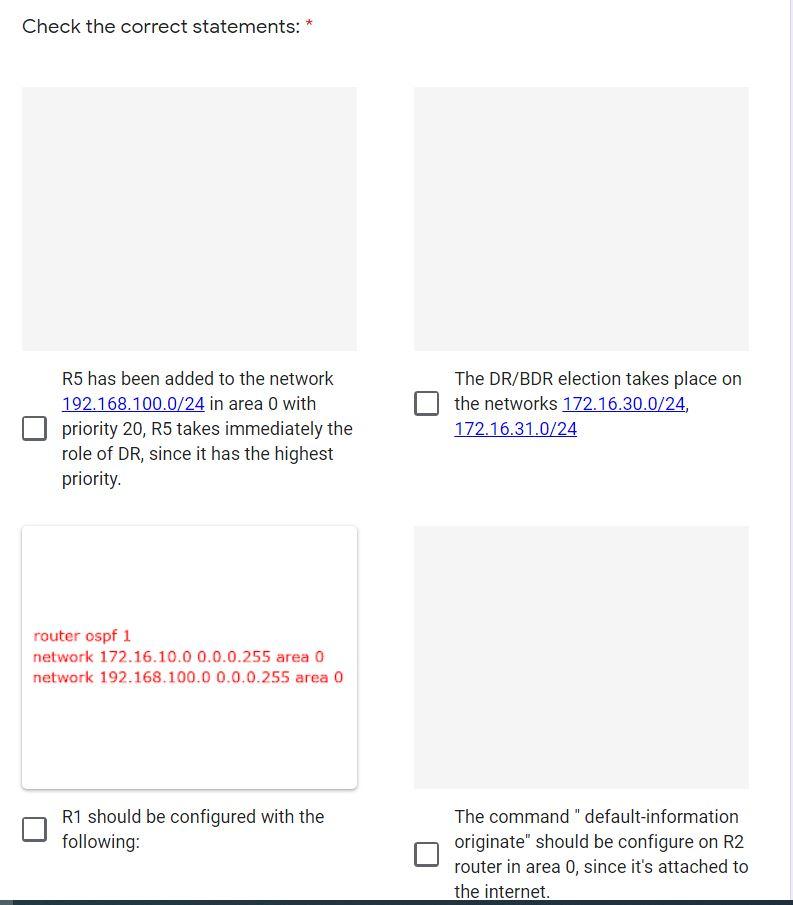
AREA 67 72 100 100 130 RA 30/010 5000 172 16.400 124 S0101 SW-3 Server AREA O G01 102.168.1000 124 | FO/ F0/10 F0/12 Centras 200.200.0.0 130 S010/1 Internet 601 GOO 172.16.10.0/24 GOJO 172.16 30.0/24 172.16 310/24 AREA 70 172.16.11.0 124 AREA 80 Desktop R6 aptop * Classify the routers provided in the topology as: * R1 R2 R3 R4 R6 R7 Backbone Router Internal Router ABR ASBR What are the routing entries type if the routing table is inspected on R1? OIA S* OE2* 0.0.0.0/0 172.16.10.0/24 172.16.11.0/24 192.168.100.0/24 172.16.30.0/24 Assuming that the OSPF priority is the default value, determine the router-id for each of the routers on network 192.168.100.0/24* R1 R2 R3 Router ID: 172.16.0.1 No Router ID No Router ID No Loopback 0 Loopbacko: 10.10.10.1 No Loopback 0 G0/1: 192.168.100.100/24 GO/1: 192.168.100.101/24 Loopback1: 10.10.20.1 GO/O: 172.16.10.1/24 S0/0/0: 72.100.10.1/30 G0/1: 192.168.100.102/24 GO/O: 172.16.30.1/24 172.16.0.1 192.168.100.100 192.168.100.101 72.100.10.1 10.10.10.1 10.10.20. R1 R2 R3 Determine the role of each router in the Multi-Access Network. DR BDR DROTHER R1 R2 R3 What type of LSAs does each router send? LSA1 LSA2 LSA3 LSA5 R1 R2 R3 R4 R6 R7 Check the correct statements: R5 has been added to the network 192.168.100.0/24 in area O with priority 20, R5 takes immediately the role of DR, since it has the highest priority. The DR/BDR election takes place on the networks 172.16.30.0/24, 172.16.31.0/24 router ospf 1 network 172.16.10.0 0.0.0.255 area 0 network 192.168.100.0 0.0.0.255 area 0 R1 should be configured with the following: The command" default-information originate" should be configure on R2 router in area 0, since it's attached to the internet
Step by Step Solution
There are 3 Steps involved in it

Get step-by-step solutions from verified subject matter experts