







Question: Practical Assignment 2 Assignment Instructions Preferred tool: Cisco Packet Tracer Submission Instructions The students are required to submit. 1 . Word file / PDF file
Practical Assignment
Assignment Instructions
Preferred tool:
Cisco Packet
Tracer
Submission Instructions
The students are required to submit.
Word file PDF file with Table Completed
Packet tracer file
Assignment title: Configuring OSPF in the given network.
Objectives
Part : Design an IP Addressing Scheme Complete the Table
Part : Implement the Design in Packet tracer Assign IP Addresses to Network Devices
and Verify Connectivity
Part : Configure OSPF
Part : Verify connectivity.
Background Scenario
This is your first day at Job You are given an IP Address of by your Network
Administrator, and you are required to do the following.
You have to do subnetting and complete Table given below.
You have to make sure that each LAN in this network gets ip addresses for PCs
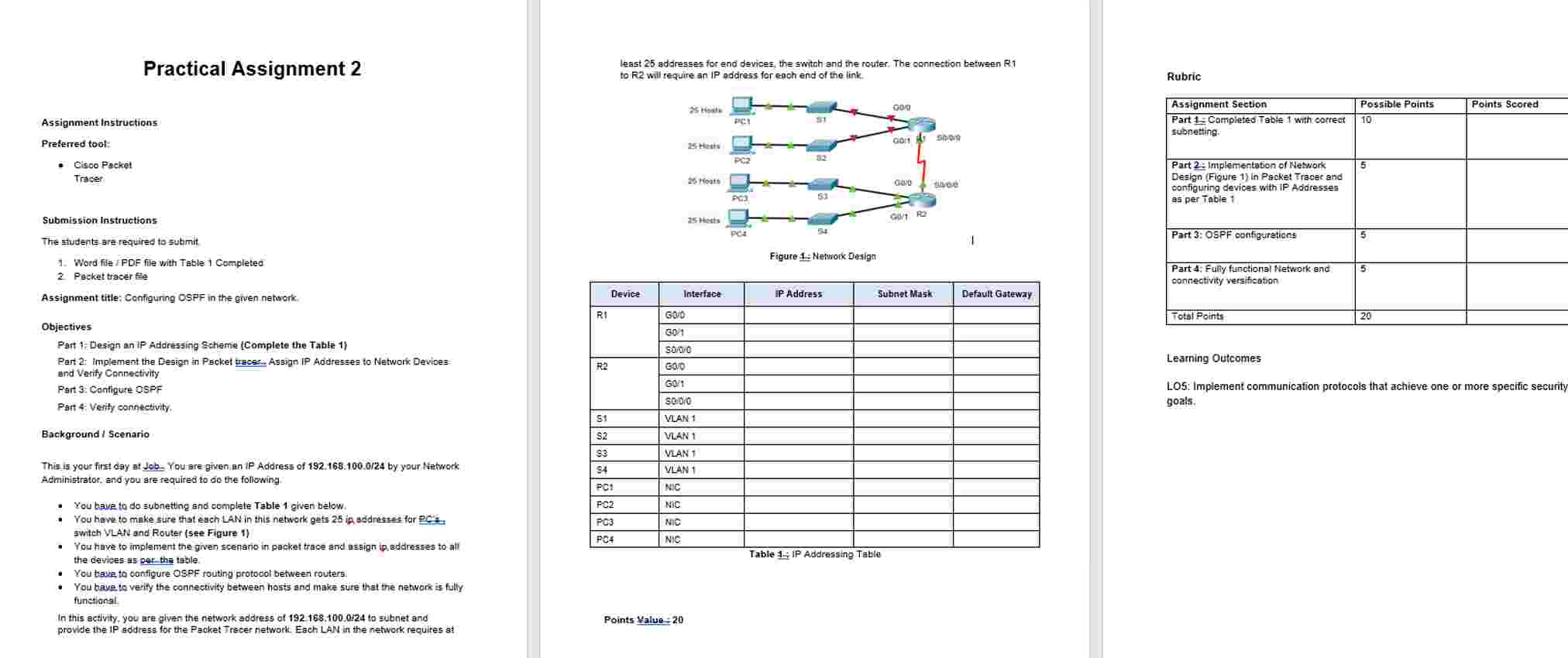
switch VLAN and Router see Figure
You have to implement the given scenario in packet trace and assign ip addresses to all
the devices as per the table.
You have to configure OSPF routing protocol between routers.
You have to verify the connectivity between hosts and make sure that the network is fully
functional.
In this activity, you are given the network address of to subnet and
provide the IP address for the Packet Tracer network. Each LAN in the network requires at
least addresses for end devices, the switch and the router. The connection between R
to R will require an IP address for each end of the link.
Figure : Network Design
Device Interface IP Address Subnet Mask Default Gateway
R G
R G
R S
R G
R
G
R
S
S VLAN
S VLAN
S VLAN
S VLAN
PC NIC
PC NIC
PC NIC
PC NIC
Table : IP Addressing Table
Points Value :
Rubric
Assignment Section Possible Points Points Scored
Part : Completed Table with correct
subnetting.
Part : Implementation of Network
Design Figure in Packet Tracer and
configuring devices with IP Addresses
as per Table
Part : OSPF configurations
Part : Fully functional Network and
connectivity versification
Total Points
Learning Outcomes
LO: Implement communication protocols that achieve one or more specific security
Practical Assignment
Assignment instructions
Preterred tool:
Cisoo Packet
Submission Instructions
The studente sre required to submit
Word file FDE file with Table Completec
Picket tracer fite
Assignment title: Configuring OSPF in the given network.
Objectives
Pert : Design an IP Addrasing Scheme Complete the Table
Pari implement the Design in Pscket traces Assign IP Adidesses to Network Devioes
and Verrify Connectivity
Part Contigure OSPF
Fart Verify connectivity.
Background Scenario
Adinitistrator. and you sre required to do the following.
You bave to do subneting and oomplete Table given below.
awitch VLAN and Router see Figure
You have to implament the given scenario in packet thace and assign ip addrasses to atl
the devies as parthe table.
You tases to canflute OSPF routing protocol between routers.
functional
In this activity, you are given the network address of to subriet and
provide the IP address for the Packet Jrecer network Each LAN in the network requires at
least addresses for end devices, the switch and the router, The connection between R
to R will require an IP address for each end of the link.
Figute : Netrorix Design
Table I: IP Adartasting Table
Rubric
Learning Outcomes
LOS: Implement cornmunication protocols that achieve one or more specific security
goals.
Step by Step Solution
There are 3 Steps involved in it
1 Expert Approved Answer
Step: 1 Unlock

Question Has Been Solved by an Expert!
Get step-by-step solutions from verified subject matter experts
Step: 2 Unlock
Step: 3 Unlock
 Study Help