







Question: Practical Task 1 Create a new Python file in the Dropbox folder for this task, and call it dob _ task.py . In your Python
Practical Task
Create a new Python file in the Dropbox folder for this task, and call it
dobtask.py
In your Python file, write a program that reads the data from the text file
provided DOBtxt and prints it out in two different sections in the format
displayed below:
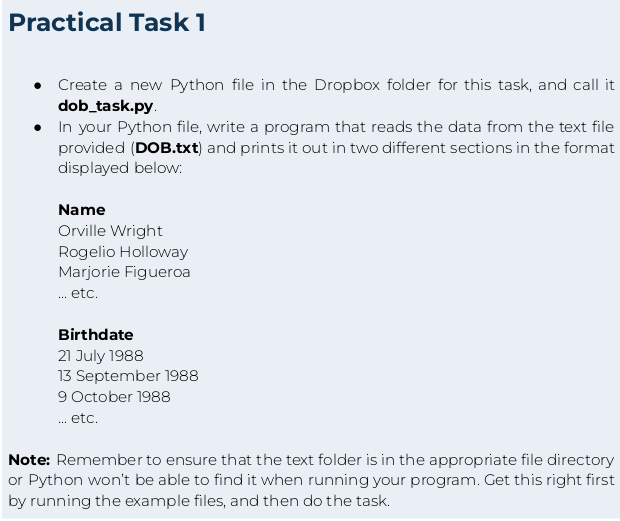
Name
Orville Wright
Rogelio Holloway
Marjorie Figueroa
etc.
Birthdate
July
September
October
etc.
Note: Remember to ensure that the text folder is in the appropriate file directory
or Python won't be able to find it when running your program. Get this right first
by running the example files, and then do the task.
Step by Step Solution
There are 3 Steps involved in it
1 Expert Approved Answer
Step: 1 Unlock

Question Has Been Solved by an Expert!
Get step-by-step solutions from verified subject matter experts
Step: 2 Unlock
Step: 3 Unlock
 Study Help