







Question: CISC 130 Lab #6 Introduction You will work with a randomly assigned partner-partner assignments will be posted to Canvas. Only one of you should submit
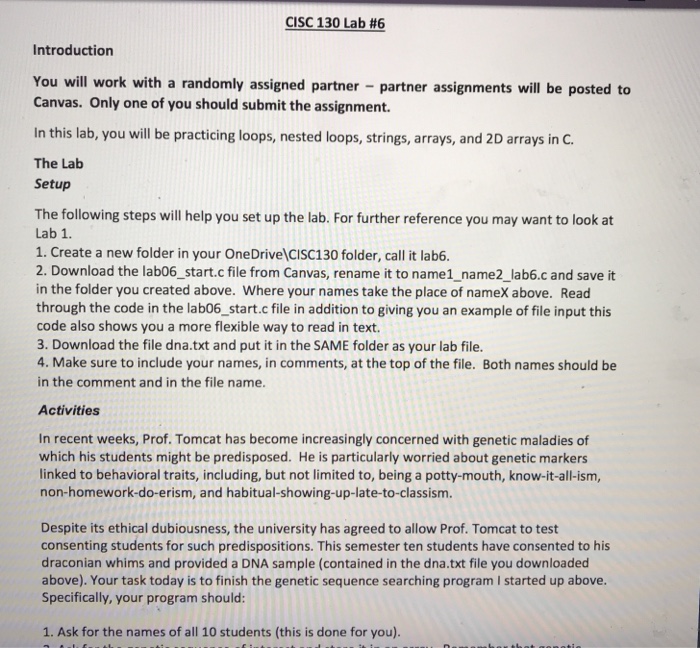
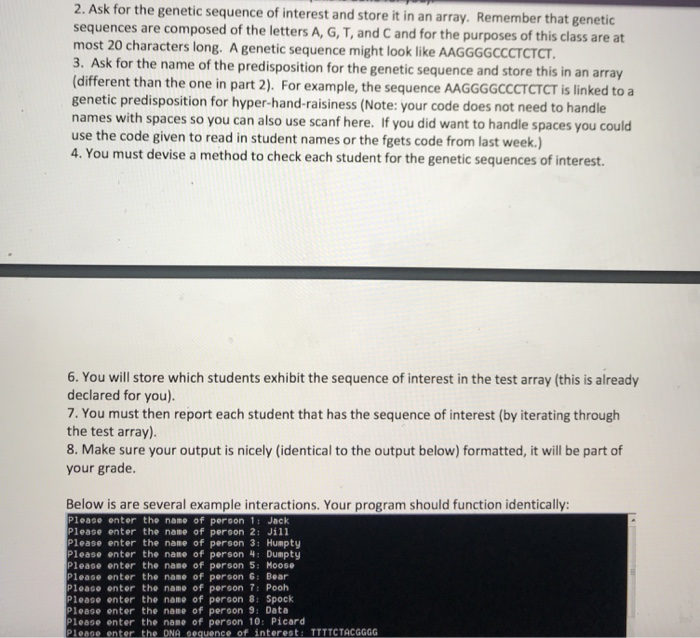
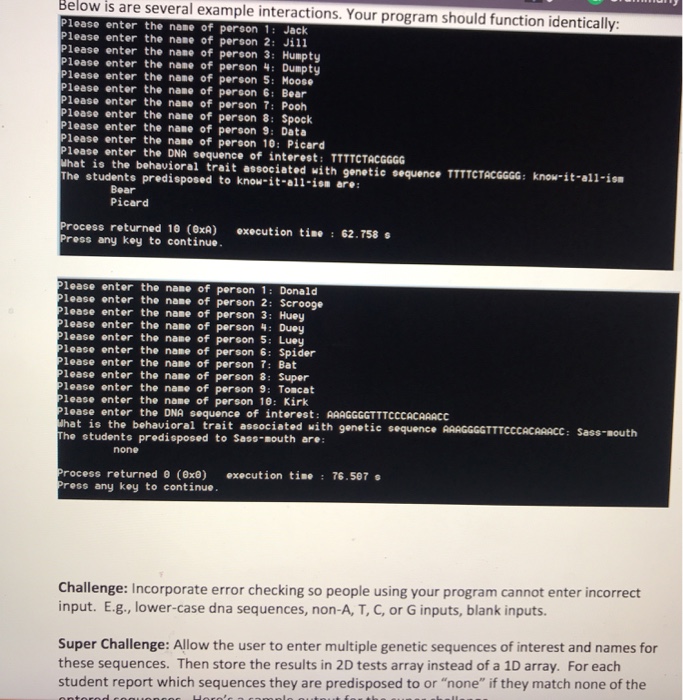
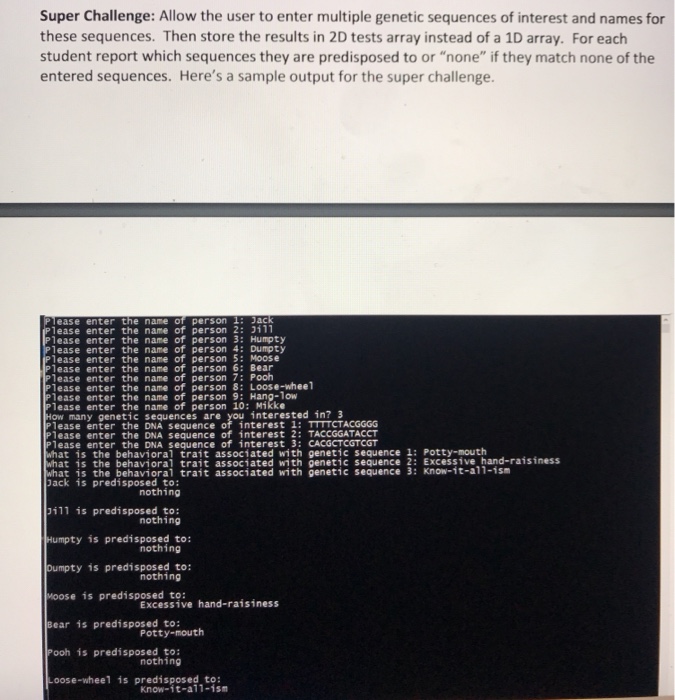
CISC 130 Lab #6 Introduction You will work with a randomly assigned partner-partner assignments will be posted to Canvas. Only one of you should submit the assignment. In this lab, you will be practicing loops, nested loops, strings, arrays, and 2D arrays in C The Lab Setup The following steps will help you set up the lab. For further reference you may want to look at Lab 1 1. Create a new folder in your OneDrive (CISC130 folder, call it lab6. 2. Download the lab06_start.c file from Canvas, rename it to name1_ name2_lab6.c and save it in the folder you created above. Where your names take the place of nameX above. Read through the code in the lab06_start.c file in addition to giving you an example of file input this code also shows you a more flexible way to read in text. 3. Download the file dna.txt and put it in the SAME folder as your lab file. 4. Make sure to include your names, in comments, at the top of the file. Both names should be in the comment and in the file name Activities In recent weeks, Prof. Tomcat has become increasingly concerned with genetic maladies of which his students might be predisposed. He is particularly worried about genetic markers linked to behavioral traits, including, but not limited to, being a potty-mouth, know-it-all-ism, non-homework-do-erism, and habitual-showing-up-late-to-classism. Despite its ethical dubiousness, the university has agreed to allow Prof. Tomcat to test consenting students for such predispositions. This semester ten students have consented to his draconian whims and provided a DNA sample (contained in the dna.txt file you downloaded above). Your task today is to finish the genetic sequence searching program I started up above. Specifically, your program should: 1. Ask for the names of all 10 students (this is done for you) CISC 130 Lab #6 Introduction You will work with a randomly assigned partner-partner assignments will be posted to Canvas. Only one of you should submit the assignment. In this lab, you will be practicing loops, nested loops, strings, arrays, and 2D arrays in C The Lab Setup The following steps will help you set up the lab. For further reference you may want to look at Lab 1 1. Create a new folder in your OneDrive (CISC130 folder, call it lab6. 2. Download the lab06_start.c file from Canvas, rename it to name1_ name2_lab6.c and save it in the folder you created above. Where your names take the place of nameX above. Read through the code in the lab06_start.c file in addition to giving you an example of file input this code also shows you a more flexible way to read in text. 3. Download the file dna.txt and put it in the SAME folder as your lab file. 4. Make sure to include your names, in comments, at the top of the file. Both names should be in the comment and in the file name Activities In recent weeks, Prof. Tomcat has become increasingly concerned with genetic maladies of which his students might be predisposed. He is particularly worried about genetic markers linked to behavioral traits, including, but not limited to, being a potty-mouth, know-it-all-ism, non-homework-do-erism, and habitual-showing-up-late-to-classism. Despite its ethical dubiousness, the university has agreed to allow Prof. Tomcat to test consenting students for such predispositions. This semester ten students have consented to his draconian whims and provided a DNA sample (contained in the dna.txt file you downloaded above). Your task today is to finish the genetic sequence searching program I started up above. Specifically, your program should: 1. Ask for the names of all 10 students (this is done for you)
Step by Step Solution
There are 3 Steps involved in it

Get step-by-step solutions from verified subject matter experts
 Study Help