







Question: Practice for Chapter 2 Create a project named Swap Numbers on Visual Studio. In the Main ( ) method, follow the steps below to complete
Practice for Chapter
Create a project named Swap Numbers on Visual Studio. In the Main method, follow the steps below
to complete the program.
Read in two double numbers Num and Num Assume Num and Num
Print out the following message on screen:
Before swapping, Num is and Num is initially.
You must use method WriteLine with string interpolation for this.
Swap these two numbers. Therefore, Num is and Num is
Then Print out the following message on screen:
After swapping, Num is and Num is
Save the project and then submit it on Canvas before the class is dismissed.
Example for how to swap two numbers:
a b and temp are variables
temp ;
;
temp;
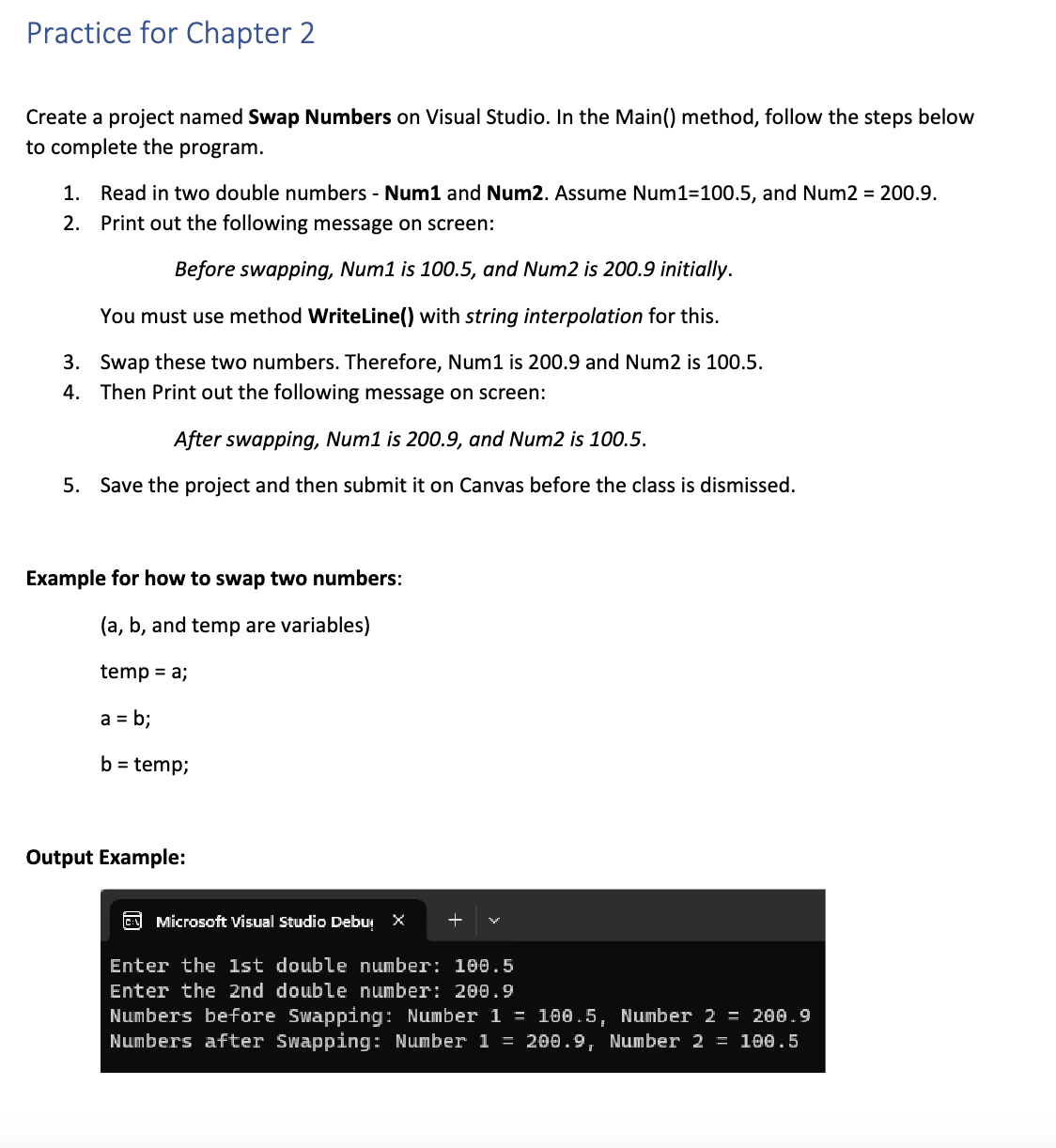
Output Example:
Step by Step Solution
There are 3 Steps involved in it
1 Expert Approved Answer
Step: 1 Unlock

Question Has Been Solved by an Expert!
Get step-by-step solutions from verified subject matter experts
Step: 2 Unlock
Step: 3 Unlock
 Study Help