







Question: Prepare and configure the following network using Packet Tracer, Save the file with your ID-name as file name. PC - 1 GO/O GO/1 PC -
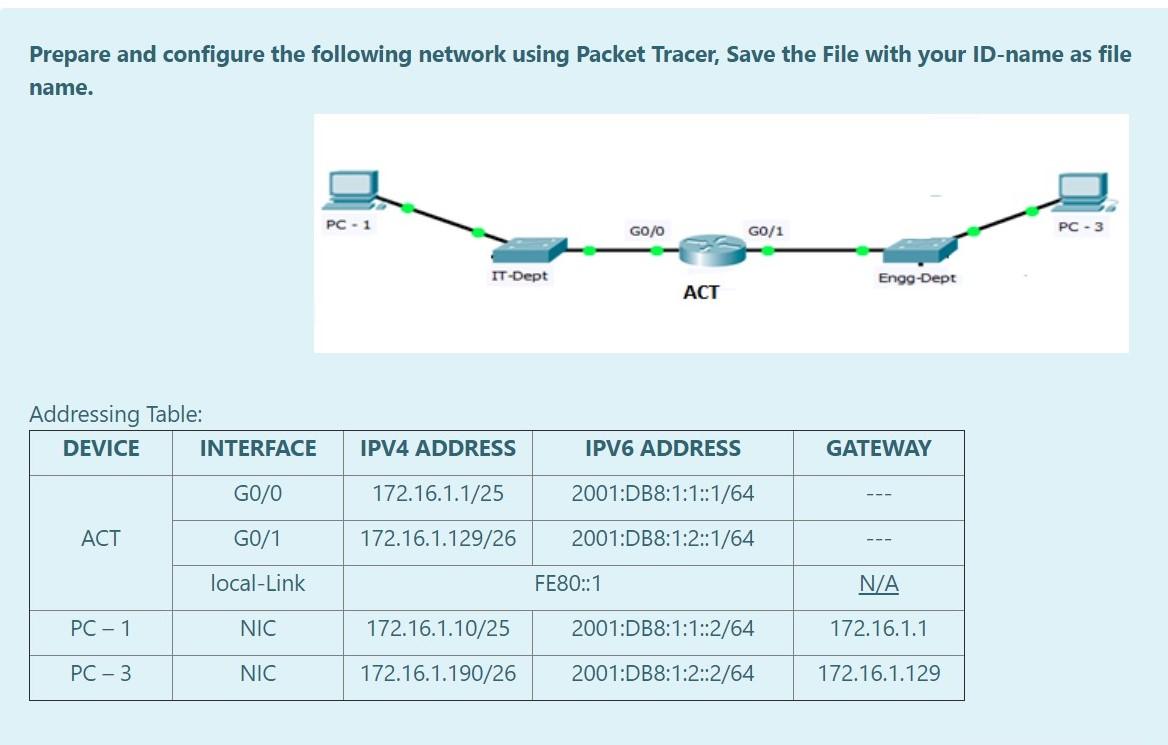
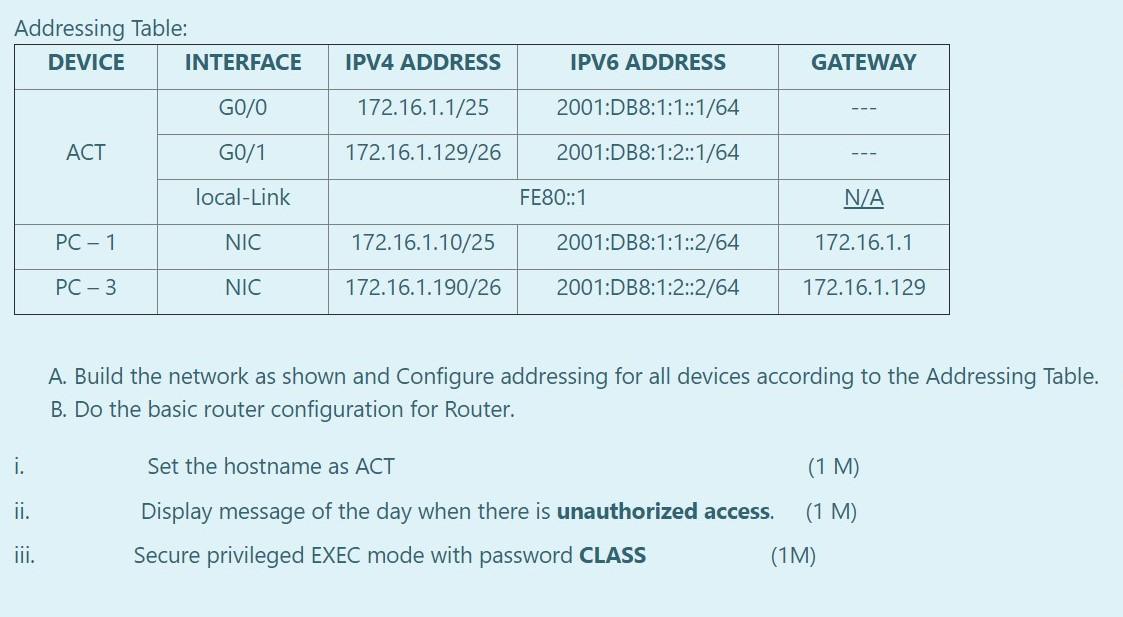
Prepare and configure the following network using Packet Tracer, Save the file with your ID-name as file name. PC - 1 GO/O GO/1 PC - 3 IT Dept Engo-Dept ACT Addressing Table: DEVICE INTERFACE IPV4 ADDRESS IPV6 ADDRESS GATEWAY G0/0 172.16.1.1/25 2001:DB8:1:1::1/64 ACT GO/1 172.16.1.129/26 2001:DB8:1:2::1/64 local-Link FE80::1 N/A PC-1 NIC 172.16.1.10/25 2001:DB8:1:1::2/64 172.16.1.1 PC-3 NIC 172.16.1.190/26 2001:DB8:1:2::2/64 172.16.1.129 Addressing Table: DEVICE INTERFACE IPV4 ADDRESS IPV6 ADDRESS GATEWAY GO/O 172.16.1.1/25 2001:DB8:1:1::1/64 ACT G0/1 172.16.1.129/26 2001:DB8:1:2::1/64 local-Link FE80::1 N/A PC-1 NIC 172.16.1.10/25 2001:DB8:1:1::2/64 172.16.1.1 PC-3 NIC 172.16.1.190/26 2001:DB8:1:2::2/64 172.16.1.129 A. Build the network as shown and Configure addressing for all devices according to the Addressing Table. B. Do the basic router configuration for Router. i. ii. Set the hostname as ACT (1 M) Display message of the day when there is unauthorized access. (1 M) Secure privileged EXEC mode with password CLASS (1M) ui
Step by Step Solution
There are 3 Steps involved in it

Get step-by-step solutions from verified subject matter experts
 Study Help