







Question: Prerequisites Before starting this programming assignment, participants should be able to: Run Python in interactive and script mode Use Python variables, functions, conditionals, and loops
Prerequisites
Before starting this programming assignment, participants should be able to:
- Run Python in interactive and script mode
- Use Python variables, functions, conditionals, and loops
- Perform arithmetic in Python
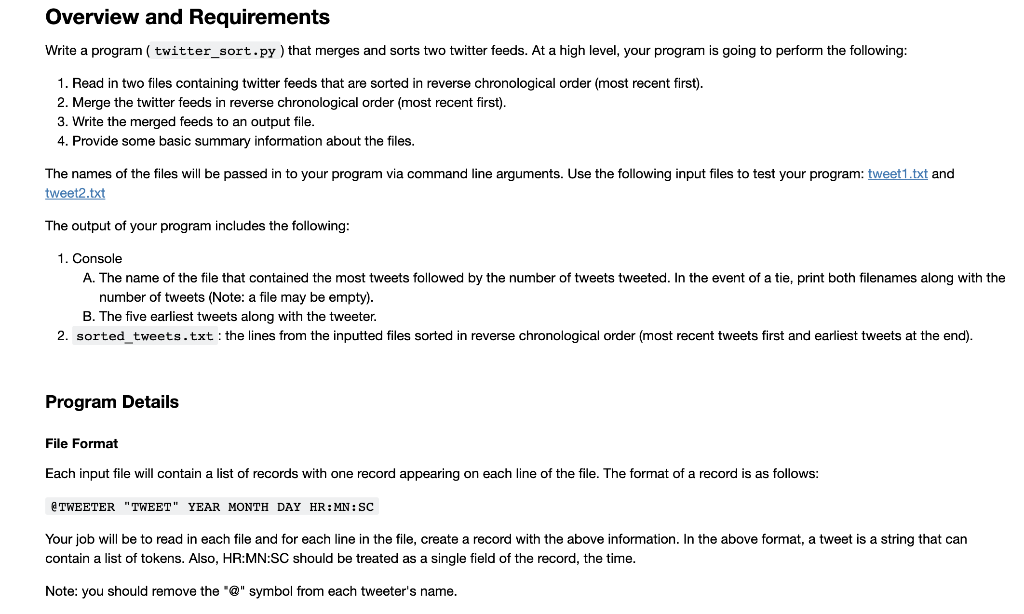
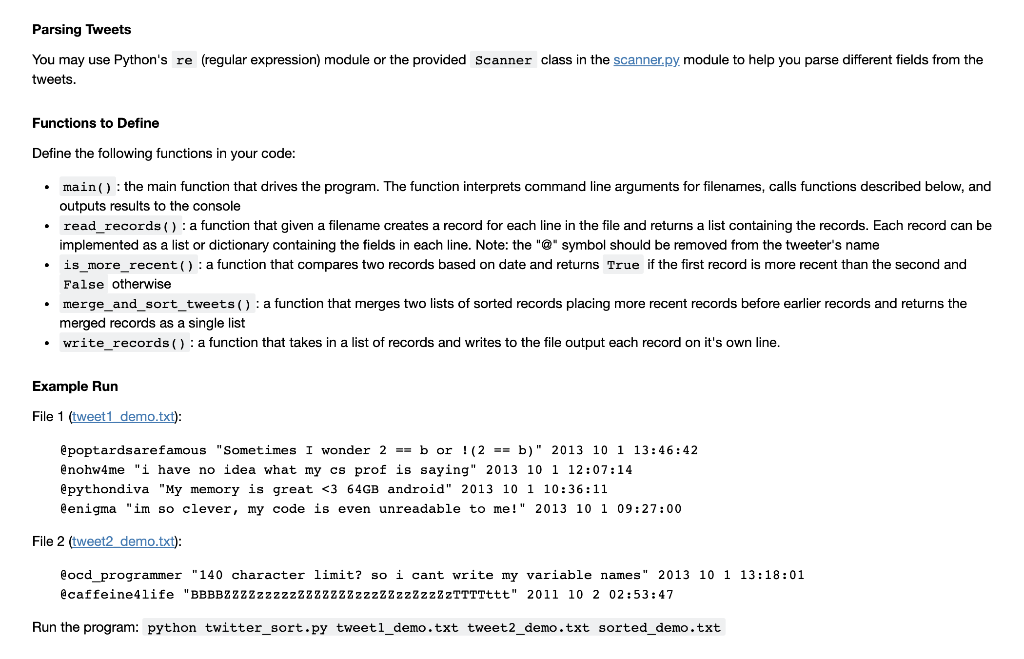
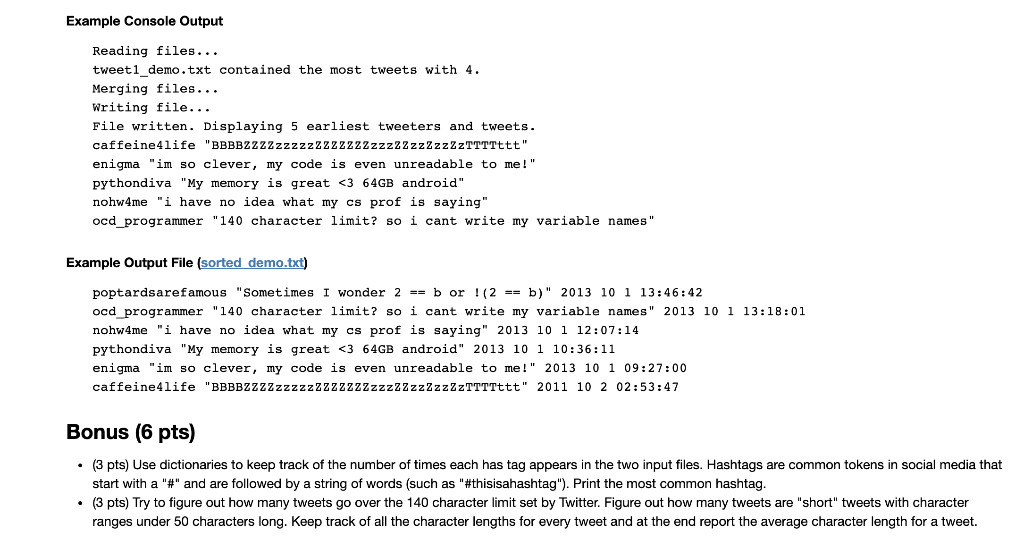
Overview and Requirements Write a program ( twitter_sort.py ) that merges and sorts two twitter feeds. At a high level, your program is going to perform the following: 1. Read in two files containing twitter feeds that are sorted in reverse chronological order (most recent first). 2. Merge the twitter feeds in reverse chronological order (most recent first). 3. Write the merged feeds to an output file. 4. Provide some basic summary information about the files. The names of the files will be passed in to your program via command line arguments. Use the following input files to test your program: tweet1.txt and tweet2.txt The output of your program includes the following: 1. Console A. The name of the file that contained the most tweets followed by the number of tweets tweeted. In the event of a tie, print both filenames along with the number of tweets (Note: a file may be empty). B. The five earliest tweets along with the tweeter. 2. sorted_tweets.txt: the lines from the inputted files sorted in reverse chronological order (most recent tweets first and earliest tweets at the end). Program Details File Format Each input file will contain a list of records with one record appearing on each line of the file. The format of a record is as follows: @TWEETER "TWEET" YEAR MONTH DAY HR:MN: SC Your job will be to read in each file and for each line in the file, create a record with the above information. In the above format, a tweet is a string that can contain a list of tokens. Also, HR:MN:SC should be treated as a single field of the record, the time. Note: you should remove the "@" symbol from each tweeter's name. Parsing Tweets You may use Python's re (regular expression) module or the provided Scanner class in the scanner.py module to help you parse different fields from the tweets. Functions to Define Define the following functions in your code: main() : the main function that drives the program. The function interprets command line arguments for filenames, calls functions described below, and outputs results to the console read_records(): a function that given a filename creates a record for each line in the file and returns a list containing the records. Each record can be implemented as a list or dictionary containing the fields in each line. Note: the "@" symbol should be removed from the tweeter's name is_more_recent(): a function that compares two records based on date and returns True if the first record is more recent than the second and False otherwise merge_and_sort_tweets(): a function that merges two lists of sorted records placing more recent records before earlier records and returns the merged records as a single list write_records(): a function that takes in a list of records and writes to the file output each record on it's own line. Example Run File 1 (tweet1 demo.txt): @poptardsarefamous "Sometimes I wonder 2 == b or !(2 == b)" 2013 10 1 13:46:42 @nohw4me "i have no idea what my cs prof is saying" 2013 10 1 12:07:14 @pythondiva "My memory is great
Step by Step Solution
There are 3 Steps involved in it

Get step-by-step solutions from verified subject matter experts
 Study Help