







Question: Problem: 1. The Problem 1 worksheets contain scores for various assignments in three courses taught by an instructor (DS 310, DS 320, and DS 510).
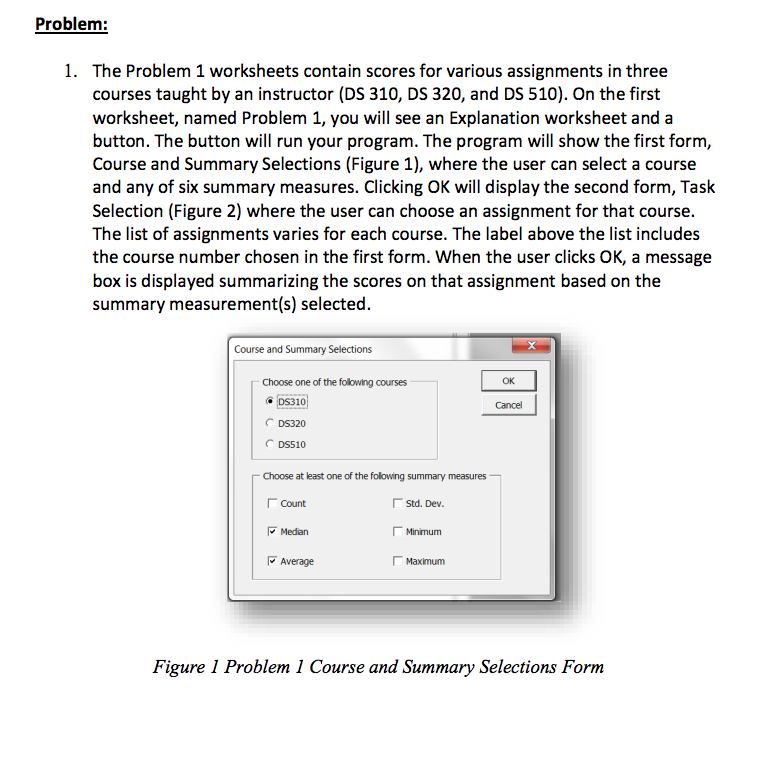
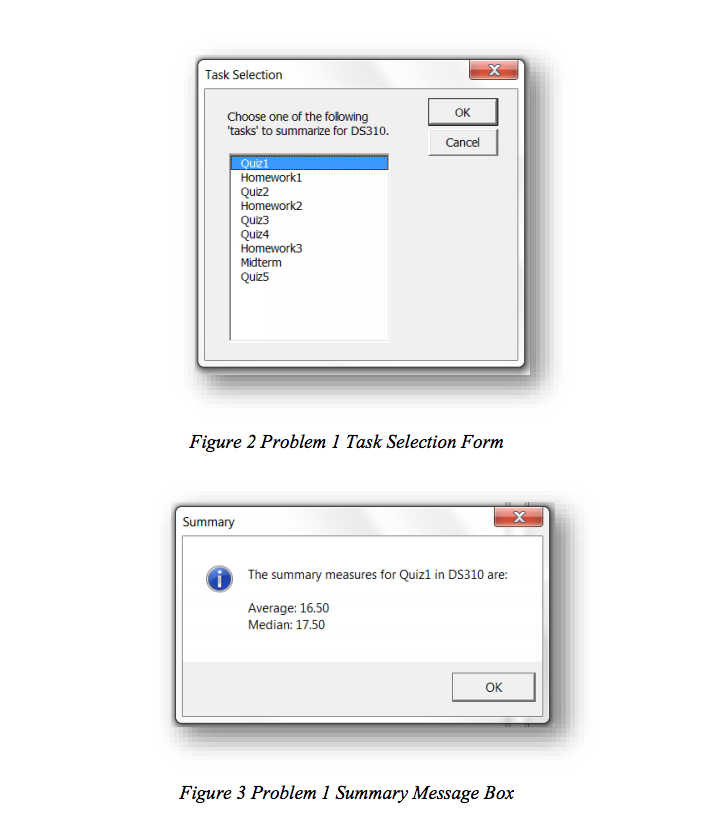
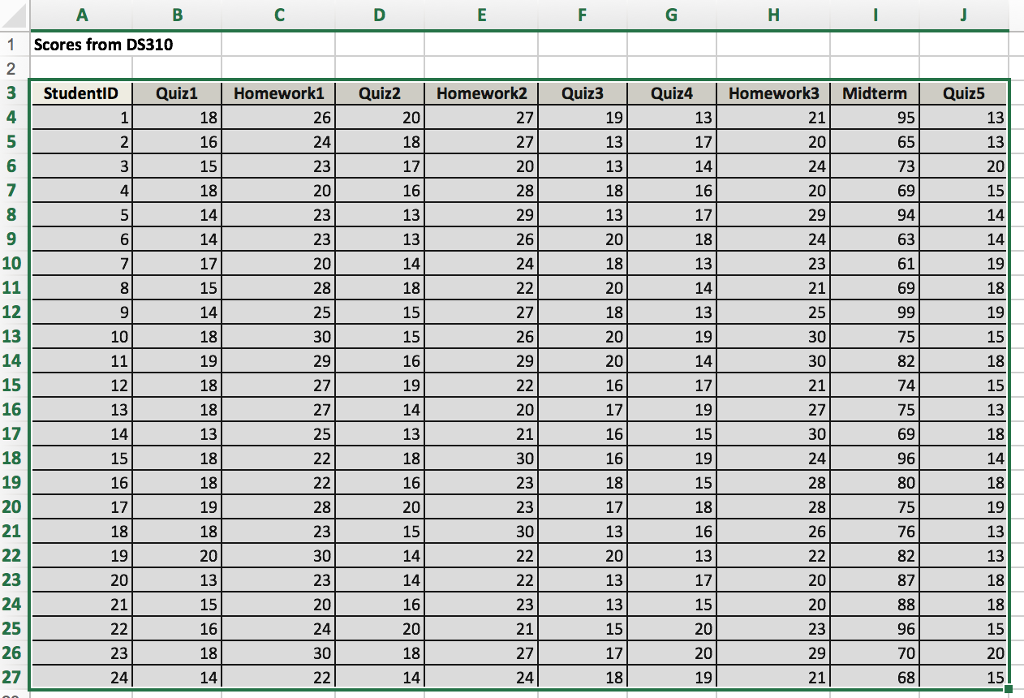
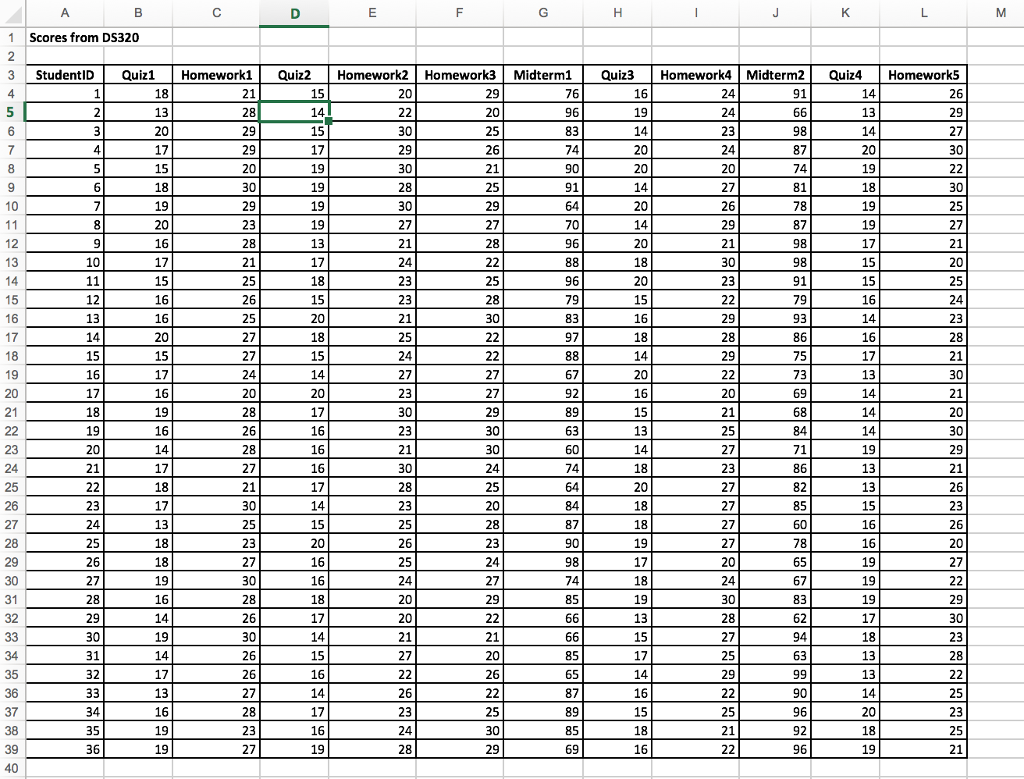
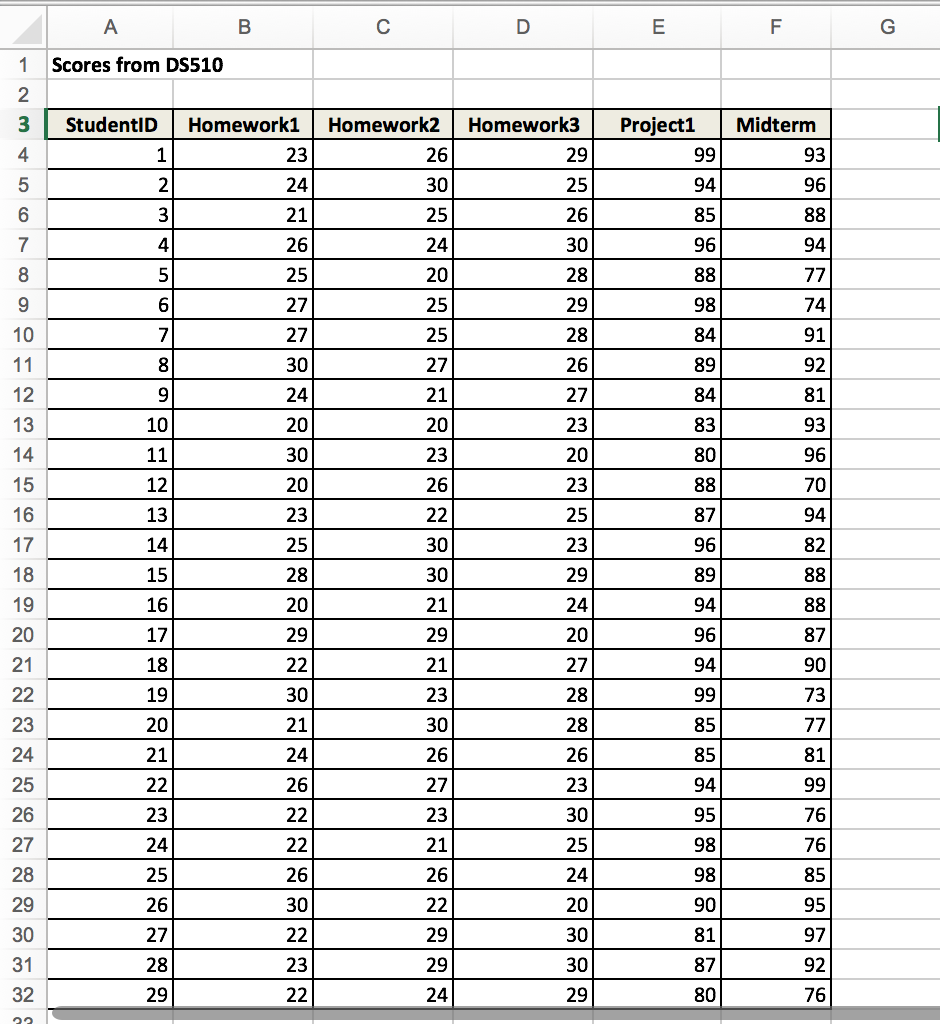
Problem: 1. The Problem 1 worksheets contain scores for various assignments in three courses taught by an instructor (DS 310, DS 320, and DS 510). On the first worksheet, named Problem 1, you will see an Explanation worksheet and a button. The button will run your program. The program will show the first form, Course and Summary Selections (Figure 1), where the user can select a course and any of six summary measures. Clicking OK will display the second form, Task Selection (Figure 2) where the user can choose an assignment for that course. The list of assignments varies for each course. The label above the list includes the course number chosen in the first form. When the user clicks OK, a message box is displayed summarizing the scores on that assignment based on the summary measurement(s) selected. Course and Summary Selections Choose one of the following courses DS310 DS320 DS510 Cancel Choose at least one of the folowing summary measures Count Medan Average Std. Dev Minimum -Maximum Figure 1 Problem 1 Course and Summary Selections Form Problem: 1. The Problem 1 worksheets contain scores for various assignments in three courses taught by an instructor (DS 310, DS 320, and DS 510). On the first worksheet, named Problem 1, you will see an Explanation worksheet and a button. The button will run your program. The program will show the first form, Course and Summary Selections (Figure 1), where the user can select a course and any of six summary measures. Clicking OK will display the second form, Task Selection (Figure 2) where the user can choose an assignment for that course. The list of assignments varies for each course. The label above the list includes the course number chosen in the first form. When the user clicks OK, a message box is displayed summarizing the scores on that assignment based on the summary measurement(s) selected. Course and Summary Selections Choose one of the following courses DS310 DS320 DS510 Cancel Choose at least one of the folowing summary measures Count Medan Average Std. Dev Minimum -Maximum Figure 1 Problem 1 Course and Summary Selections Form
Step by Step Solution
There are 3 Steps involved in it

Get step-by-step solutions from verified subject matter experts
 Study Help