







Question: Problem 2 [45 points | Calendar dates. In this problem, you are asked to implement a class called Date for calendar dates occurring on or
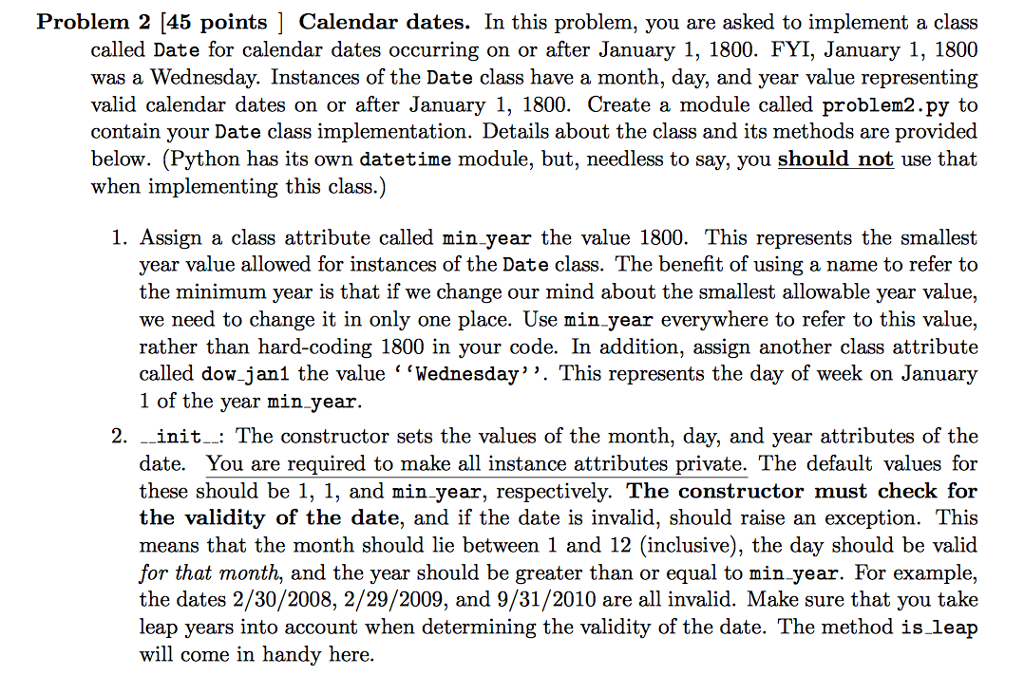
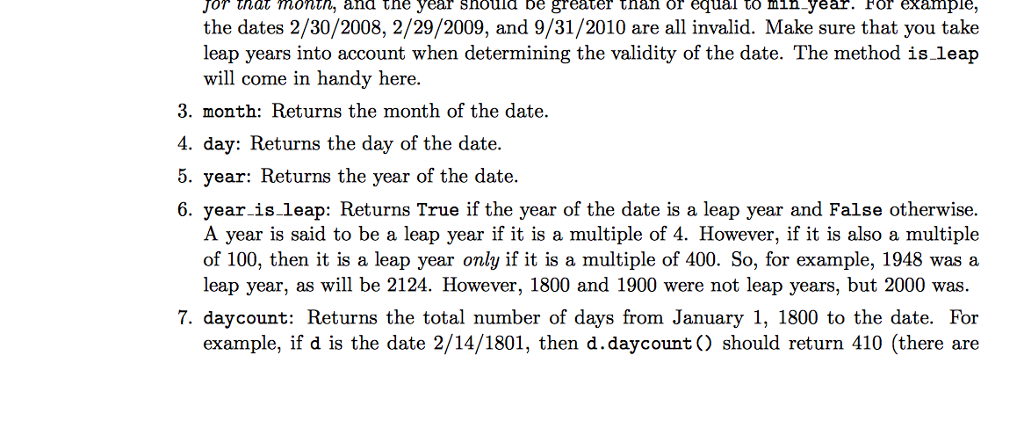
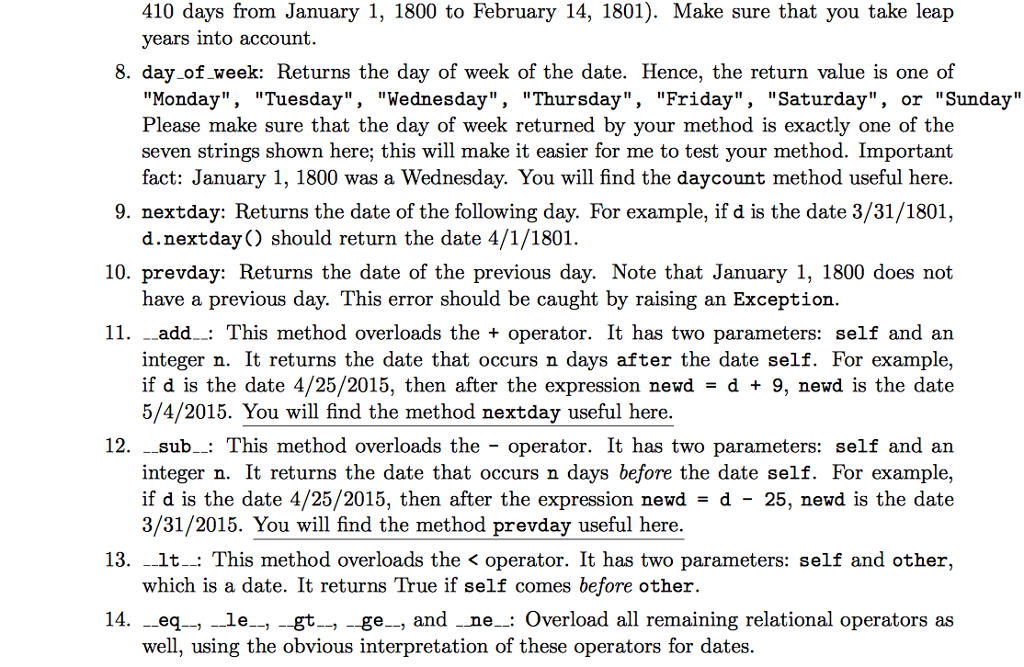
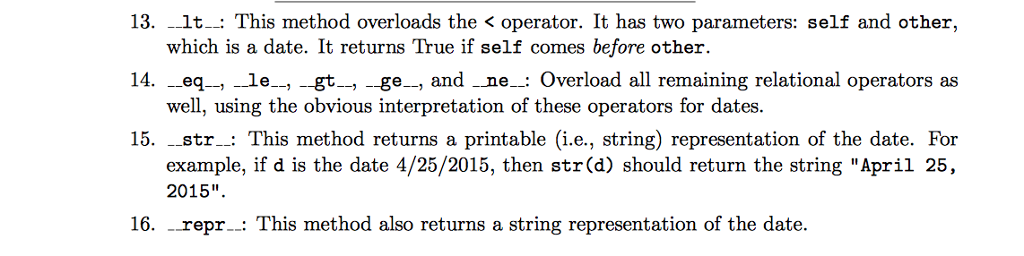
Problem 2 [45 points | Calendar dates. In this problem, you are asked to implement a class called Date for calendar dates occurring on or after January 1, 1800. FYI, January 1, 1800 was a Wednesday. Instances of the Date class have a month, day, and year value representing valid calendar dates on or after January 1, 1800. Create a module called problem2.py to contain your Date class implementation. Details about the class and its methods are provided below. (Python has its own datetime module, but, needless to say, you should not use that when implementing this class.) 1. Assign a class attribute called min year the value 1800. This represents the smallest year value allowed for instances of the Date class. The benefit of using a name to refer to the minimum year is that if we change our mind about the smallest allowable year value, we need to change it in only one place. Use min year everywhere to refer to this value rather than hard-coding 1800 in your code. In addition, assign another class attribute called dow janl the value '"Wednesday''. This represents the day of week on January 1 of the year min year. 2. init_.: The constructor sets the values of the month, day, and year attributes of the date. You are required to make all instance attributes private. The default values for these should be 1, 1, and min year, respectively. The constructor must check for the validity of the date, and if the date is invalid, should raise an exception. This means that the month should lie between 1 and 12 (inclusive), the day should be valid for that month, and the year should be greater than or equal to min year. For example, the dates 2/30/2008, 2/29/2009, and 9/31/2010 are all invalid. Make sure that you take leap years into account when determining the validity of the date. The method is leap will come in handy heree Problem 2 [45 points | Calendar dates. In this problem, you are asked to implement a class called Date for calendar dates occurring on or after January 1, 1800. FYI, January 1, 1800 was a Wednesday. Instances of the Date class have a month, day, and year value representing valid calendar dates on or after January 1, 1800. Create a module called problem2.py to contain your Date class implementation. Details about the class and its methods are provided below. (Python has its own datetime module, but, needless to say, you should not use that when implementing this class.) 1. Assign a class attribute called min year the value 1800. This represents the smallest year value allowed for instances of the Date class. The benefit of using a name to refer to the minimum year is that if we change our mind about the smallest allowable year value, we need to change it in only one place. Use min year everywhere to refer to this value rather than hard-coding 1800 in your code. In addition, assign another class attribute called dow janl the value '"Wednesday''. This represents the day of week on January 1 of the year min year. 2. init_.: The constructor sets the values of the month, day, and year attributes of the date. You are required to make all instance attributes private. The default values for these should be 1, 1, and min year, respectively. The constructor must check for the validity of the date, and if the date is invalid, should raise an exception. This means that the month should lie between 1 and 12 (inclusive), the day should be valid for that month, and the year should be greater than or equal to min year. For example, the dates 2/30/2008, 2/29/2009, and 9/31/2010 are all invalid. Make sure that you take leap years into account when determining the validity of the date. The method is leap will come in handy heree
Step by Step Solution
There are 3 Steps involved in it

Get step-by-step solutions from verified subject matter experts
 Study Help