Question: PROBLEM 5: Using IF and COUNTIF (Please open Excel file: Gambrell.xlsx) IF and COUNTIF: - =IF(condition, result if condition is true, result if condition is
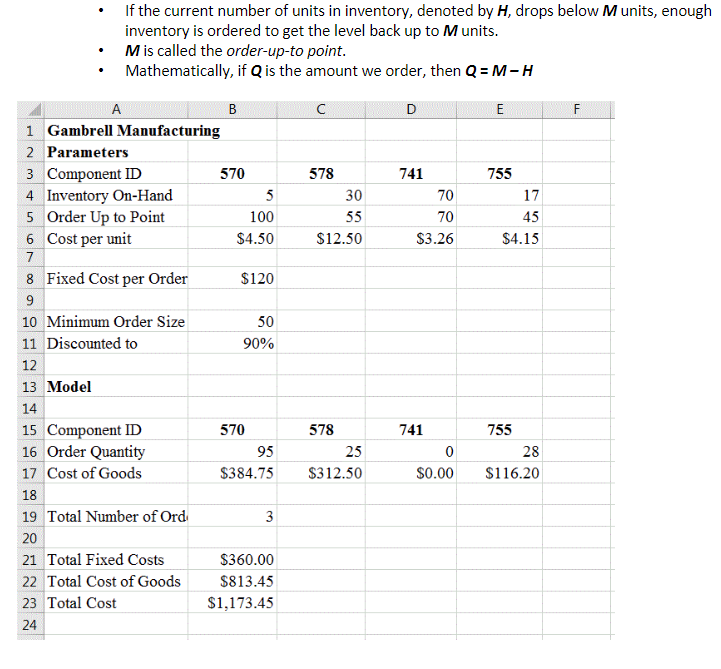
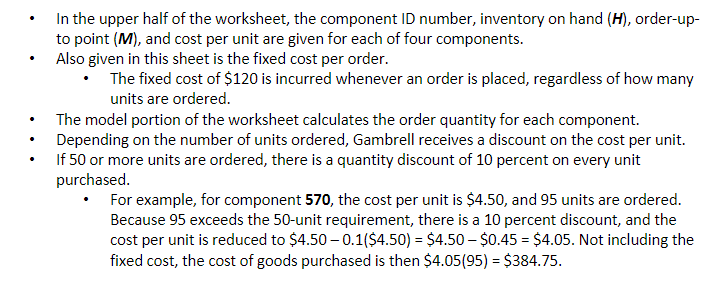
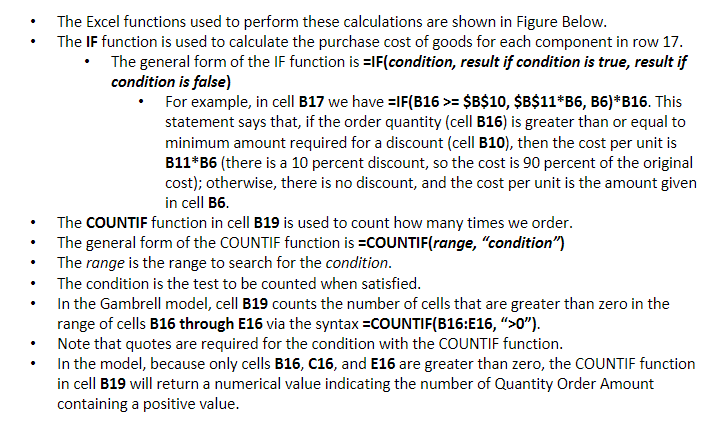
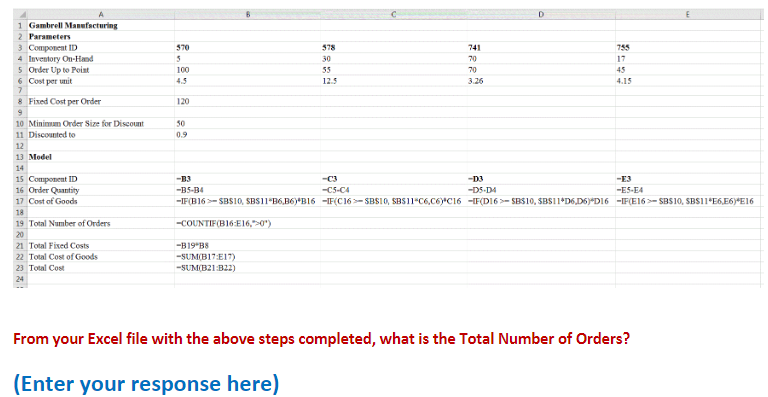
PROBLEM 5: Using IF and COUNTIF (Please open Excel file: Gambrell.xlsx) IF and COUNTIF: - =IF(condition, result if condition is true, result if condition is false). - =COUNTIF(range, condition). - Counts the number of components having a positive order quantity. Illustration: - Gambrell Manufacturing produces car stereos. - Gambrell likes to keep its components inventory to a minimum. - Hence, it uses an inventory policy known as an order-up-to policy. - Order-up-to policy: Whenever the inventory on hand drops below a certain level, enough units are ordered to return the inventory to that predetermined level. Order-up-to policy: - If the current number of units in inventory, denoted by H, drops below M units, enough inventory is ordered to get the level back up to M units. - M is called the order-up-to point. - Mathematically, if Q is the amount we order, then Q=MH - In the upper half of the worksheet, the component ID number, inventory on hand (H), order-upto point (M), and cost per unit are given for each of four components. - Also given in this sheet is the fixed cost per order. - The fixed cost of $120 is incurred whenever an order is placed, regardless of how many units are ordered. - The model portion of the worksheet calculates the order quantity for each component. - Depending on the number of units ordered, Gambrell receives a discount on the cost per unit. - If 50 or more units are ordered, there is a quantity discount of 10 percent on every unit purchased. - For example, for component 570, the cost per unit is $4.50, and 95 units are ordered. Because 95 exceeds the 50 -unit requirement, there is a 10 percent discount, and the cost per unit is reduced to $4.500.1($4.50)=$4.50$0.45=$4.05. Not including the fixed cost, the cost of goods purchased is then $4.05(95)=$384.75. - The Excel functions used to perform these calculations are shown in Figure Below. - The IF function is used to calculate the purchase cost of goods for each component in row 17. - The general form of the IF function is =IF(condition, result if condition is true, result if condition is false) - For example, in cell B17 we have =F(B16>=$B$10,$B11B6,B6)B16. This statement says that, if the order quantity (cell B16) is greater than or equal to minimum amount required for a discount (cell B10), then the cost per unit is B11*B6 (there is a 10 percent discount, so the cost is 90 percent of the original cost); otherwise, there is no discount, and the cost per unit is the amount given in cell B6. - The COUNTIF function in cell B19 is used to count how many times we order. - The general form of the COUNTIF function is =COUNTIF(range, "condition") - The range is the range to search for the condition. - The condition is the test to be counted when satisfied. - In the Gambrell model, cell B19 counts the number of cells that are greater than zero in the range of cells B16 through E16 via the syntax =COUNTIF(B16:E16, " "). - Note that quotes are required for the condition with the COUNTIF function. - In the model, because only cells B16,C16, and E16 are greater than zero, the COUNTIF function in cell B19 will return a numerical value indicating the number of Quantity Order Amount containing a positive value. From your Excel file with the above steps completed, what is the Total Number of Orders? (Enter your response here)









 Study Help