







Question: Problem B. (7 points) Sepia Filter Next, you will implement the sepia function. This function will apply a formula to all the pixels that will
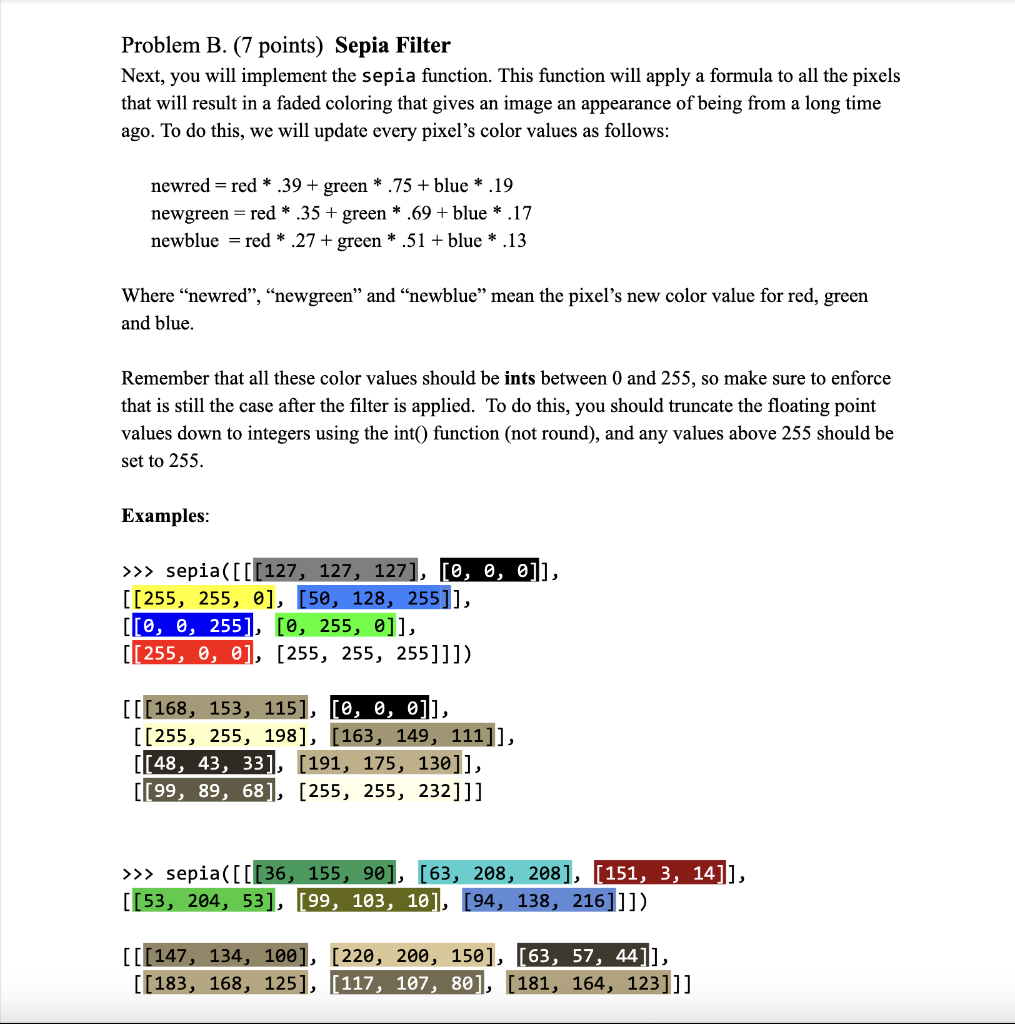
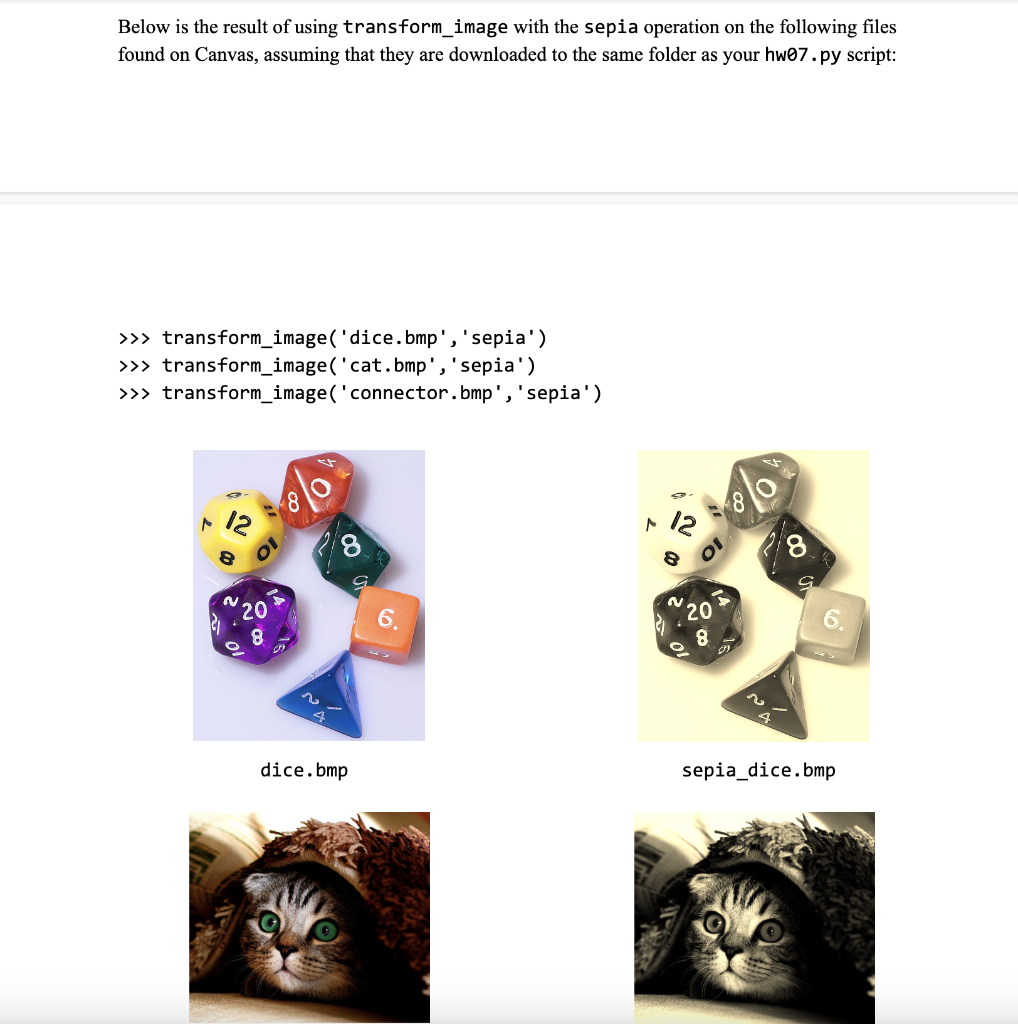
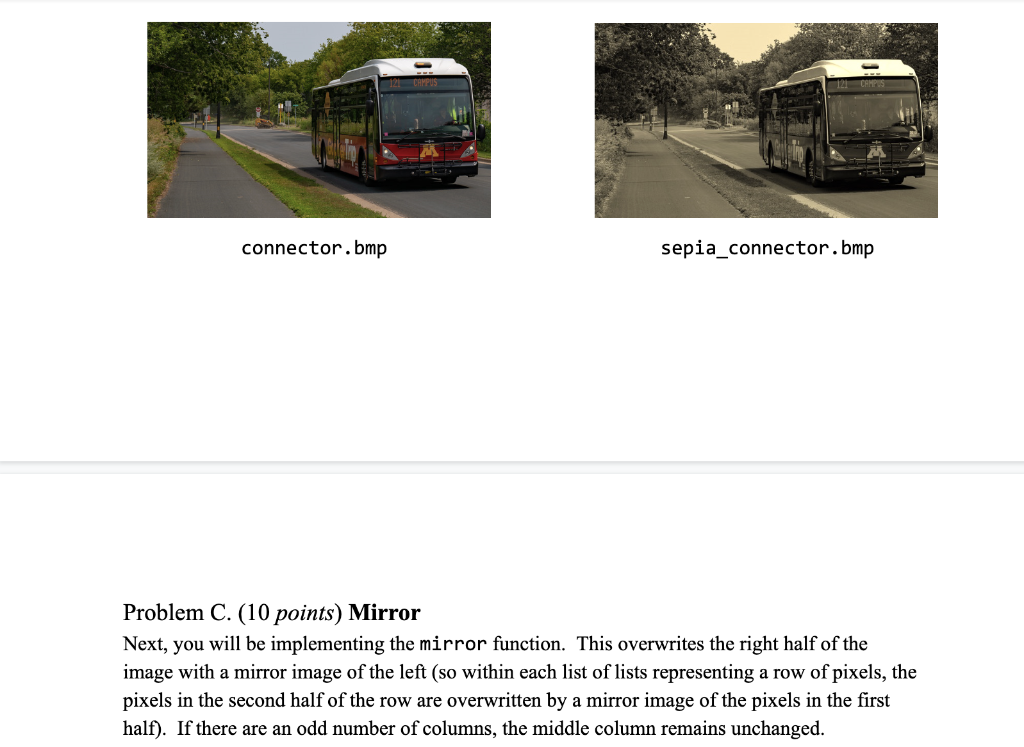
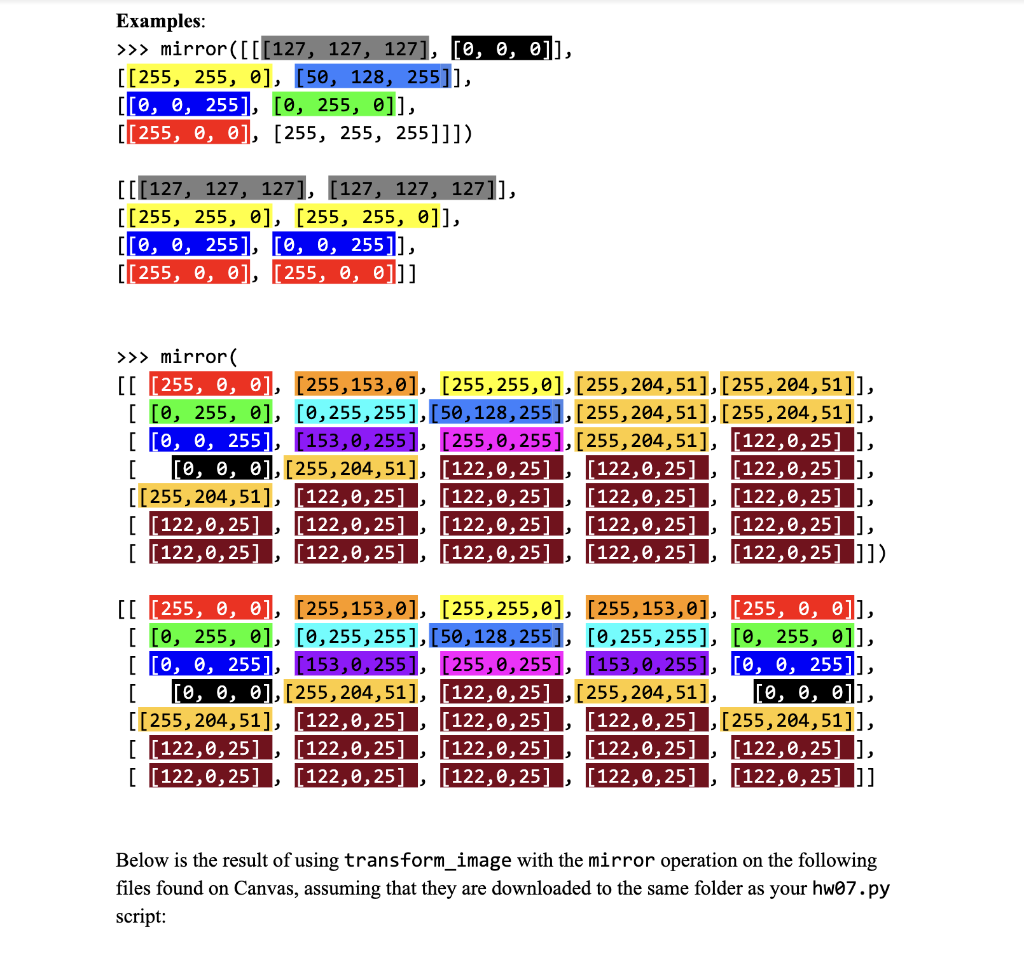
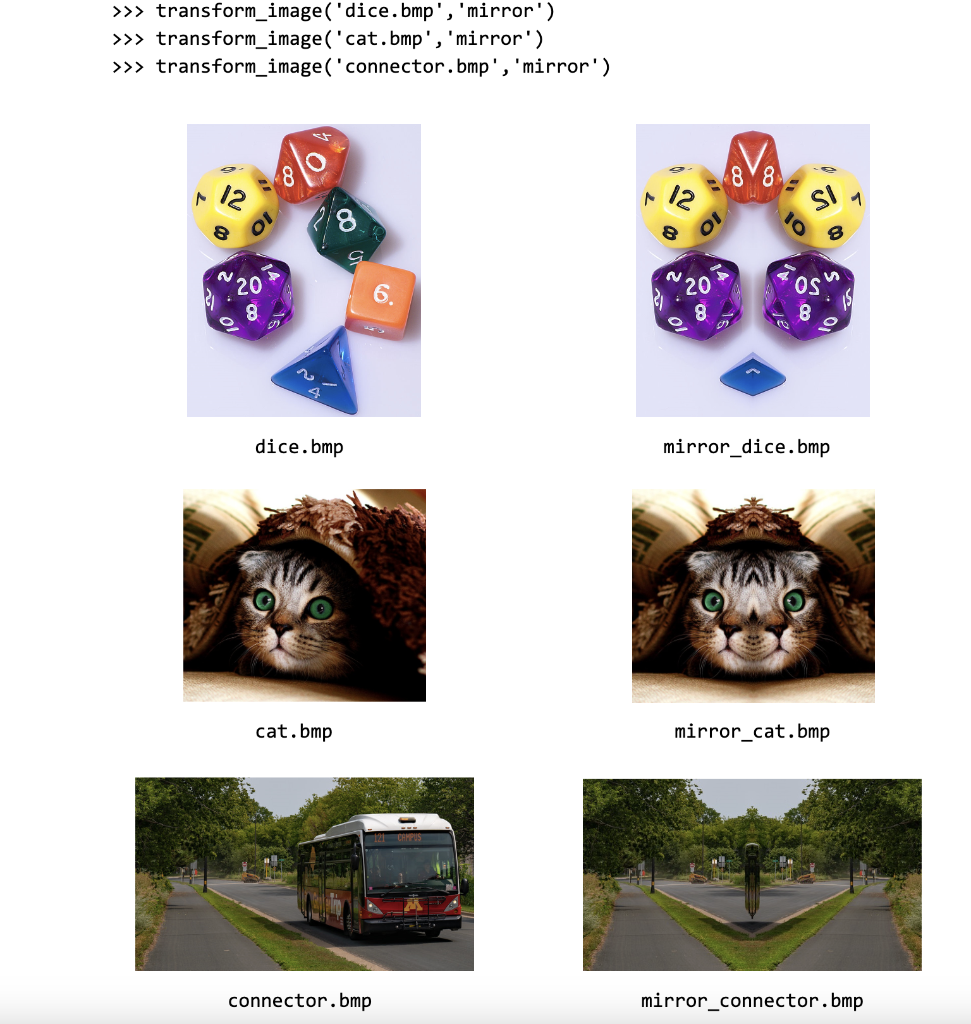
Problem B. (7 points) Sepia Filter Next, you will implement the sepia function. This function will apply a formula to all the pixels that will result in a faded coloring that gives an image an appearance of being from a long time ago. To do this, we will update every pixel's color values as follows: newred=red.39+green.75+blue.19newgreen=red.35+green.69+blue.17newblue=red.27+green.51+blue.13 Where "newred", "newgreen" and "newblue" mean the pixel's new color value for red, green and blue. Remember that all these color values should be ints between 0 and 255 , so make sure to enforce that is still the case after the filter is applied. To do this, you should truncate the floating point values down to integers using the int() function (not round), and any values above 255 should be set to 255 . Examples: >> sepia ([[[127,127,127],[0,0,0]], [[255,255,],[50,128,255]], [[0,0,255],[0,255,]], [[255,,],[255,255,255]]]) [[[168,153,115],[0,0,0]], [[255,255,198],[163,149,111]], [[48,43,33],[191,175,130]], [[99,89,68],[255,255,232]]] >>> sepia ([[[36,155,90],[63,208,208],[151,3,14]], [[53,204,53],[99,103,10],[94,138,216]]]) [ [[147, 134, 100], [220, 200, 150], [63, 57, 44]], [[183,168,125],[117,107,80],[181,164,123]]] Below is the result of using transform_image with the sepia operation on the following files found on Canvas, assuming that they are downloaded to the same folder as your hw07.py script: transform_image('dice.bmp', 'sepia') > transform_image('cat.bmp', 'sepia') transform_image('connector.bmp', 'sepia') connector.bmp sepia_connector.bmp Problem C. (10 points) Mirror Next, you will be implementing the mirror function. This overwrites the right half of the image with a mirror image of the left (so within each list of lists representing a row of pixels, the pixels in the second half of the row are overwritten by a mirror image of the pixels in the first half). If there are an odd number of columns, the middle column remains unchanged. Examples: Below is the result of using transform_image with the mirror operation on the following files found on Canvas, assuming that they are downloaded to the same folder as your hw07.py script: transform_image('dice.bmp', 'mirror') transform_image('cat.bmp' , 'mirror') transform_image('connector.bmp', 'mirror') connector.bmp mirror_connector.bmp
Step by Step Solution
There are 3 Steps involved in it

Get step-by-step solutions from verified subject matter experts
 Study Help