







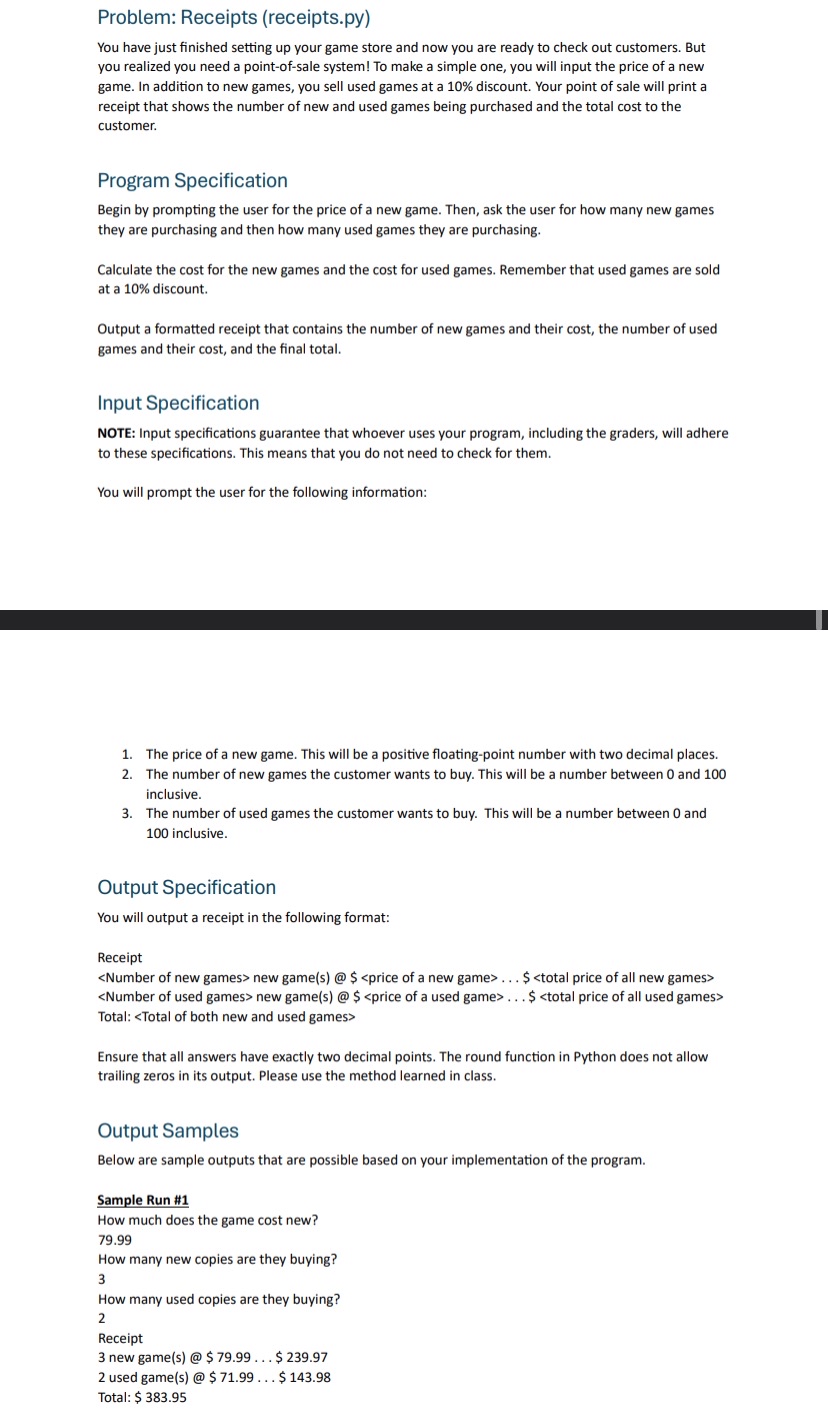
Question: Problem: Receipts ( receipts.py ) You have just finished setting up your game store and now you are ready to check out customers. But you
Problem: Receipts
receipts.py
You have just finished setting up your game store and now you are ready to check out customers. But you realized you need a pointofsale system! To make a simple one, you will input the price of a new game. In addition to new games, you sell used games at a discount. Your point of sale will print a receipt that shows the number of new and used games being purchased and the total cost to the customer.
Program Specification
Begin by prompting the user for the price of a new game. Then, ask the user for how many new games they are purchasing and then how many used games they are purchasing.
Calculate the cost for the new games and the cost for used games. Remember that used games are sold at a discount.
Output a formatted receipt that contains the number of new games and their cost, the number of used games and their cost, and the final total.
Input Specification
NOTE: Input specifications guarantee that whoever uses your program, including the graders, will adhere to these specifications. This means that you do not need to check for them.
You will prompt the user for the following information:
The price of a new game. This will be a positive floatingpoint number with two decimal places.
The number of new games the customer wants to buy. This will be a number between and inclusive.
The number of used games the customer wants to buy. This will be a number between and inclusive.
Output Specification
You will output a receipt in the following format:
Receipt
dots
Step by Step Solution
There are 3 Steps involved in it
1 Expert Approved Answer
Step: 1 Unlock

Question Has Been Solved by an Expert!
Get step-by-step solutions from verified subject matter experts
Step: 2 Unlock
Step: 3 Unlock
 Study Help