







Question: Problem Statement Download the source file below named GreetUser.cpp and use your IDE (Visual Studio, Code, other to complete the program Add code to display
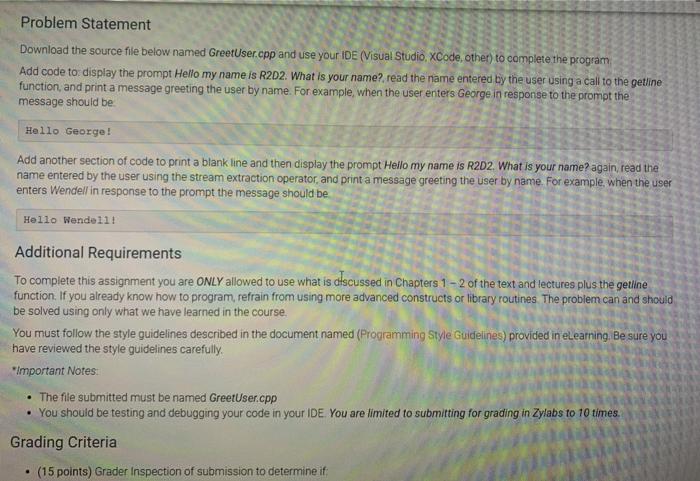
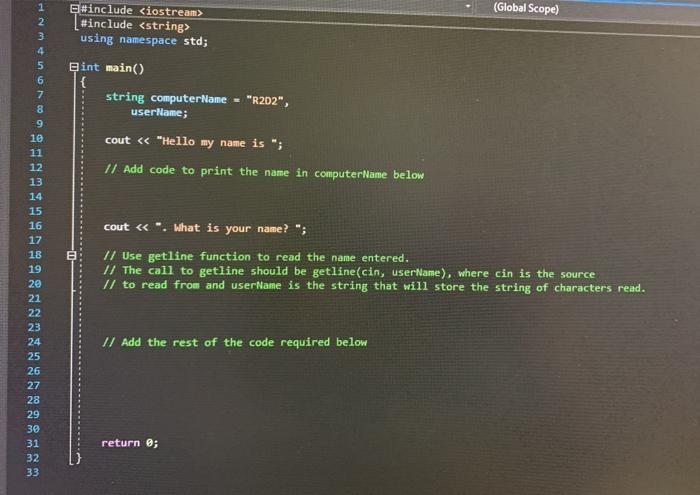
Problem Statement Download the source file below named GreetUser.cpp and use your IDE (Visual Studio, Code, other to complete the program Add code to display the prompt Hello my name is R2D2. What is your name? read the name entered by the user using a call to the getline function, and print a message greeting the user by name. For example, when the user enters George in response to the prompt the message should be Hello George! Add another section of code to print a blank line and then display the prompt Hello my name is R2D2. What is your name again read the name entered by the user using the stream extraction operator, and print a message greeting the user by name. For example, when the user enters Wendell in response to the prompt the message should be Hello Wendellt Additional Requirements To complete this assignment you are ONLY allowed to use what is discussed in Chapters 1 - 2 of the text and lectures plus the getiline function. If you already know how to program, refrain from using more advanced constructs or library routines The problem can and should be solved using only what we have learned in the course You must follow the style guidelines described in the document named (Programming Style Guidelines) provided in eLearning. Be sure you have reviewed the style guidelines carefully Important Notes The file submitted must be named GreetUser.cpp You should be testing and debugging your code in your IDE You are limited to submitting for grading in Zylabs to 10 times. Grading Criteria (15 points) Grader Inspection of submission to determine if (Global Scope) Esinclude
Step by Step Solution
There are 3 Steps involved in it

Get step-by-step solutions from verified subject matter experts
 Study Help