







Question: Problem Statement: Let us assume that you have a web server or application that appends a line to a log file every time it serves
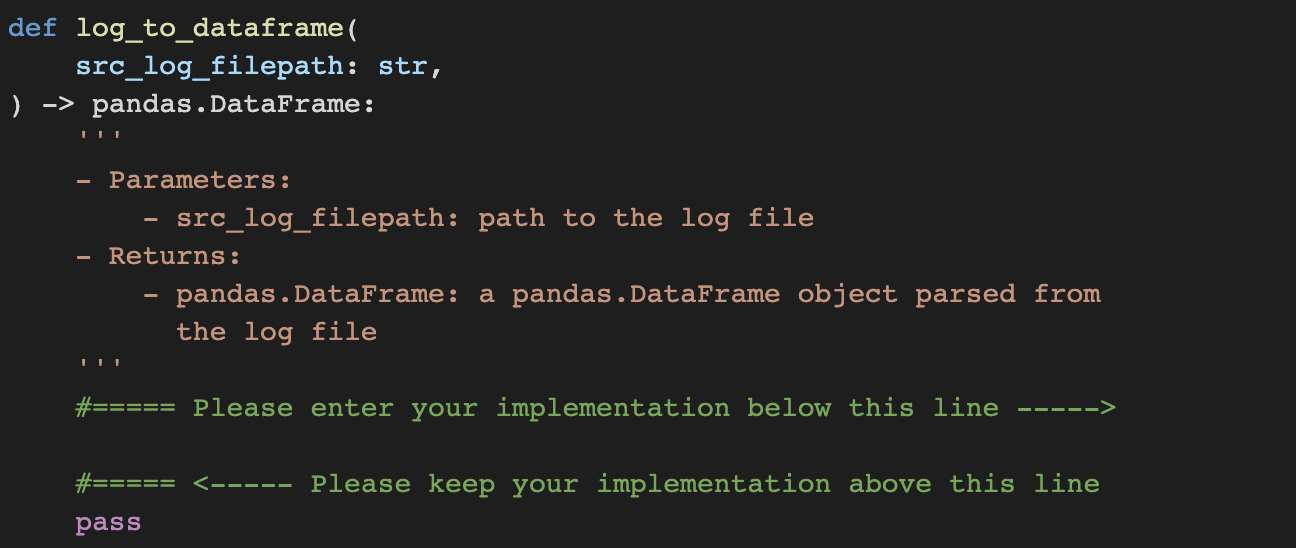
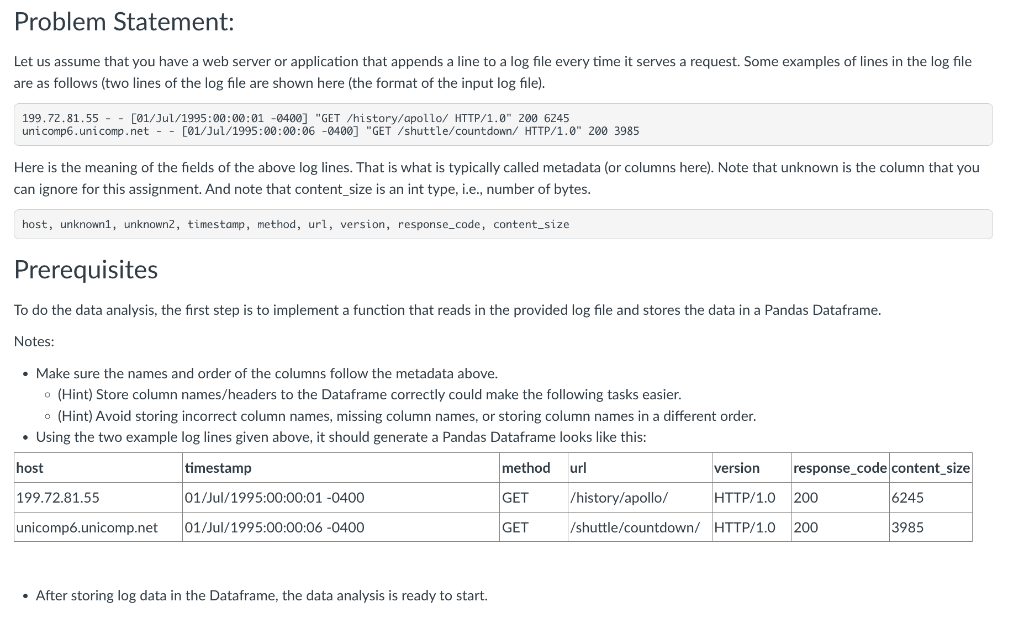
Problem Statement: Let us assume that you have a web server or application that appends a line to a log file every time it serves a request. Some examples of lines in the log file are as follows (two lines of the log file are shown here (the format of the input log file). 199.72.81.55 - - [01/Jul/1995:00:00:01 -0400] "GET /history/apollo/ HTTP/1.0" 2006245 unicomp6.uni comp.net - - [01/Jul/1995:00:00:06 -0400] "GET/shuttle/countdown/ HTTP/1.0" 2003985 Here is the meaning of the fields of the above log lines. That is what is typically called metadata (or columns here). Note that unknown is the column that you can ignore for this assignment. And note that content_size is an int type, i.e., number of bytes. host, unknown1, unknown2, timestamp, method, url, version, response_code, content_size Prerequisites To do the data analysis, the first step is to implement a function that reads in the provided log file and stores the data in a Pandas Dataframe. Notes: - Make sure the names and order of the columns follow the metadata above. - (Hint) Store column names/headers to the Dataframe correctly could make the following tasks easier. - (Hint) Avoid storing incorrect column names, missing column names, or storing column names in a different order. - Using the two example log lines given above, it should generate a Pandas Dataframe looks like this: - After storing log data in the Dataframe, the data analysis is ready to start
Step by Step Solution
There are 3 Steps involved in it

Get step-by-step solutions from verified subject matter experts
 Study Help