







Question: problems 7 and 8 I keep getting wrong. I need help with cell D13. I know the formula should be depreciation(D12,D14) and the content should
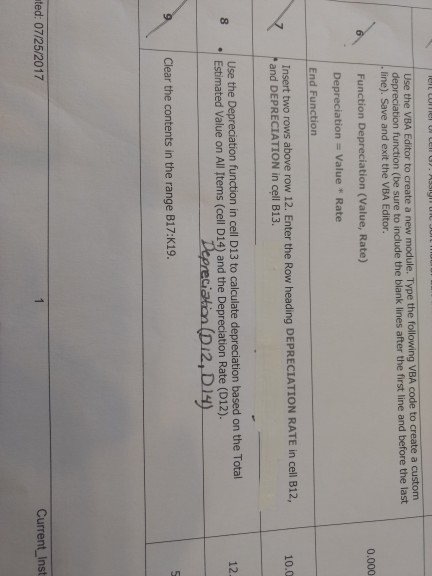
problems 7 and 8 I keep getting wrong. I need help with cell D13. I know the formula should be depreciation(D12,D14) and the content should be DEPRECIATION but I keep getting the #REF! error in the cell. please help! I've gotten all the other steps correct, just stuck on this.
Use the VBA Editor to create a new module. Type the following VBA code to create a custom depreciation function (be sure to include the blank lines after the first line and before the last line). Save and exit the VBA Editor. Function Depreciation (Value, Rate) 0.000 Depreciation Value Rate End Function Insert two rows above row 12. Enter the Row heading DEPRECIATION RATE in cell B12, and DEPRECIATION in cell B13 10.0 Use the Depreciation function in cell D13 to calculate depreciation based on the Total Estimated Value on All Items (cell D14) and the Depreciation Rate (D12). 12. Clear the contents in the range B17:K19. ted: 07/25/2017 Current Inst
Step by Step Solution
There are 3 Steps involved in it

Get step-by-step solutions from verified subject matter experts
 Study Help