







Question: Problem:Using the code of Figure 3 Code in other toconvert the data . txt file in to Excel data File in toTEXT data files. Click
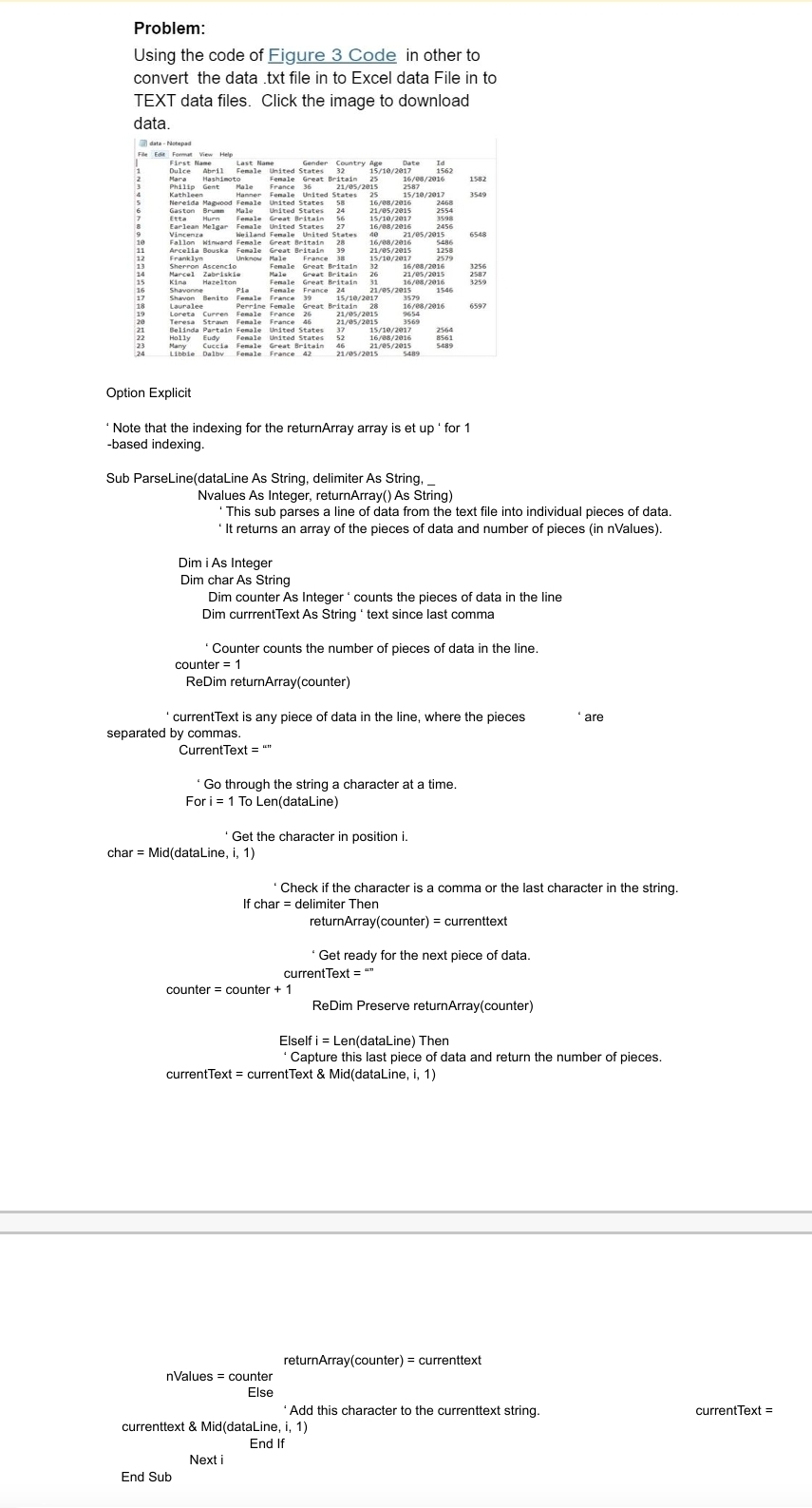
Problem:Using the code of Figure Code in other toconvert the data txt file in to Excel data File in toTEXT data files. Click the image to downloaddata.dtaNctepadPhil:HelDulcehilip Gent Male rancsUnited eseseretda Hapood Fenale nited StatescitainEtta Hurn enieVincenz. e lanArcella Bouska FemaleSherron AscencioKina HareltoninardOption ExplicitLastFemaleoceta cueren Feale FrareBelinda Partain Fenale tnited StatesHolly udy ealeLibble Dalby Female France End SubGendeFenale Uni ted StatesGreat Britain Fenale Great BritainFenale Great Britain eDim i As IntegerDim char As StringCountry AgeteNote that the indexing for the returnArray array is et up for based indexing.Sub ParseLinedataLine As String, delimiter As String,Current Text umDate IdNvalues As Integer, returnArray As Stringchar MiddatalLine iReDim returnArraycounterecounter counter se: sANext iFor i To LendataLinenValues counterElse'This sub parses a line of data from the text file into individual pieces of data.It returns an array of the pieces of data and number of pieces in nValuesDim counter As Integer counts the pieces of data in the lineDim currrentText As String text since last commaGo through the string a character ata time.Counter counts the number of pieces of data in the line.counter currenttext & MiddataLine iEnd IfcurrentText is any piece of data in the line, where the piecesseparated by commas.Get the character in position iCheck if the character is a comma or the last character in the string.If char delimiter ThenElself i LendataLine ThenreturnArraycounter currenttextGet ready for the next piece of data.CurrentText m'Capture this last piece of data and return the number of pieces.currentText currentText & MiddataLine iReDim Preserve returnArraycounterreturnArraycounter currenttextare'Add this character to the currenttext string.currentText Shavon Benito Fenale France
Step by Step Solution
There are 3 Steps involved in it
1 Expert Approved Answer
Step: 1 Unlock

Question Has Been Solved by an Expert!
Get step-by-step solutions from verified subject matter experts
Step: 2 Unlock
Step: 3 Unlock
 Study Help