







Question: Procedure: Simulation Link: http://www.thephysicsaviary.com/Physics/Programs/L abs/ForceBuoyancy/index.html Part 1: Buoyancy Lab - Buoyancy in different fluids. (a) Click 'Reset' on the lower right of simulation screen. Select
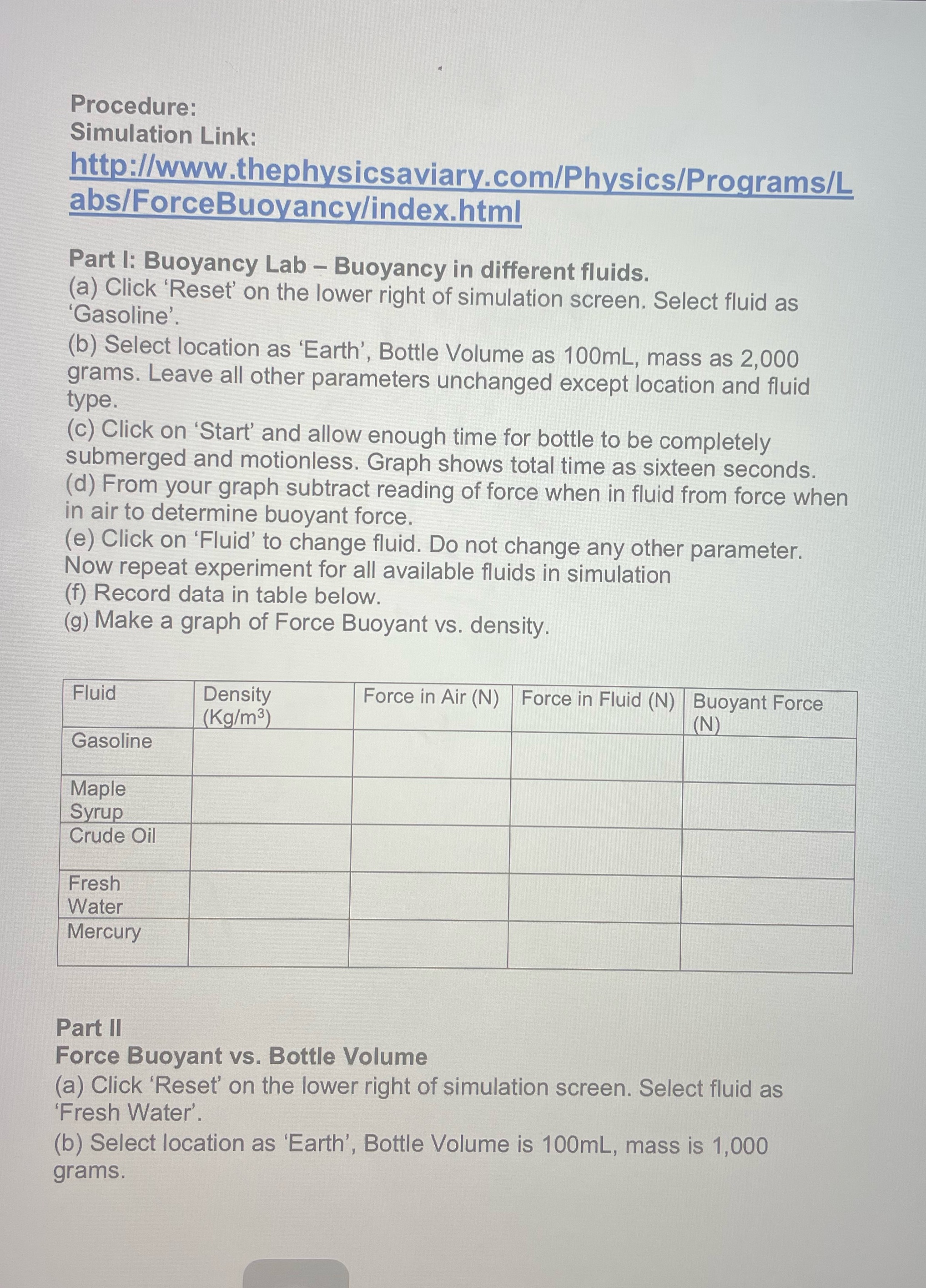
Procedure: Simulation Link: http://www.thephysicsaviary.com/Physics/Programs/L abs/ForceBuoyancy/index.html Part 1: Buoyancy Lab - Buoyancy in different fluids. (a) Click 'Reset' on the lower right of simulation screen. Select fluid as Gasoline'. (b) Select location as 'Earth', Bottle Volume as 100mL, mass as 2,000 grams. Leave all other parameters unchanged except location and fluid type. (c) Click on 'Start' and allow enough time for bottle to be completely submerged and motionless. Graph shows total time as sixteen seconds. (d) From your graph subtract reading of force when in fluid from force when in air to determine buoyant force. (e) Click on 'Fluid' to change fluid. Do not change any other parameter. Now repeat experiment for all available fluids in simulation (f) Record data in table below. (g) Make a graph of Force Buoyant vs. density. Fluid Density Force in Air (N) |Force in Fluid (N) Buoyant Force (Kg/m3) (N) Gasoline Maple Syrup Crude Oil Fresh Water Mercury Part II Force Buoyant vs. Bottle Volume (a) Click 'Reset' on the lower right of simulation screen. Select fluid as "Fresh Water'. (b) Select location as 'Earth', Bottle Volume is 100mL, mass is 1,000 grams
Step by Step Solution
There are 3 Steps involved in it

Get step-by-step solutions from verified subject matter experts
 Study Help