







Question: Process Capability The Process Capability worksheet contains data necessary to compute the Cp and Cpk metrics for a given process. Follow the steps below to
Process Capability The Process Capability worksheet contains data necessary to compute the Cp and Cpk metrics for a given process. Follow the steps below to determine if the process is capable using first the regular Process Capability and then the Process Capability Index. Process Capability Part 1 Calculate Process Capability Cp and enter the result into cell D6. Process Capability Part 2 Use an IF Function to return Yes without the quotation marks (although the quotes are needed in the formula) if the process appears capable based on the Cp value, or No if it does not. Enter the result into cell D6. Process Capability Part 3 Calculate the upper half of the Process Capability Index Cpk (i.e. the value you get from the USL-mean part of the Cpk formula) and enter the result into cell D10. Process Capability Part 4 Calculate the lower half of the Process Capability Index Cpk and enter the result into cell D11. Process Capability Part 5 Use your results from Parts 3 and 4 along with a MIN function to compute the Cpk index and enter the result into cell D12. Process Capability Part 6 Use an IF statement to return Yes if the process appears capable or No if not, but this time base your answer on the Cpk value you computed in Part 5.
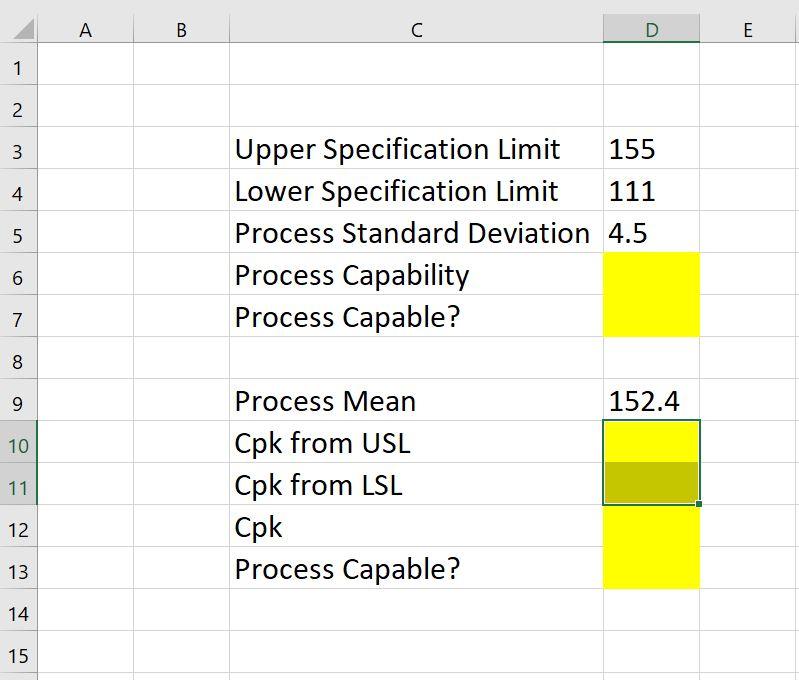 Can you please show formulas?
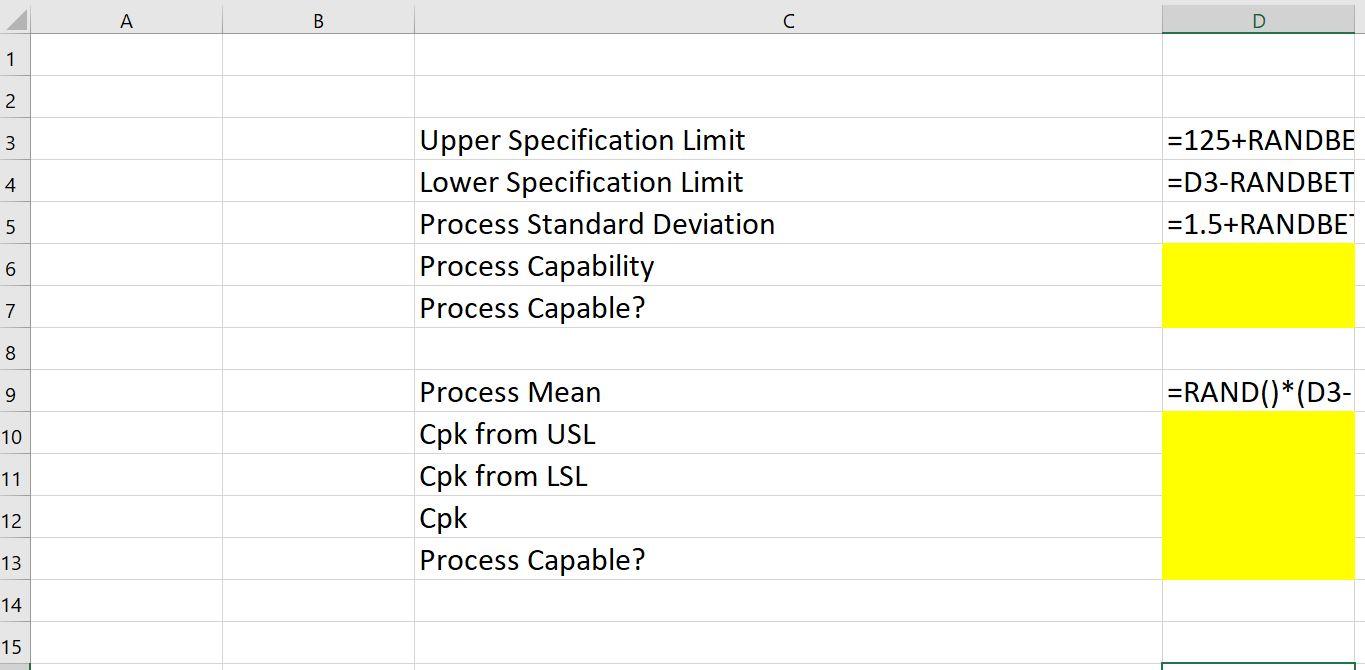 Can you please show formulas?
A B C D E 1 2 3 4 5 Upper Specification Limit 155 Lower Specification Limit 111 Process Standard Deviation 4.5 Process Capability Process Capable? 6 7 8 9 152.4 10 11 Process Mean Cpk from USL Cpk from LSL Cpk Process Capable? 12 13 14 15 A B C D 1 2 3 4 Upper Specification Limit Lower Specification Limit Process Standard Deviation Process Capability Process Capable? =125+RANDBE =D3-RANDBET =1.5+RANDBE 5 6 7 8 9 =RAND()*(D3- 10 11 Process Mean Cpk from USL Cpk from LSL Cpk Process Capable? 12 13 14 15
Step by Step Solution
There are 3 Steps involved in it

Get step-by-step solutions from verified subject matter experts
 Study Help