







Question: Process Step 1: Prepare your Excel Spreadsheet Open this Microsoft Excel Workbook. Rename the file studentiDnumber_AA03. YOU MUST use this Excel Workbook to complete your
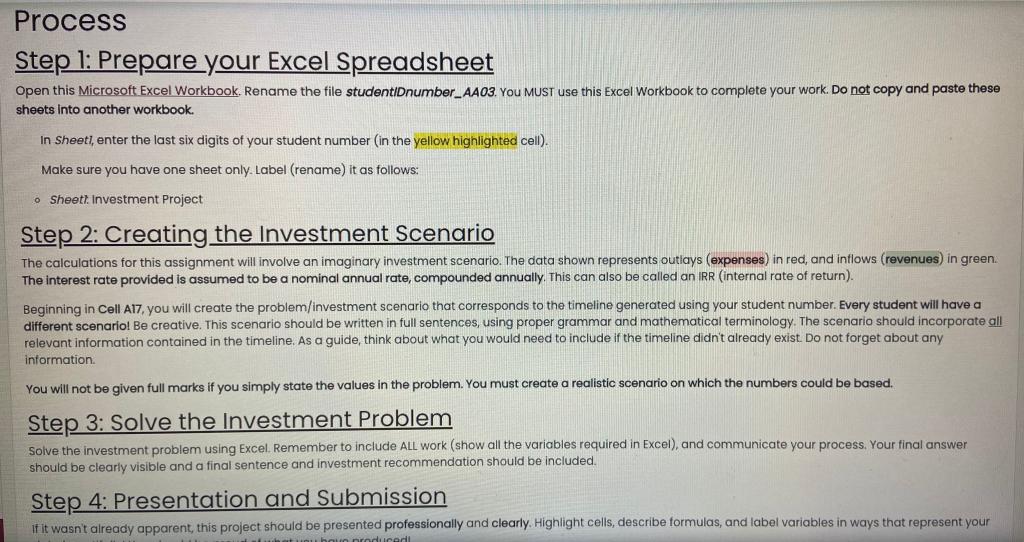
Process Step 1: Prepare your Excel Spreadsheet Open this Microsoft Excel Workbook. Rename the file studentiDnumber_AA03. YOU MUST use this Excel Workbook to complete your work. Do not copy and paste these sheets into another workbook. In Sheet), enter the last six digits of your student number in the yellow highlighted cell). Make sure you have one sheet only. Label (rename) it as follows: o Sheett. Investment Project Step 2: Creating the Investment Scenario The calculations for this assignment will involve an imaginary investment scenario. The data shown represents outlays (expenses) in red, and intlows (revenues) in green The interest rate provided is assumed to be a nominal annual rate, compounded annually. This can also be called an IRR (internal rate of return). Beginning in Cell A17, you will create the problem/investment scenario that corresponds to the timeline generated using your student number. Every student will have a different scenario! Be creative. This scenario should be written in full sentences, using proper grammar and mathematical terminology. The scenario should incorporate all relevant information contained in the timeline. As a guide, think about what you would need to include if the timeline didn't already exist. Do not forget about any information You will not be given full marks if you simply state the values in the problem. You must create a realistic scenario on which the numbers could be based. Step 3: Solve the Investment Problem Solve the investment problem using Excel. Remember to include ALL work (show all the variables required in Excel), and communicate your process, Your final answer should be clearly visible and a final sentence and investment recommendation should be included. Step 4: Presentation and Submission if it wasn't already apparent this project should be presented professionally and clearly. Highlight cells, describe formulas, and label variables in ways that represent your badiradi Process Step 1: Prepare your Excel Spreadsheet Open this Microsoft Excel Workbook. Rename the file studentiDnumber_AA03. YOU MUST use this Excel Workbook to complete your work. Do not copy and paste these sheets into another workbook. In Sheet), enter the last six digits of your student number in the yellow highlighted cell). Make sure you have one sheet only. Label (rename) it as follows: o Sheett. Investment Project Step 2: Creating the Investment Scenario The calculations for this assignment will involve an imaginary investment scenario. The data shown represents outlays (expenses) in red, and intlows (revenues) in green The interest rate provided is assumed to be a nominal annual rate, compounded annually. This can also be called an IRR (internal rate of return). Beginning in Cell A17, you will create the problem/investment scenario that corresponds to the timeline generated using your student number. Every student will have a different scenario! Be creative. This scenario should be written in full sentences, using proper grammar and mathematical terminology. The scenario should incorporate all relevant information contained in the timeline. As a guide, think about what you would need to include if the timeline didn't already exist. Do not forget about any information You will not be given full marks if you simply state the values in the problem. You must create a realistic scenario on which the numbers could be based. Step 3: Solve the Investment Problem Solve the investment problem using Excel. Remember to include ALL work (show all the variables required in Excel), and communicate your process, Your final answer should be clearly visible and a final sentence and investment recommendation should be included. Step 4: Presentation and Submission if it wasn't already apparent this project should be presented professionally and clearly. Highlight cells, describe formulas, and label variables in ways that represent your badiradi
Step by Step Solution
There are 3 Steps involved in it

Get step-by-step solutions from verified subject matter experts
 Study Help