







Question: Processing the Data and Writing the Result into a wav File Time reversal Following the previous section, you have an array xx that contains some
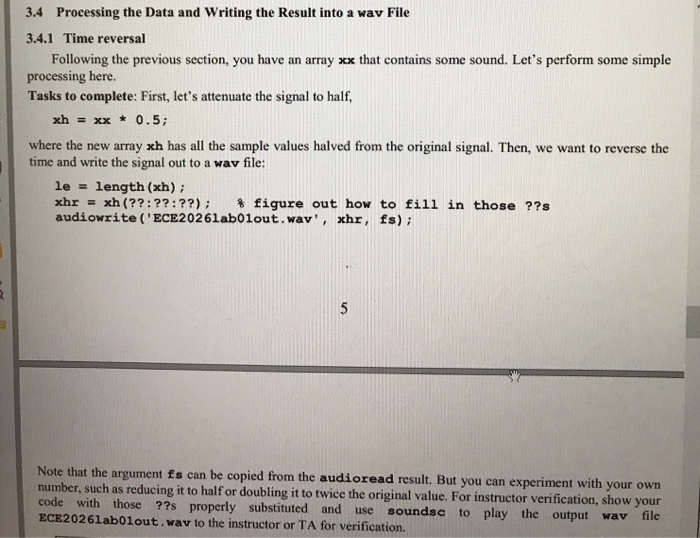
Processing the Data and Writing the Result into a wav File Time reversal Following the previous section, you have an array xx that contains some sound. Let's perform some simple processing here. Tasks to complete: First, let's attenuate the signal to half, xh = xx * 0.5: where the new array xh has all the sample values halved from the original signal. Then, we want to reverse the time and write the signal out to a wav file: lessthanorequalto = length(xh): xhr = xh(??: ??: ??): % figure out how to fill in those ??s audiowrite('ECE20261ab01out.wav', xhr, fs): Note that the argument fs can be copied from the audioread result. But you can experiment with your own number, such as reducing it to half or doubling it to twice the original value. For instructor verification, show your code with those ??s properly substituted and use soundsc to play the output wav file ECE20261ab01out. wav to the instructor or TA for verification
Step by Step Solution
There are 3 Steps involved in it

Get step-by-step solutions from verified subject matter experts
 Study Help