







Question: Produce a Python 3 Jupyter notebook whose contents we describe. The first cell (a Markdown cell) renders as in the following screenshot. This cell is
Produce a Python 3 Jupyter notebook whose contents we describe. The first cell (a Markdown cell) renders as in the following screenshot.
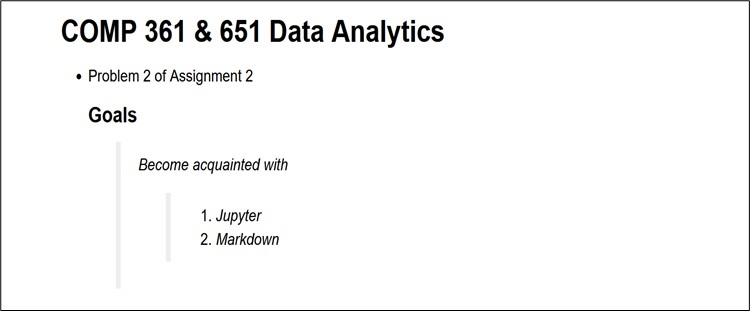
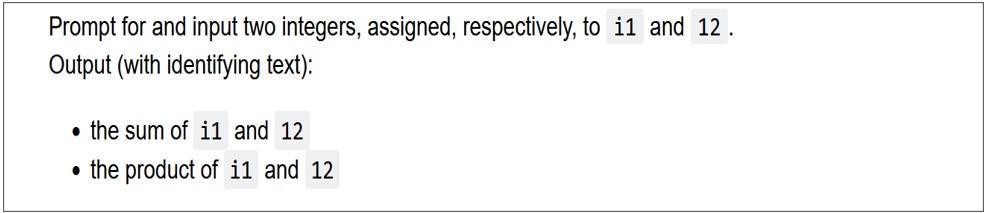
This cell is followed by another Markdown cell that renders as follows. (Make all code monospace, as shown. Use backquotes.) The next cell is a code cell
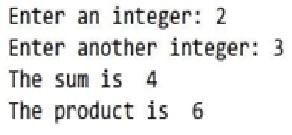
. The following is an example of the interaction when running it (where 2 is entered for i1 and 3 for i2). (It produces a box for each input() command.) Next is a Markdown cell, rendered as follows.
The next cell is a code cell. The following is an example of the interaction when running it (where 2 is entered for i1 and 3 for i2). (It produces a box for each input() command.)
Next is a Markdown cell, rendered as follows.
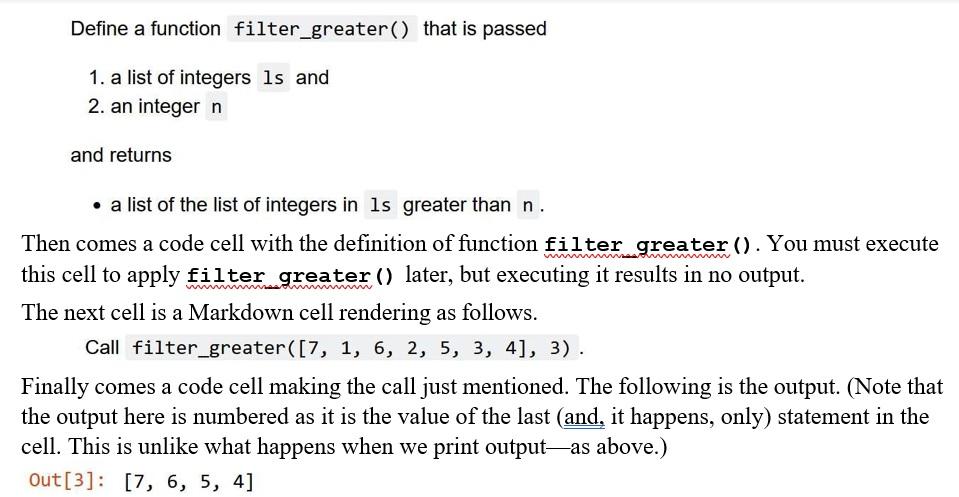
COMP 361&651 Data Analytics - Problem 2 of Assignment 2 Goals Become acquainted with 1. Jupyter 2. Markdown Prompt for and input two integers, assigned, respectively, to and 12 . Output (with identifying text): - the sum of and - the product of i1 and 12 Enter an integer: 2 Enter another integer: 3 The sum is 4 The product is 6 Define a function that is passed 1. a list of integers and 2. an integer n and returns - a list of the list of integers in greater than n. Then comes a code cell with the definition of function filter greater (). You must execute this cell to apply filter greater () later, but executing it results in no output. The next cell is a Markdown cell rendering as follows. Call filter_greater ([7,1,6,2,5,3,4],3). Finally comes a code cell making the call just mentioned. The following is the output. (Note that the output here is numbered as it is the value of the last (and, it happens, only) statement in the cell. This is unlike what happens when we print output-as above.) Out [3]:[7,6,5,4]
Step by Step Solution
There are 3 Steps involved in it

Get step-by-step solutions from verified subject matter experts
 Study Help