







Question: Product Class and Inventory Module Part 1: Product Class Write a class named Product that holds data about an item in a retail store. The
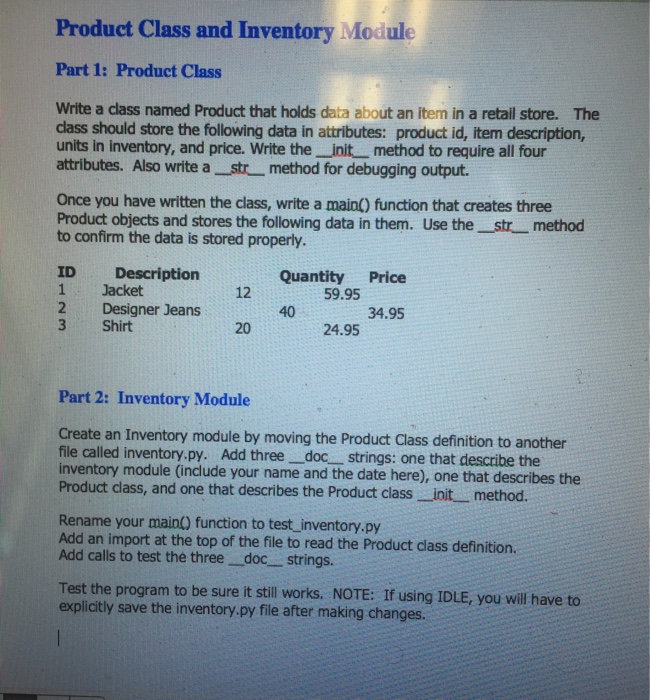
Product Class and Inventory Module Part 1: Product Class Write a class named Product that holds data about an item in a retail store. The class should store the following data in attributes: product id, item description, units in inventory, and price. Write the init method to require all four attributes. Also write a _str method for debugging output Once you have written the class, write a main() function that creates three Product objects and stores the following data in them. Use the str_ method to confirm the data is stored properly. ID Description 1 Jacket 2 Designer Jeans 3 Shirt Quantity Price 59.95 12 40 34.95 20 24.95 Part 2: Inventory Module Create an Inventory module by moving the Product Class definition to another file called inventory.py. Add three doc strings: one that describe the inventory module (include your name and the date here), one that describes the Product class, and one that describes the Product class init method. Rename your main() function to test inventory.py Add an import at the top of the file to read the Product class definition. Add calls to test the three doc strings. Test the program to be sure it still works. NOTE: If using IDLE, you will have to explicitly save the inventory.py file after making changes
Step by Step Solution
There are 3 Steps involved in it

Get step-by-step solutions from verified subject matter experts
 Study Help