







Question: Program #2: Binary4BitAdd This program allows you to choose two 4-bit binary integers and to see the result of their addition (sum) in both
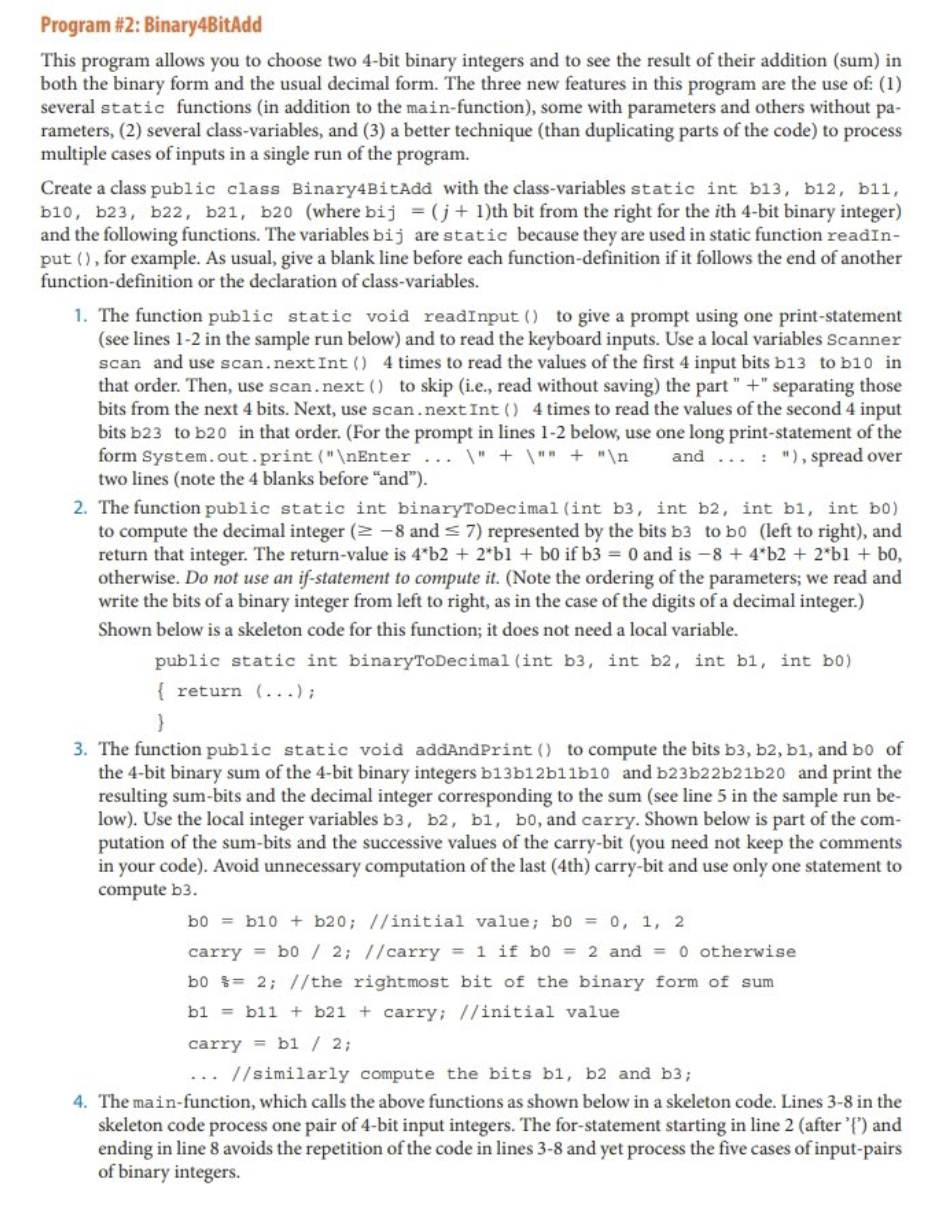
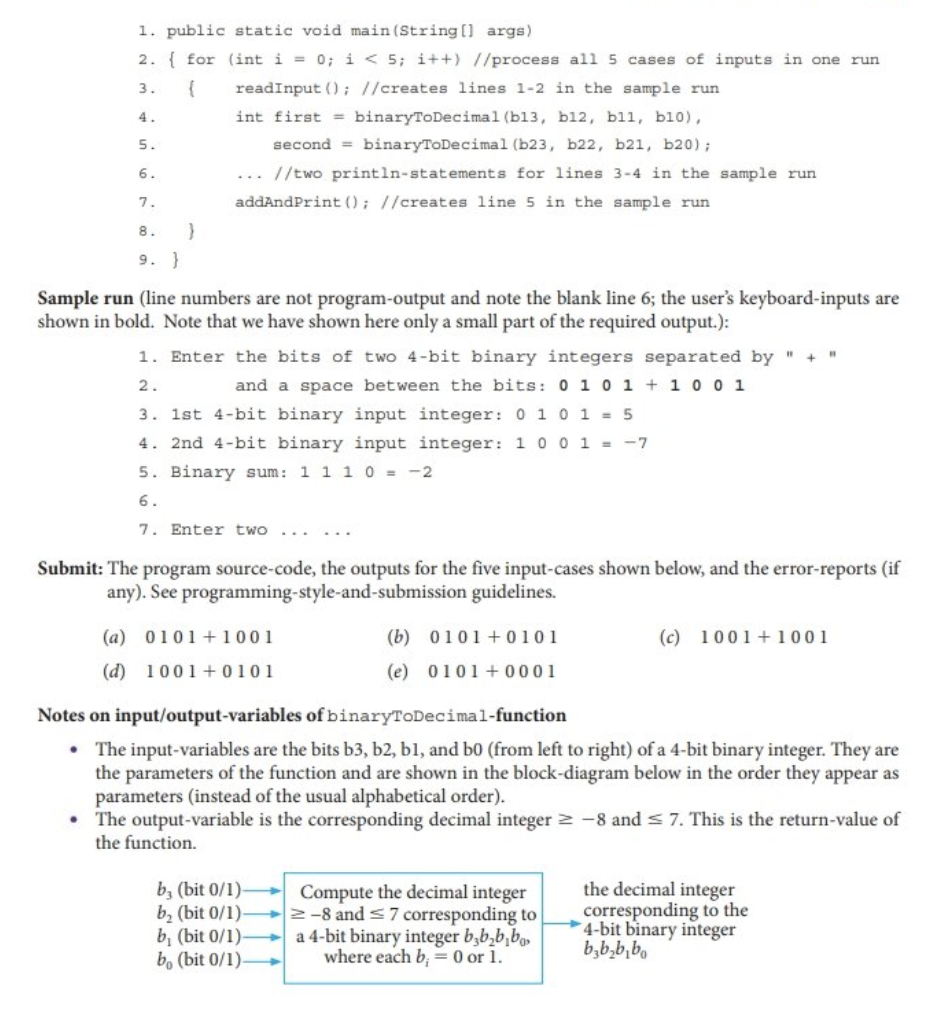
Program #2: Binary4BitAdd This program allows you to choose two 4-bit binary integers and to see the result of their addition (sum) in both the binary form and the usual decimal form. The three new features in this program are the use of: (1) several static functions (in addition to the main-function), some with parameters and others without pa- rameters, (2) several class-variables, and (3) a better technique (than duplicating parts of the code) to process multiple cases of inputs in a single run of the program. Create a class public class Binary4BitAdd with the class-variables static int b13, b12, b11, b10, b23, b22, b21, b20 (where bij = (j+ 1)th bit from the right for the ith 4-bit binary integer) and the following functions. The variables bij are static because they are used in static function readIn- put (), for example. As usual, give a blank line before each function-definition if it follows the end of another function-definition or the declaration of class-variables. 1. The function public static void readInput () to give a prompt using one print-statement (see lines 1-2 in the sample run below) and to read the keyboard inputs. Use a local variables Scanner scan and use scan.nextInt () 4 times to read the values of the first 4 input bits b13 to b10 in that order. Then, use scan. next() to skip (i.e., read without saving) the part "+" separating those bits from the next 4 bits. Next, use scan.nextInt () 4 times to read the values of the second 4 input bits b23 to b20 in that order. (For the prompt in lines 1-2 below, use one long print-statement of the form System.out.print(" Enter... \" + \"" + " and ...: "), spread over two lines (note the 4 blanks before "and"). 2. The function public static int binaryToDecimal (int b3, int b2, int bl, int b0) to compute the decimal integer (2-8 and 7) represented by the bits b3 to bo (left to right), and return that integer. The return-value is 4*b2 + 2*b1 + b0 if b3 = 0 and is -8 + 4*b2 + 2*bl + bo, otherwise. Do not use an if-statement to compute it. (Note the ordering of the parameters; we read and write the bits of a binary integer from left to right, as in the case of the digits of a decimal integer.) Shown below is a skeleton code for this function; it does not need a local variable. public static int binaryToDecimal (int b3, int b2, int bl, int b0) { return (...); 3. The function public static void addAnd Print () to compute the bits b3, b2, b1, and bo of the 4-bit binary sum of the 4-bit binary integers b13b12b11b10 and b23b22b21b20 and print the resulting sum-bits and the decimal integer corresponding to the sum (see line 5 in the sample run be- low). Use the local integer variables b3, b2, b1, b0, and carry. Shown below is part of the com- putation of the sum-bits and the successive values of the carry-bit (you need not keep the comments in your code). Avoid unnecessary computation of the last (4th) carry-bit and use only one statement to compute b3. b0b10+ b20; //initial value; b0 = 0, 1, 2 carry= b0 / 2; //carry = 1 if b0 = 2 and = 0 otherwise b0%= 2; //the rightmost bit of the binary form of sum b1 = bil + b21+ carry; //initial value carry=b1 / 2; ... //similarly compute the bits bl, b2 and b3; 4. The main-function, which calls the above functions as shown below in a skeleton code. Lines 3-8 in the skeleton code process one pair of 4-bit input integers. The for-statement starting in line 2 (after '{') and ending in line 8 avoids the repetition of the code in lines 3-8 and yet process the five cases of input-pairs of binary integers. 1. public static void main(String[] args) 2. { for (int i = 0; i < 5; i++) //process all 5 cases of inputs in one run 3. { readInput (); //creates lines 1-2 in the sample run int first = binaryToDecimal (b13, b12, bll, b10), 4. 5. second binaryToDecimal (b23, b22, b21, b20); 6. //two println-statements for lines 3-4 in the sample run. addAndPrint (); //creates line 5 in the sample run 7. 8. 9. } } Sample run (line numbers are not program-output and note the blank line 6; the user's keyboard-inputs are shown in bold. Note that we have shown here only a small part of the required output.): 1. Enter the bits of two 4-bit binary integers separated by " + " 2. and a space between the bits: 0 1 0 1 + 1 0 0 1 3. 1st 4-bit binary input integer: 0 1 0 1 = 5 4. 2nd 4-bit binary input integer: 1001 = -7 5. Binary sum: 1 1 1 0 = -2 6. 7. Enter two Submit: The program source-code, the outputs for the five input-cases shown below, and the error-reports (if any). See programming-style-and-submission guidelines. (a) 0101 +1001 (d) 1001+0101 (b) 0101+0101 (e) 0101+0001 b, (bit 0/1). b (bit 0/1). b, (bit 0/1) bo (bit 0/1). Notes on input/output-variables of binaryToDecimal-function The input-variables are the bits b3, b2, bl, and b0 (from left to right) of a 4-bit binary integer. They are the parameters of the function and are shown in the block-diagram below in the order they appear as parameters (instead of the usual alphabetical order). The output-variable is the corresponding decimal integer -8 and 7. This is the return-value of the function. (c) 1001+1001 Compute the decimal integer -8 and 7 corresponding to a 4-bit binary integer b.bb,bo, where each b = 0 or 1. the decimal integer corresponding to the 4-bit binary integer bbbb
Step by Step Solution
There are 3 Steps involved in it
Below is the Java program for Binary4BitAdd based on the provided specifications java import javauti... View full answer

Get step-by-step solutions from verified subject matter experts
 Study Help