







Question: ` ` ` * * * * Program for pick and place example * * * * PickAndPlaceABB.MOD. The robot takes A A A the
Program for pick and place example
"PickAndPlaceABB.MOD". The robot takes
A A A the crankshaft at the storage position
k and moves it to the stacking.
PROGRAM PickAndPlaceABB;
IMPORT DATALIST Position ListsPickAndPlaceABBPSL;
VAR
TEACH ROBTARGET
POvStor:
TEACH ROBTARGET
TEACH ROBTARGET
PStor;
TEACH ROBTARGET
POvStack;
PStack;
bos:
ABBPosition ListsPickAndPlaceABBPSL
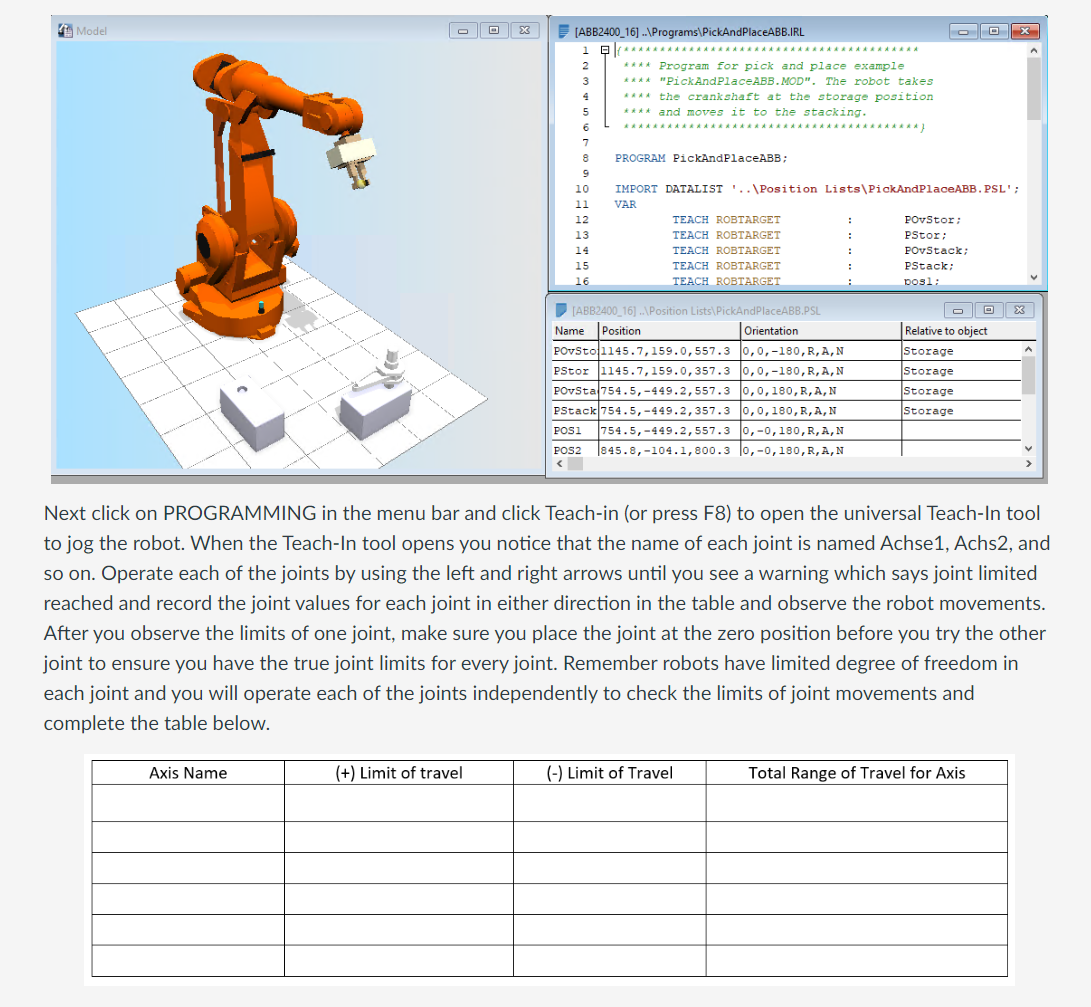
Next click on PROGRAMMING in the menu bar and click Teachin or press F to open the universal TeachIn tool to jog the robot. When the TeachIn tool opens you notice that the name of each joint is named Achse Achs and so on Operate each of the joints by using the left and right arrows until you see a warning which says joint limited reached and record the joint values for each joint in either direction in the table and observe the robot movements. After you observe the limits of one joint, make sure you place the joint at the zero position before you try the other joint to ensure you have the true joint limits for every joint. Remember robots have limited degree of freedom in each joint and you will operate each of the joints independently to check the limits of joint movements and complete the table below.
Step by Step Solution
There are 3 Steps involved in it
1 Expert Approved Answer
Step: 1 Unlock

Question Has Been Solved by an Expert!
Get step-by-step solutions from verified subject matter experts
Step: 2 Unlock
Step: 3 Unlock
 Study Help