







Question: Program in C++: 1. Create a GUI with a panel, 3 labels, 2 textboxs, 2 buttons and a picture box. Purpose You are to create
Program in C++:
1. Create a GUI with a panel, 3 labels, 2 textboxs, 2 buttons and a picture box.
Purpose
You are to create a Windows Graphical User Interface (GUI) which allows the user to enter the path name of an input file and an output file. The input file contains a list of animals currently boarded, including the tracking number of the animal, the type of animal boarded, and the daily boarding charge for the animal. On the click of a button, the items in the input file are stored in a linked list and printed to the output file. In addition, a count of the number of items printed to the output file is displayed in the Window. You are also to include a button which allows the user to exit the program.
Program Input
The input to the program will be the tracking number of the animal, the type of animal boarded, and the daily boarding charge for the animal.
The following input should be used to test your program:
Tracking Type of Animal Daily Boarding
Number Charge
10001 Black and Tan Miniature Dachshund 75.50
20001 Siamese Cat 50.00
30001 Shetland Pony 250.75
40001 Tortoise 15.00
50001 Chocolate Ranchu 4.75
The application should display a Window requesting the user to enter the path name of the input file and the output file. By clicking on a button, the items in the input file should be stored in a linked list and printed to the output file (no sorting of the data is required). In addition, the count of the number of items printed to the output file should be displayed in a text box in the Window. The application should also allow the user to exit the program by clicking on a button.
Output
Prepare a listing of the animals with appropriate column headings. Align the data neatly within columns. This listing should include the following:
the tracking number of the animal;
the type of animal boarded;
the daily boarding charge for the animal (formatted to two decimal places).
Processing
1. You must use a structure which includes the following elements:
a. the tracking number of the animal integer
b. the type of animal boarded character array
c. the daily boarding charge for the animal double
d. pointer to next record pointer
2. Three global variables may be used. The first variable should represent a pointer to the head of the linked list. The second variable should represent the input file stream; the third, the output file stream.
3. Three functions should be included to perform the following:
insert an item into the linked list;
display the values of all of the members of the list to an external file (as described in the output section);
count the number of items in the list.
4. Create a Graphical User Interface (GUI) that provides three text boxes -- one for the path name of the input file, another for the path name of the output file, and a third for the count of the number of items printed to the output file. Two buttons should appear on the form one which allows the user to create the output file and count the number of items printed to the output file; the other to exit the program.
When the button is clicked to create the output file, the following should occur:
`
the input file and the output file should be opened;
the data stored in the input file should be read;
the appropriate functions should be called to:
create a linked list of the data found in the input file,
list the inventory to an external report file,
count the number of items printed to the output file.
the count the number of items printed to the output file should appear within a text box on the form.
When the button is clicked to exit the program, the program should terminate.
Program Submission Requirements
A copy of the project folder , along with the input text file and the output text file, uploaded in blackboard. As well as screenshots for the output of the program.
Did your program have any syntax errors?
Did it produce a report with all records?
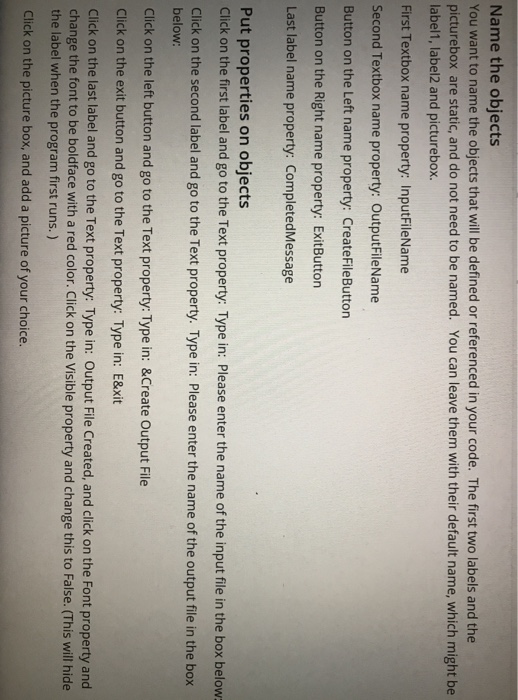
Name the objects You want to name the objects that will be defined or referenced in your code. The first two labels and the picturebox are static, and do not need to be named. You can leave them with their default name, which might be label1, label2 and picturebox. First Textbox name property: InputFileName Second Textbox name property: OutputFileName Button on the Left name property: CreateFileButton Button on the Right name property: ExitButton Last label name property: CompletedMessage Put properties on objects Click on the first label and go to the Text property: Type in: Please enter the name of the input file in the box below Click on the second label and go to the Text property. Type in: Please enter the name of the output file in the box below: Click on the left button and go to the Text property: Type in: &Create Output File Click on the exit button and go to the Text property: Type in: E&xit Click on the last label and go to the Text property: Type in: Output File Created, and click on the Font property and change the font to be boldface with a red color. Click on the Visible property and change this to False. (This will hide the label when the program first runs.) Click on the picture box, and add a picture of your choice
Step by Step Solution
There are 3 Steps involved in it

Get step-by-step solutions from verified subject matter experts
 Study Help