







Question: Programming Assess.. .E Q Programme a stopwatch timer. A display of minutes, seconds and tenths is presented in the following format. mmss.S The display is
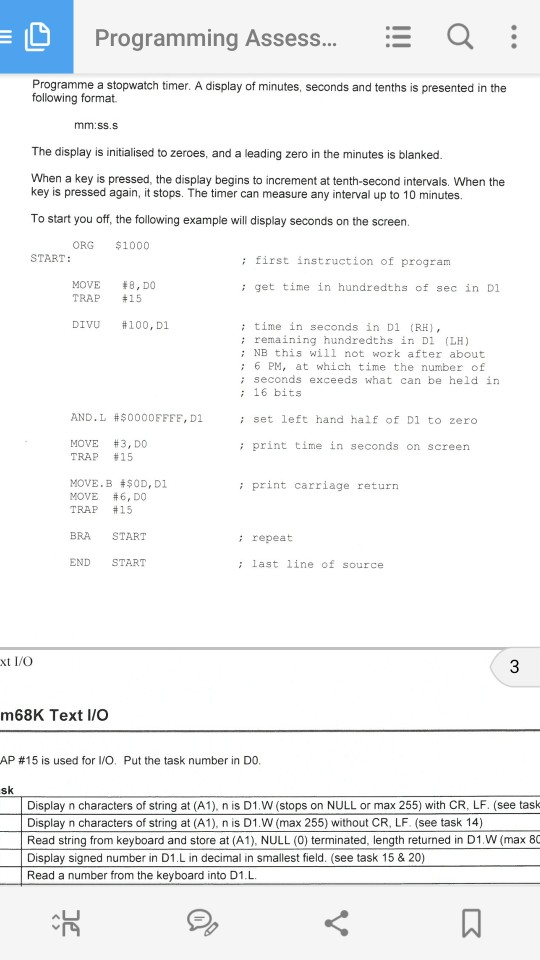
Programming Assess.. .E Q Programme a stopwatch timer. A display of minutes, seconds and tenths is presented in the following format. mmss.S The display is initialised to zeroes, and a leading zero in the minutes is blanked When a key is pressed, the display begins to increment at tenth-second intervals. When the key is pressed again, it stops. The timer can measure any interval up to 10 minutes. To start you off, the following example will display seconds on the screen ORG $1000 START: :first instruction of program MOVE TRAP #8,DO #15 ; get time in hundredths of sec in D1 : time in seconds in D1 (RH), : remaining hundredths in Di LH) : NB this will not work after about : 6 PM, at which time the number of ; seconds exceeds what can be held in : 16 bits DIVU #100,DI AND.L #$0000FFFF, DI ; set left hand half of Dl to zero MOVE TRAP #3,DO #15 : print time in seconds on screen MOVE . B #$0D, DI MOVE #6, DO TRAP #15 ; print carriage return BRA START i repeat END START ; last line of source xt I/O m68K Text I/O AP #15 is used for I/O, Put the task number in D0 sk Display n characters of string at (A1), n is D1.W (stops on NULL or max 255) with CR, LF. (see task Display n characters of string at (A1), n is D1.W (max 255) without CR, LF. (see task 14) Read string from keyboard and store at (A1), NULL (0) terminated, length returned in D1.W (max 80 Display signed number in D1.L in decimal in smallest field. (see task 15 & 20) Read a number from the keyboard into D1.L
Step by Step Solution
There are 3 Steps involved in it

Get step-by-step solutions from verified subject matter experts
 Study Help