







Question: Project 3: significance testing For use after Part || In this exercise, you will use the 2018 GSS database to conduct tests of significance. You
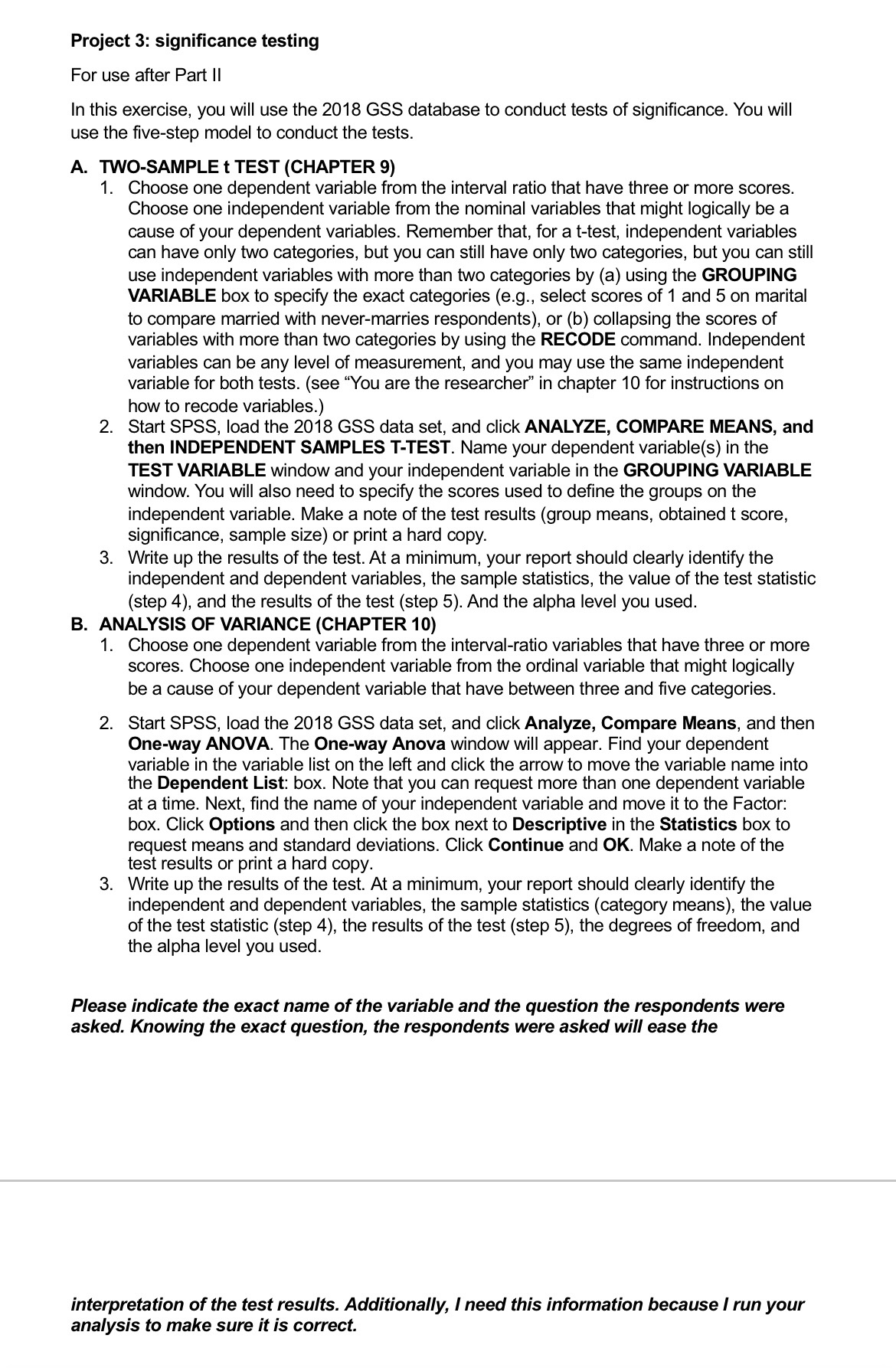
Project 3: significance testing For use after Part || In this exercise, you will use the 2018 GSS database to conduct tests of significance. You will use the five-step model to conduct the tests. A. TWO-SAMPLE t TEST (CHAPTER 9) 1. Choose one dependent variable from the interval ratio that have three or more scores. Choose one independent variable from the nominal variables that might logically be a cause of your dependent variables. Remember that, for a t-test, independent variables can have only two categories, but you can still have only two categories, but you can still use independent variables with more than two categories by (a) using the GROUPING VARIABLE box to specify the exact categories (e.g., select scores of 1 and 5 on marital to compare married with never-marries respondents), or (b) collapsing the scores of variables with more than two categories by using the RECODE command. Independent variables can be any level of measurement, and you may use the same independent variable for both tests. (see \"You are the researcher\" in chapter 10 for instructions on how to recode variables.) Start SPSS, load the 2018 GSS data set, and click ANALYZE, COMPARE MEANS, and then INDEPENDENT SAMPLES T-TEST. Name your dependent variable(s) in the TEST VARIABLE window and your independent variable in the GROUPING VARIABLE window. You will also need to specify the scores used to define the groups on the independent variable. Make a note of the test results (group means, obtained t score, significance, sample size) or print a hard copy. Write up the results of the test. At a minimum, your report should clearly identify the independent and dependent variables, the sample statistics, the value of the test statistic (step 4), and the results of the test (step 5). And the alpha level you used. B. ANALYSIS OF VARIANCE (CHAPTER 10) 1. Choose one dependent variable from the interval-ratio variables that have three or more scores. Choose one independent variable from the ordinal variable that might logically be a cause of your dependent variable that have between three and five categories. Start SPSS, load the 2018 GSS data set, and click Analyze, Compare Means, and then One-way ANOVA. The One-way Anova window will appear. Find your dependent variable in the variable list on the left and click the arrow to move the variable name into the Dependent List: box. Note that you can request more than one dependent variable at a time. Next, find the name of your independent variable and move it to the Factor: box. Click Options and then click the box next to Descriptive in the Statistics box to request means and standard deviations. Click Continue and OK. Make a note of the test results or print a hard copy. Write up the results of the test. At a minimum, your report should clearly identify the independent and dependent variables, the sample statistics (category means), the value of the test statistic (step 4), the results of the test (step 5), the degrees of freedom, and the alpha level you used. Please indicate the exact name of the variable and the question the respondents were asked. Knowing the exact question, the respondents were asked will ease the interpretation of the test results. Additionally, | need this information because I run your analysis to make sure it is correct
Step by Step Solution
There are 3 Steps involved in it

Get step-by-step solutions from verified subject matter experts
 Study Help