







Question: Project Code: Image display and analysis Part 1 For this first image lab, given the provided image of a mountain lion, read in and display
Project Code: Image display and analysis Part
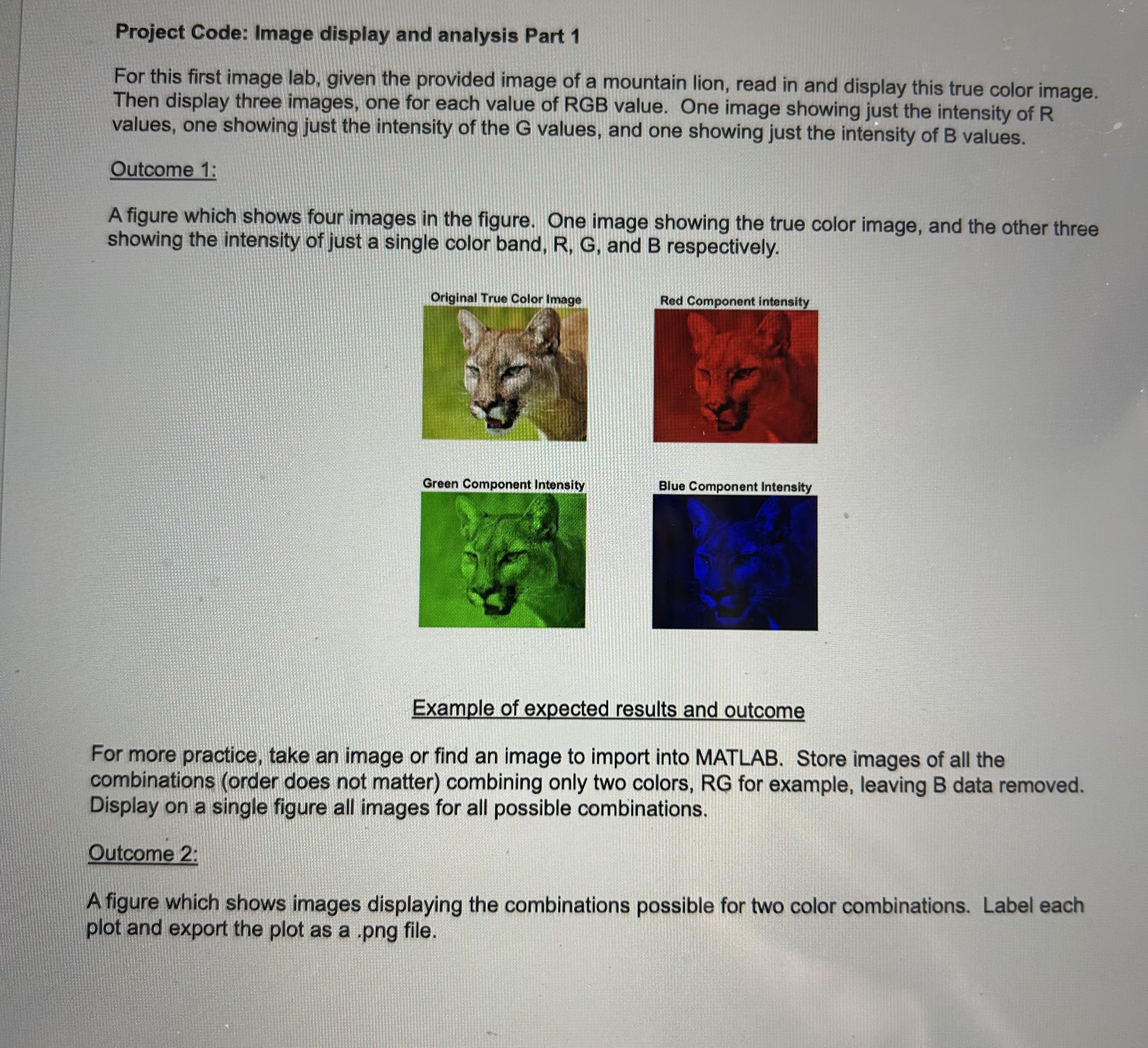
For this first image lab, given the provided image of a mountain lion, read in and display this true color image. Then display three images, one for each value of RGB value. One image showing just the intensity of values, one showing just the intensity of the values, and one showing just the intensity of values.
Outcome :
A figure which shows four images in the figure. One image showing the true color image, and the other three showing the intensity of just a single color band, R G and B respectively.
Example of expected results and outcome
For more practice, take an image or find an image to import into MATLAB. Store images of all the combinations order does not matter combining only two colors, RG for example, leaving B data removed. Display on a single figure all images for all possible combinations.
Outcome :
A figure which shows images displaying the combinations possible for two color combinations. Label each plot and export the plot as a png file.
Step by Step Solution
There are 3 Steps involved in it
1 Expert Approved Answer
Step: 1 Unlock

Question Has Been Solved by an Expert!
Get step-by-step solutions from verified subject matter experts
Step: 2 Unlock
Step: 3 Unlock
 Study Help