







Question: Project Description: In this project, you will create a basic chatbot using Python. This chatbot will have a simple graphical user interface (GUI) and
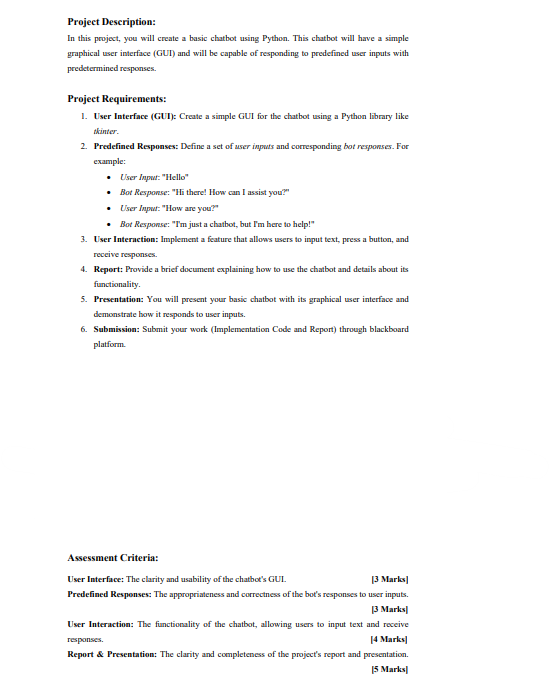
Project Description: In this project, you will create a basic chatbot using Python. This chatbot will have a simple graphical user interface (GUI) and will be capable of responding to predefined user inputs with predetermined responses. Project Requirements: 1. User Interface (GUI): Create a simple GUI for the chatbot using a Python library like tkinter. 2. Predefined Responses: Define a set of user inputs and corresponding bot responses. For example: User Input: "Hello" Bot Response: "Hi there! How can I assist you?" User Input: "How are you?" Bot Response: "I'm just a chatbot, but I'm here to help!" 3. User Interaction: Implement a feature that allows users to input text, press a button, and receive responses. 4. Report: Provide a brief document explaining how to use the chatbot and details about its functionality. 5. Presentation: You will present your basic chatbot with its graphical user interface and demonstrate how it responds to user inputs. 6. Submission: Submit your work (Implementation Code and Report) through blackboard platform. Assessment Criteria: User Interface: The clarity and usability of the chatbot's GUL [3 Marks] Predefined Responses: The appropriateness and correctness of the bot's responses to user inputs. 13 Marks] User Interaction: The functionality of the chatbot, allowing users to input text and receive responses. [4 Marks] Report & Presentation: The clarity and completeness of the project's report and presentation. 15 Marks]
Step by Step Solution
3.43 Rating (150 Votes )
There are 3 Steps involved in it
The below is a simple example of a Python chatbot using the tkinter library for the GUI import tkint... View full answer

Get step-by-step solutions from verified subject matter experts
 Study Help