







Question: Provided Files: ContainerADT.pdf MemoryGame .java TileButton.java Testjava Lab Assigant: Part 1. Create a project with the following name YourLastNameLab2 Write an interface ContainerADT.java that describes
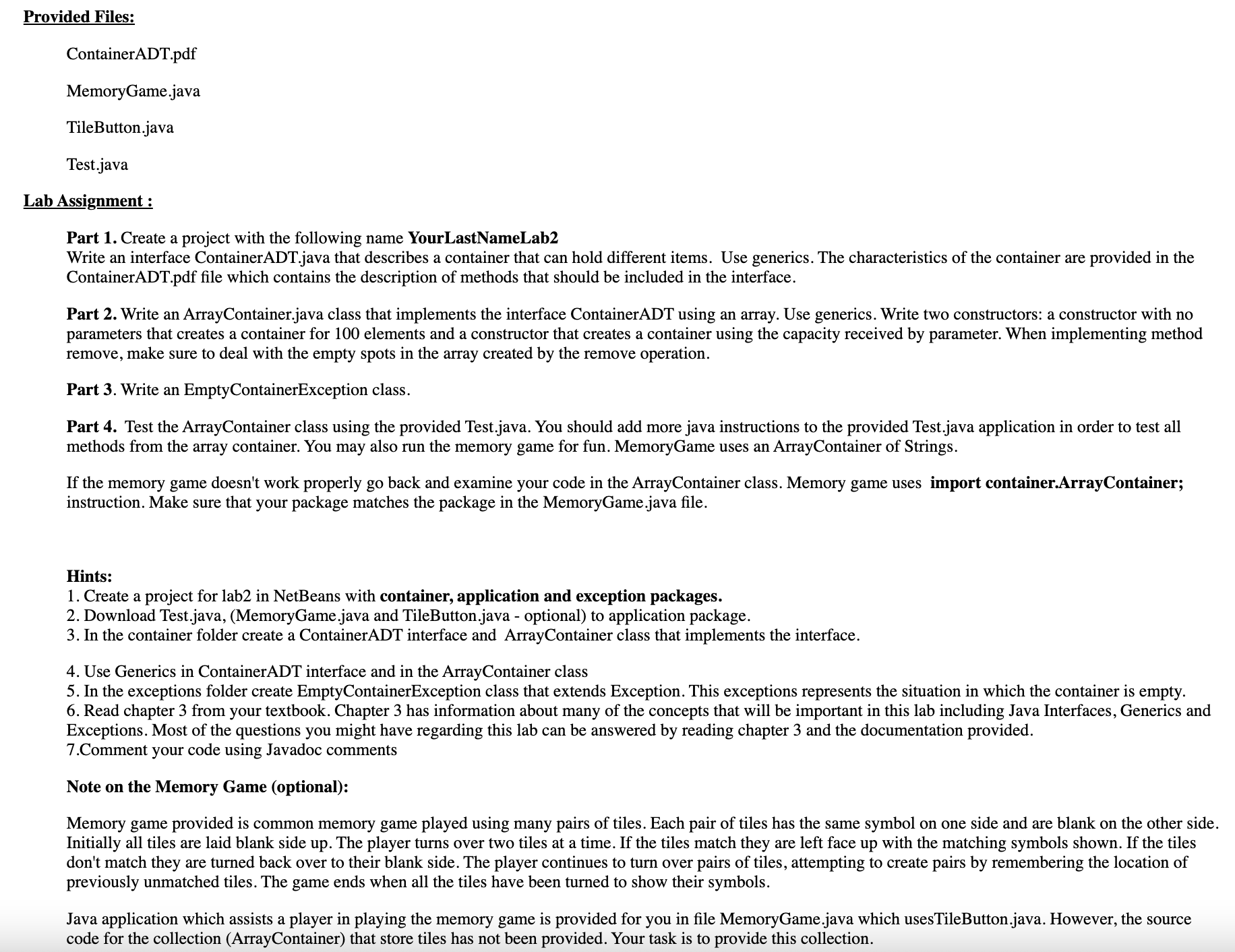
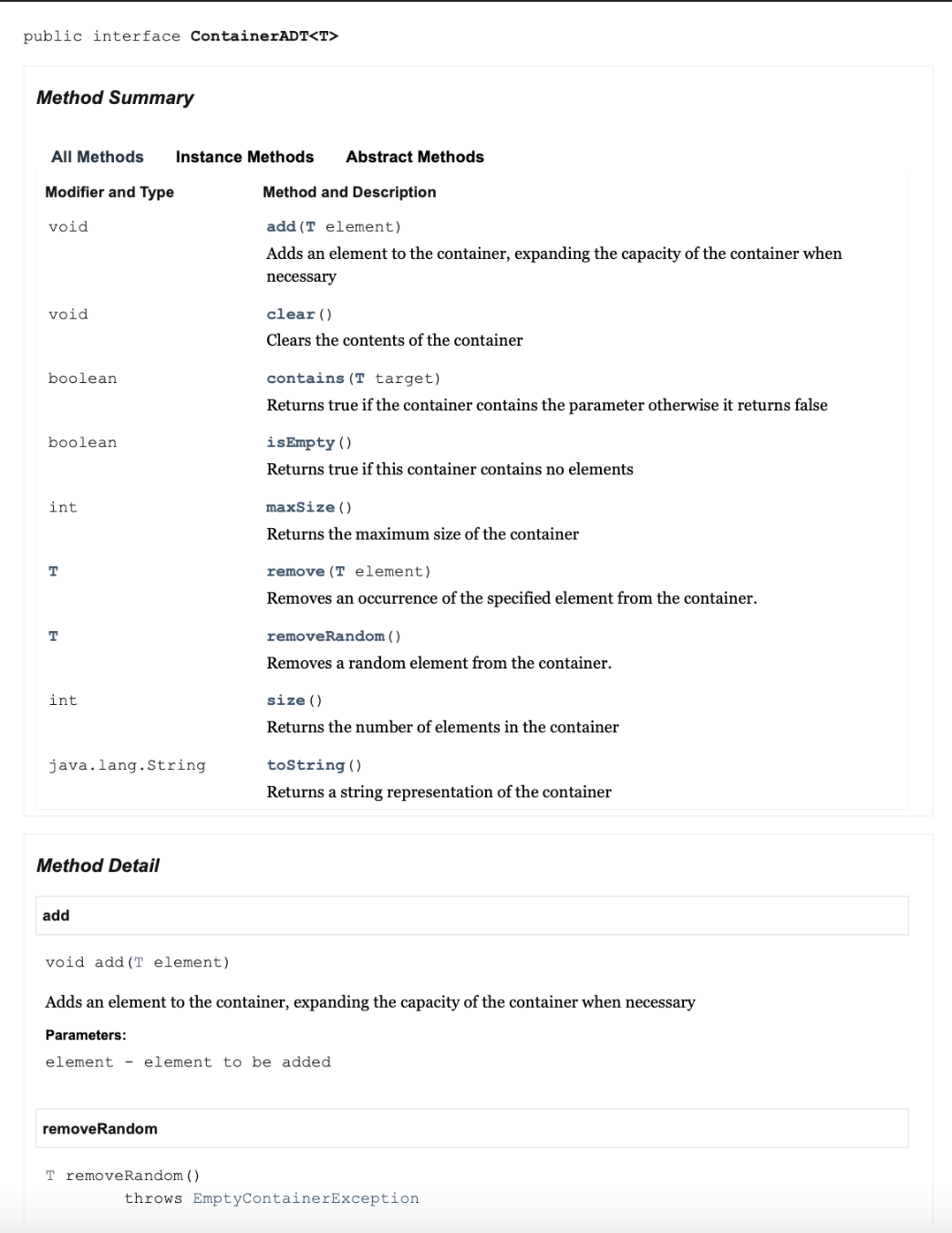
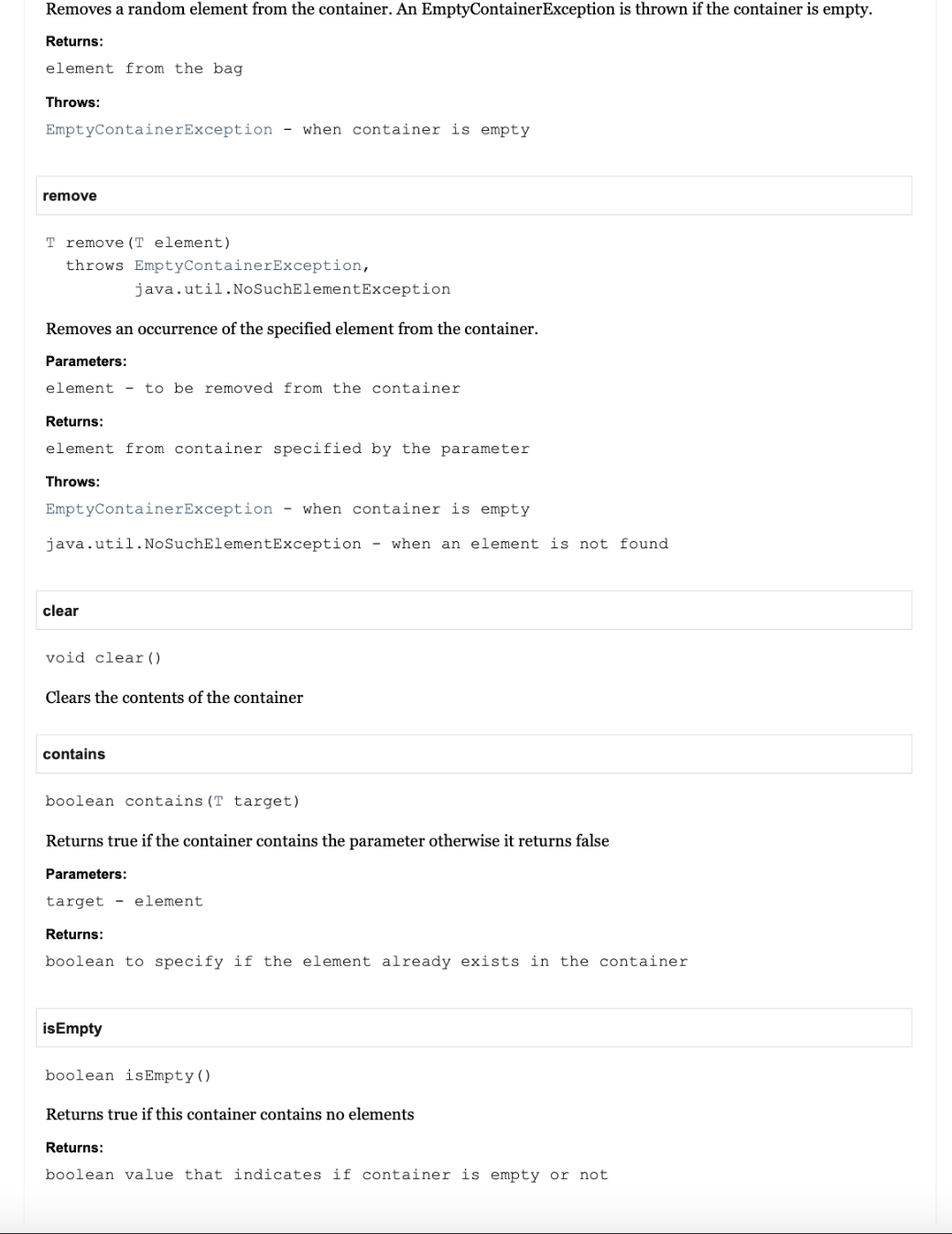
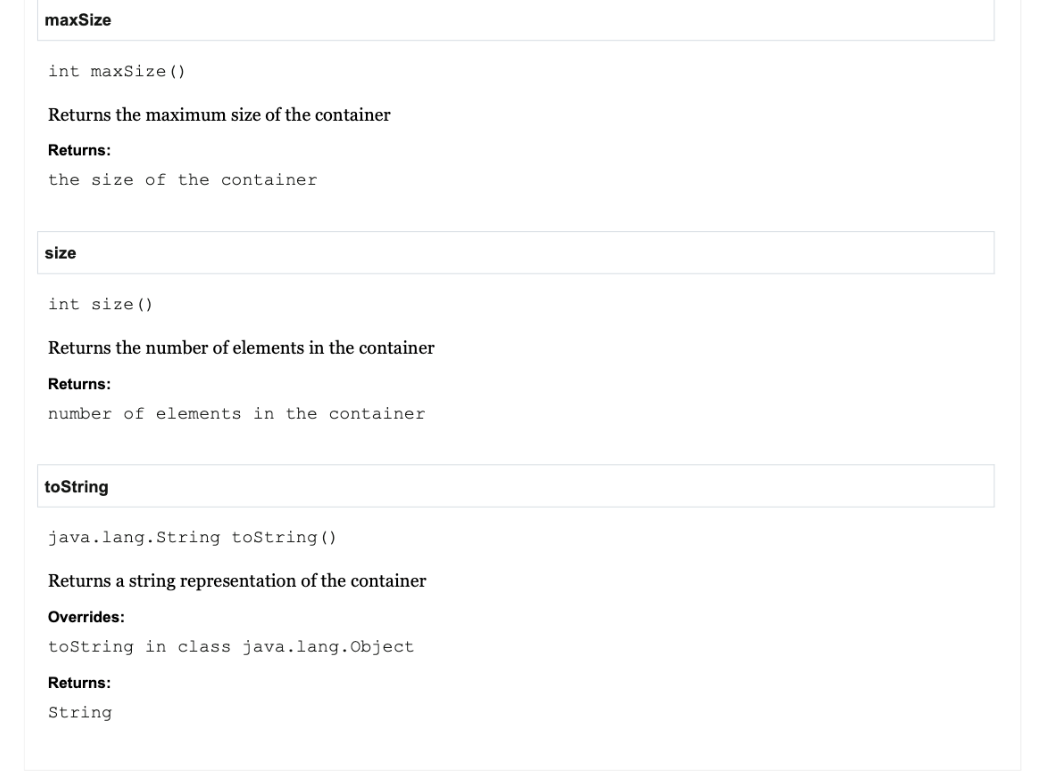
Provided Files: ContainerADT.pdf MemoryGame .java TileButton.java Testjava Lab Assigant: Part 1. Create a project with the following name YourLastNameLab2 Write an interface ContainerADT.java that describes a container that can hold different items. Use generics. The characteristics of the container are provided in the ContainerADT.pdf le which contains the description of methods that should be included in the interface. Part 2. Write an ArrayContainer.java class that implements the interface ContainerADT using an array. Use generics. Write two constructors: a constructor with no parameters that creates a container for 100 elements and a constructor that creates a container using the capacity received by parameter. When implementing method remove, make sure to deal with the empty spots in the array created by the remove operation. Part 3. Write an EmptyContainerException class. Part 4. Test the ArrayContainer class using the provided Test.java. You should add more java instructions to the provided Testjava application in order to test all methods from the array container. You may also run the memory game for fun. MemoryGame uses an ArrayContainer of Strings, If the memory game doesn't work properly go back and examine your code in the ArrayContainer class. Memory game uses import containerArrayContainer; instruction. Make sure that your package matches the package in the MemoryGamejava le. Hints: 1. Create a project for lab2 in NetBeans with container, application and exception packages. 2. Download Test.j ava, (MemoryGamejava and TileButtonjava - optional) to application package. 3. In the container folder create a ContainerADT interface and ArrayContainer class that implements the interface. 4. Use Generics in ContainerADT interface and in the ArrayContainer class 5. In the exceptions folder create EmptyContainerException class that extends Exception. This exceptions represents the situation in which the container is empty. 6. Read chapter 3 from your textbook. Chapter 3 has information about many of the concepts that will be important in this lab including Java Interfaces, Generics and Exceptions. Most of the questions you might have regarding this lab can be answered by reading chapter 3 and the documentation provided. 7.Comment your code using Javadoc comments Note on the Memory Game (optional): Memory game provided is common memory game played using many pairs of tiles. Each pair of tiles has the same symbol on one side and are blank on the other side. Initially all tiles are laid blank side up. The player turns over two tiles at a time. If the tiles match they are left face up with the matching symbols shown. If the tiles don't match they are turned back over to their blank side. The player continues to turn over pairs of tiles, attempting to create pairs by remembering the location of previously unmatched tiles. The game ends when all the tiles have been turned to show their symbols. Java application which assists a player in playing the memory game is provided for you in tile MemoryGamejava which usesTileButton.java. However, the source code for the collection (ArrayContainer) that store tiles has not been provided. Your task is to provide this collection. public interface ContainerADT
Step by Step Solution
There are 3 Steps involved in it

Get step-by-step solutions from verified subject matter experts
 Study Help