







Question: PS18 DCL Data control Language commands control how users can interact with database objects that you have created in your schema. By granting or revoking
PS18
DCL Data control Language commands control how users can interact with database objects that you have created in your schema. By granting or revoking privileges such as create table, drop table, and select from tables, users are able to work with database objects created by you or objects created in other schemas such as HR.
1. Log in to your Oracle Apex account, and check for the existence of my username from the SQL command line with this query:
select * from all_users where username = 'CIS411W_SQL'
Copy and paste the query along with the result set in this assignment.
2. Navigate to SQL Workshop Object Browser find the customers table you created in an earlier problem set:
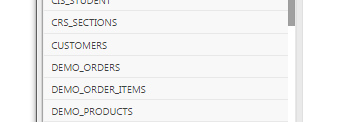
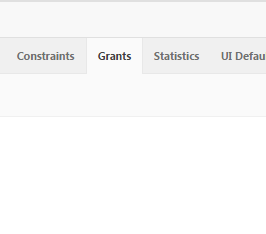
Click on the Customers table and then click the Grants tab;
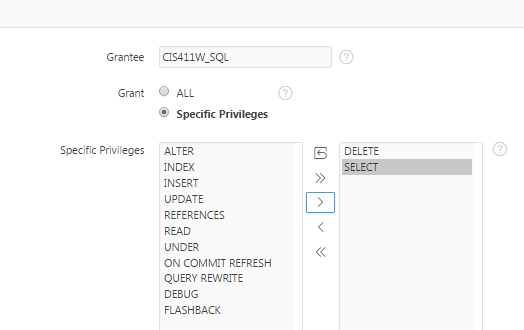
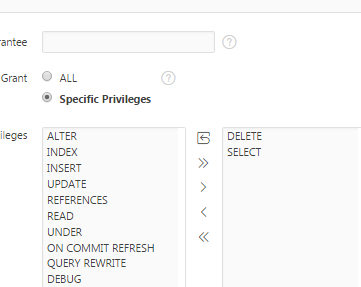
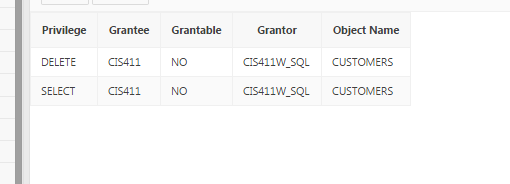
The Grantee will be my username CIS411W_SQL and the privileges are DELETE and SELECT
Click Next
And then Click Finish
Copy and paste a screenshot of your grants into this assignment. They should look like this:
Leave the grants as they are. This will allow me to check your work by selecting from your customers table.
3. Navigate to SQL Workshop SQL Commands and recreate the SQL commands to grant the same privileges as before, but this time using SQL commands and use a user named CIS411. I dont know who this user is, so if its you will have to change to another user.
Copy and paste the SQL grant along with the result set into this assignment.
4. Now go ahead and REVOKE the grants created for CIS411.
Copy and paste the SQL revoke along with the result set into this assignment.
CRS SECTIONS CUSTOMERS DEMO ORDERS DEMO ORDERUTEMS DEMO PRODUCTS
Step by Step Solution
There are 3 Steps involved in it

Get step-by-step solutions from verified subject matter experts
 Study Help