







Question: public class Main { public static void main(String[] args) { Rectangle r = new Rectangle( 3, 5 ); System.out.println( r ); // length: 3, width:
![public class Main { public static void main(String[] args) { Rectangle](https://dsd5zvtm8ll6.cloudfront.net/si.experts.images/questions/2024/09/66f3d4662a641_65366f3d465bbe19.jpg)
public class Main { public static void main(String[] args) { Rectangle r = new Rectangle( 3, 5 ); System.out.println( r ); // length: 3, width: 5 r.setWidth( 11 ); System.out.println( r ); // length: 3, width: 11 Square sq = new Square( 6 ); System.out.println( "The square's initial area is " + sq.area() + " square units."); // 36 sq.setWidth( 4 ); System.out.println( sq ); // length: 4, width: 4 sq.setLength( 8 ); System.out.println( sq ); // length: 8, width: 8 System.out.println( "The new area is " + sq.area() + " square units."); // 64 } }
public class Rectangle { private int length, width; public Rectangle( int len, int wid ) { length = len; width = wid; } public int area() { return length*width; } public void setWidth( int n ) { width = n; } public void setLength( int n ) { length = n; } @Override public String toString() { return "length: " + length + ", width: " + width; } }
public class Rectangle { private int length, width; public Rectangle( int len, int wid ) { length = len; width = wid; } public int area() { return length*width; } public void setWidth( int n ) { width = n; } public void setLength( int n ) { length = n; } @Override public String toString() { return "length: " + length + ", width: " + width; } }
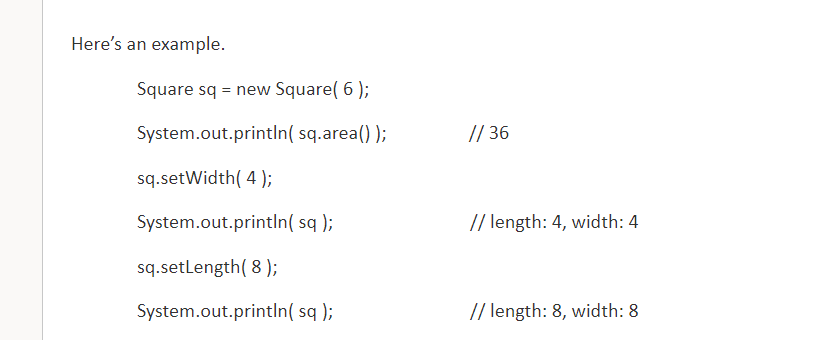
public class Rectangle { private int length, width; public Rectangle int len, int wid) { length = len; Write the Square class as a subclass of Rectangle. The Square class: Should NOT declare any instance variables. Its constructor has one parameter which is the length of a side. Override the setWidth method so that when the width changes, the length changes to the same value. Override the setLength method so that when the length changes, the width changes to the same value. Do NOT override area. Do NOT override toString width = wid; } public int areal) { return length*width; } public void setWidth(int n) { width = n; } public void setLength(int n) { length = n; } @Override public String toString() { return "length: " + length +", width:" + width; } } Here's an example. Square sq = new Square( 6 ); System.out.println( sq.area()); // 36 sq.setWidth( 4 ); System.out.println( sq); // length: 4, width: 4 sq.setLength( 8 ); System.out.println( sq); // length: 8, width: 8
Step by Step Solution
There are 3 Steps involved in it

Get step-by-step solutions from verified subject matter experts
 Study Help