







Question: Python 3: Develop a crawler that collects the email addresses in the visited web pages. You can use function emails() from Problem 11.22 to find
Python 3: Develop a crawler that collects the email addresses in the visited web pages. You can use function emails() from Problem 11.22 to find email addresses in a web page. To get your program to terminate, you may use the approach from Problem 11.15 or Problem 11.17.
(((For context, problem 11.22 is as follows: Write function emails() that takes a document (as a string) as input and returns the set of email addresses (i.e., strings) appearing in it. You should use a regular expression to find the email addresses in the document. >>> from urllib.request import urlopen >>> url = 'http://www.cdm.depaul.edu' >>> content = urlopen(url).read().decode() >>> emails(content) {'advising@cdm.depaul.edu', 'wwwfeedback@cdm.depaul.edu', 'admission@cdm.depaul.edu', 'webmaster@cdm.depaul.edu'}
Problem 11.15 is as follows: Modify the crawler function crawl1() so that the crawler does not visit web pages that are more than n click (hyperlinks) away. To do this, the function should take an ad- ditional input, a nonnegative integer n. If n is 0, then no recursive calls should be made. Otherwise, the recursive calls should pass n 1 as the argument to the crawl1() function.
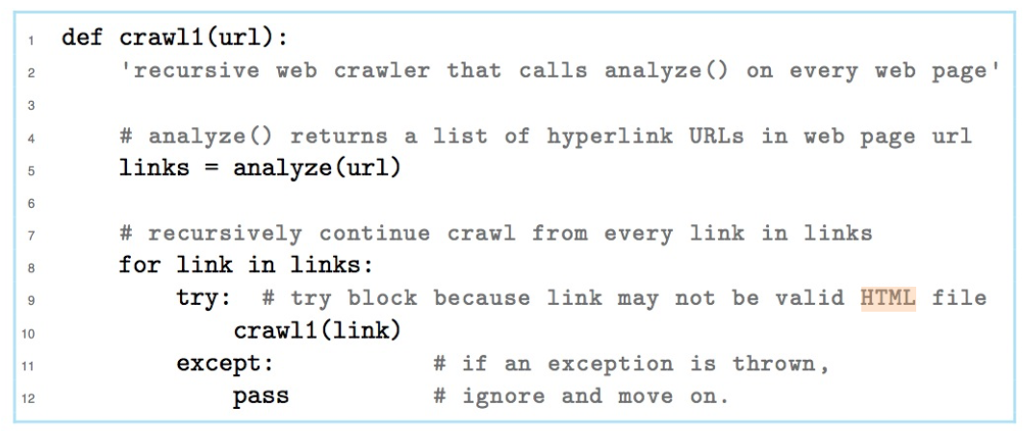
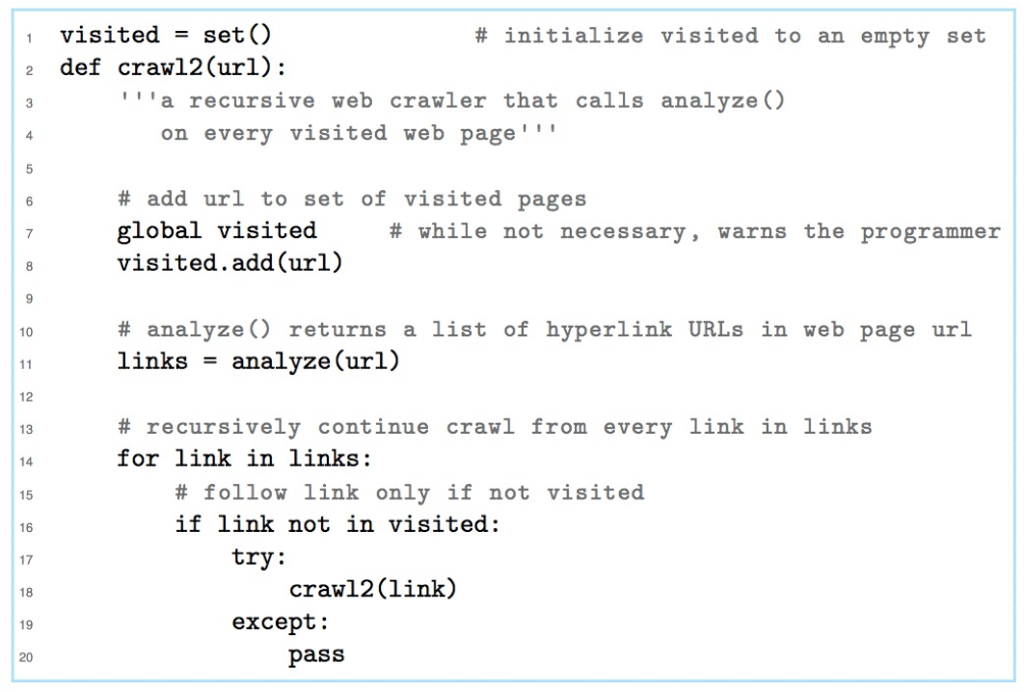
Problem 11.17 is as follows: Modify the crawler function crawl2() so that the crawler only follows links hosted on the same host as the starting web page.
 )))
)))
1 def crawl1 (url): "recursive web crawler that calls analyze () on every web page' # analyze () returns a list of hyperlink URLs in web page url links = analyze (url) 10 11 12 # recursively continue crawl from every link in links for link in links: try : # try block because link may not be valid HTML file crawl1 (link) except: # if an exception is thrown, pass # ignore and move on
Step by Step Solution
There are 3 Steps involved in it

Get step-by-step solutions from verified subject matter experts
 Study Help