







Question: Python 3 Programing I have attached several files on how to used Python 3 to draw shapes. Please complete activity 1 in Python 3 and
Python 3 Programing I have attached several files on how to used Python 3 to draw shapes.
Please complete activity 1 in Python 3 and comment on code so I can understand what you did.
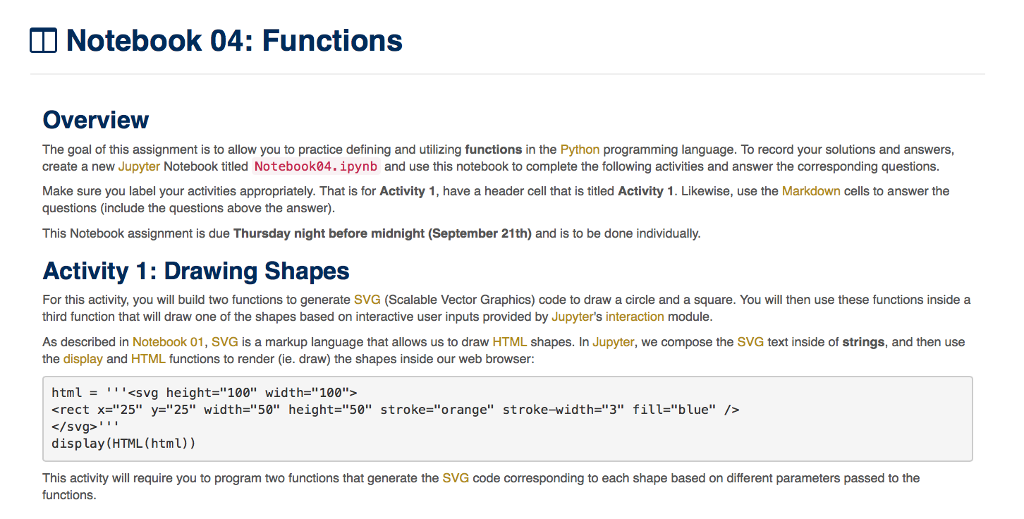
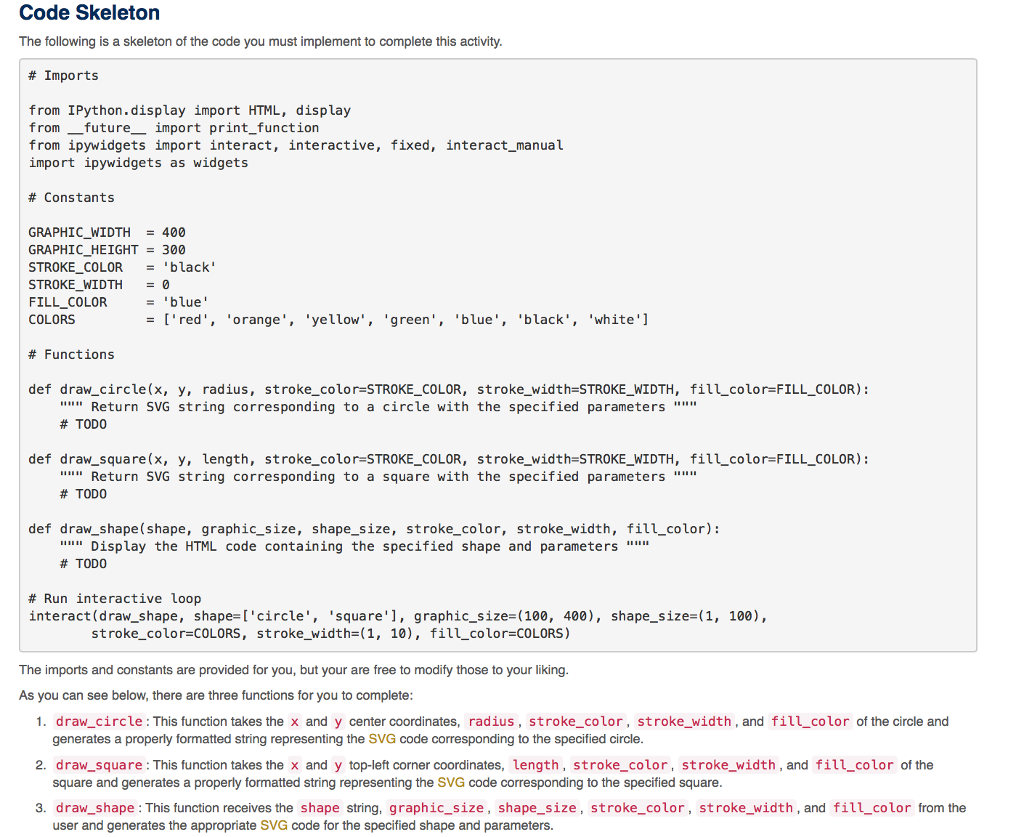
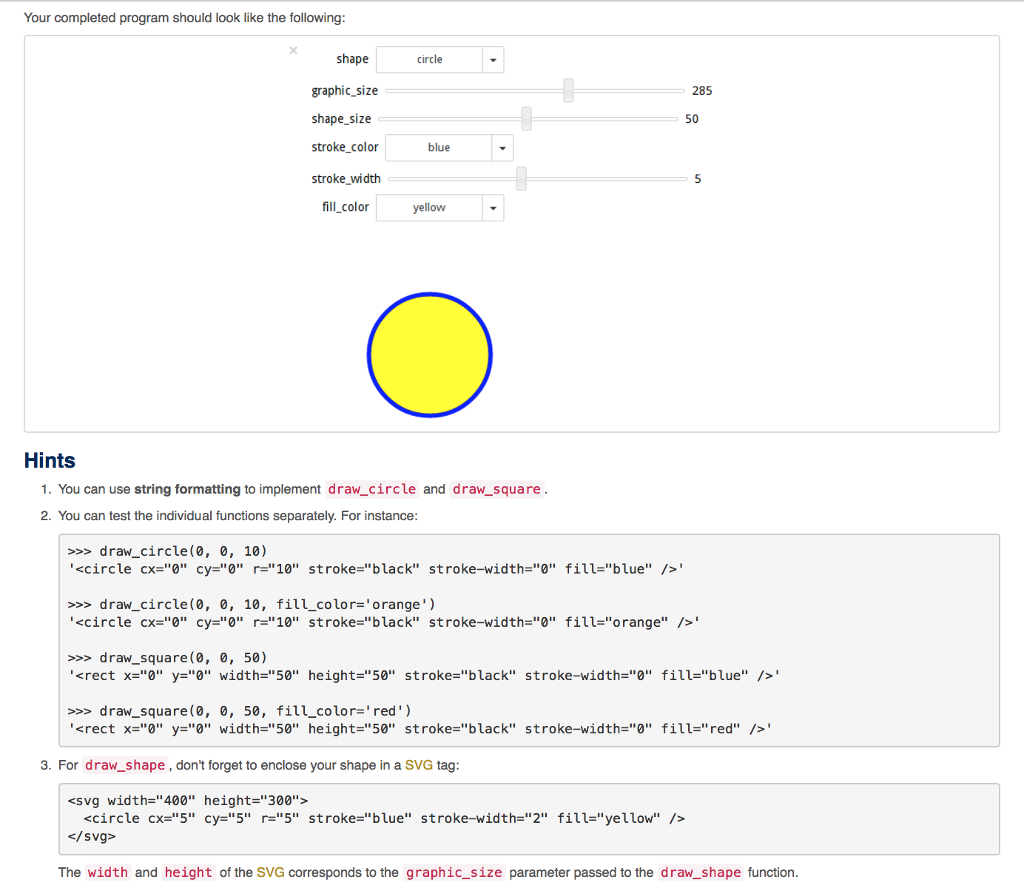
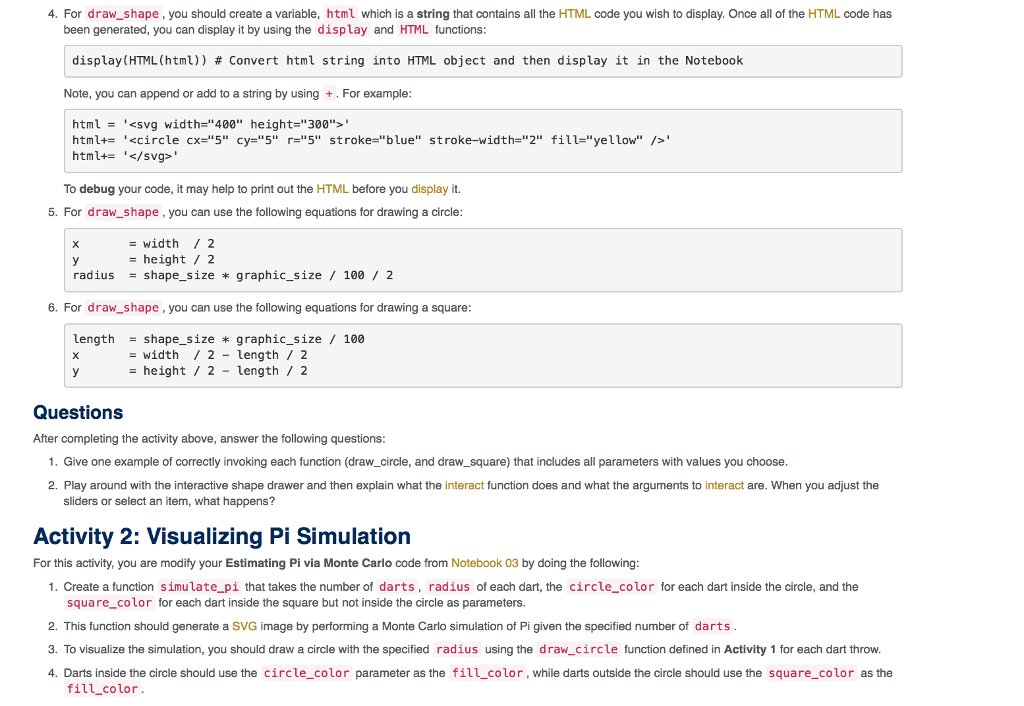
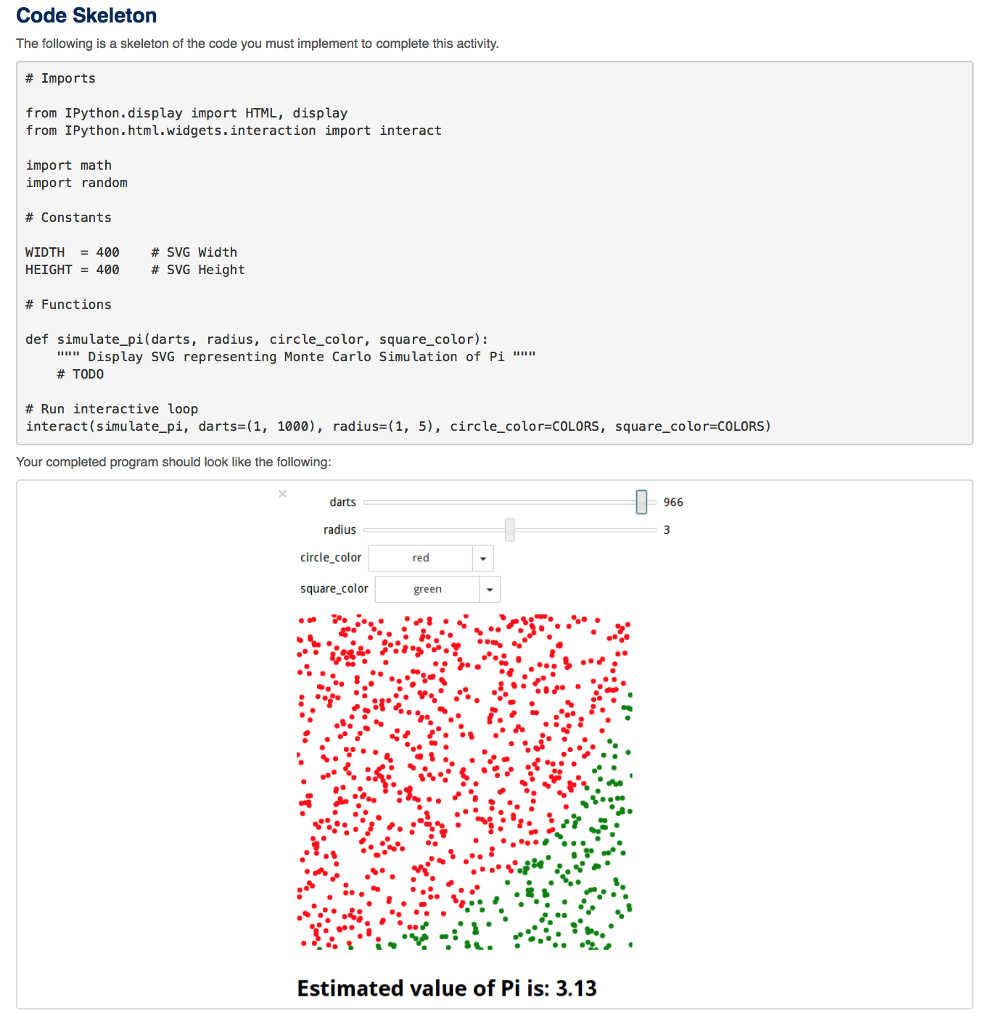
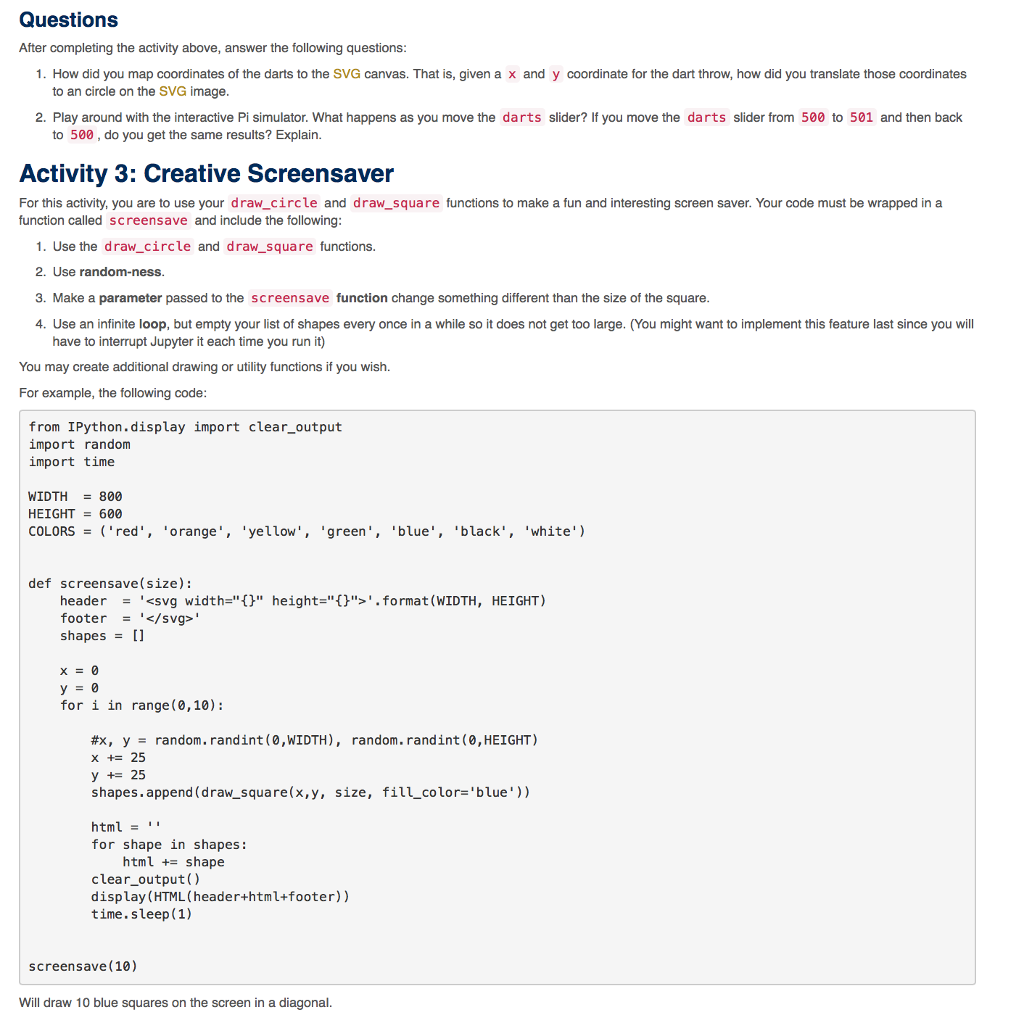
Notebook 04:Functions Overview The goal of this assignment is to allow you to practice defining and utilizing functions in the Python programming language. To record your solutions and answers create a new Jupyter Notebook titled Notebook04.ipynb and use this notebook to complete the following activities and answer the corresponding questions. Make sure you label your activities appropriately. That is for Activity 1, have a header cell that is titled Activity 1. Likewise, use the Markdown cells to answer the questions (include the questions above the answer). This Notebook assignment is due Thursday night before midnight (September 21th) and is to be done individually. Activity 1: Drawing Shapes For this activity, you will build two functions to generate SVG (Scalable Vector Graphics) code to draw a circle and a square. You will then use these functions inside a third function that will draw one of the shapes based on interactive user inputs provided by Jupyter's interaction module. As described in Notebook 01, SVG is a markup language that allows us to draw HTML shapes. In Jupyter, we compose the SVG text inside of strings, and then use the display and HTML functions to render (ie. draw) the shapes inside our web browser: html = svg heights"100" width="100" erect x="25" y="25" width="50" height-"50" display (HTML (html)) stroke-"orange" strokeidth="3" fill-"blue" /> This activity will require you to program two functions that generate the SVG code corresponding to each shape based on different parameters passed to the functions
Step by Step Solution
There are 3 Steps involved in it

Get step-by-step solutions from verified subject matter experts
 Study Help