







Question: Python Code Banking Application using Arrays and Functions. For those who do not use unctions to do this homework ther wil loose 25% of the
Python Code
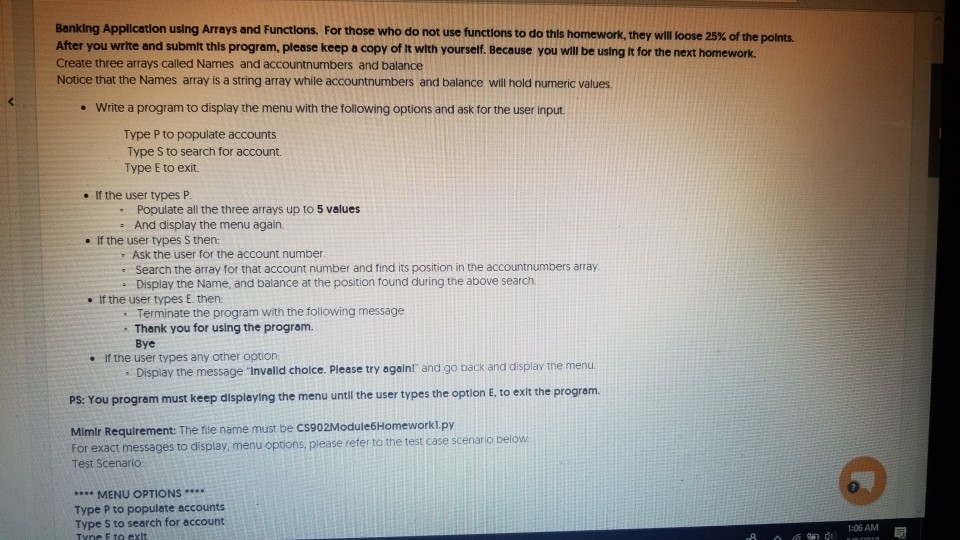
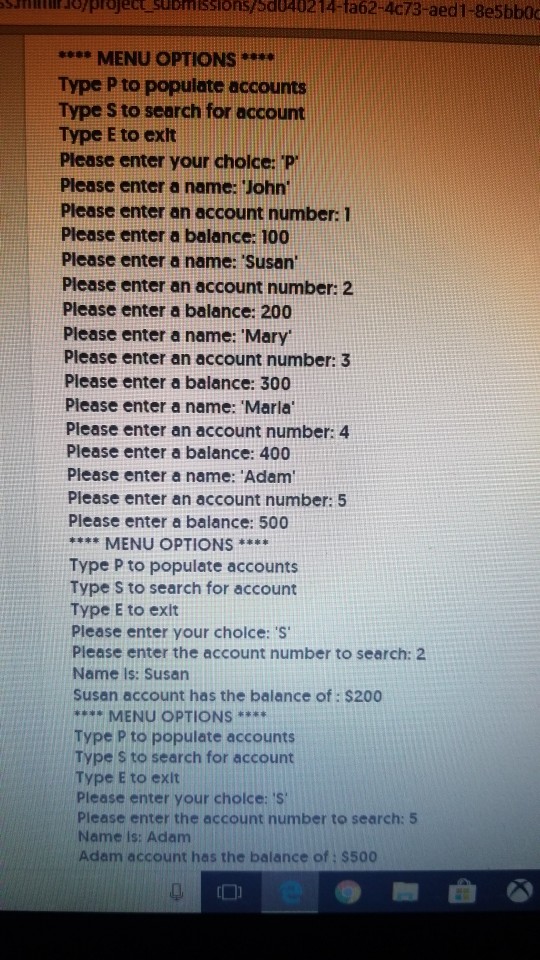
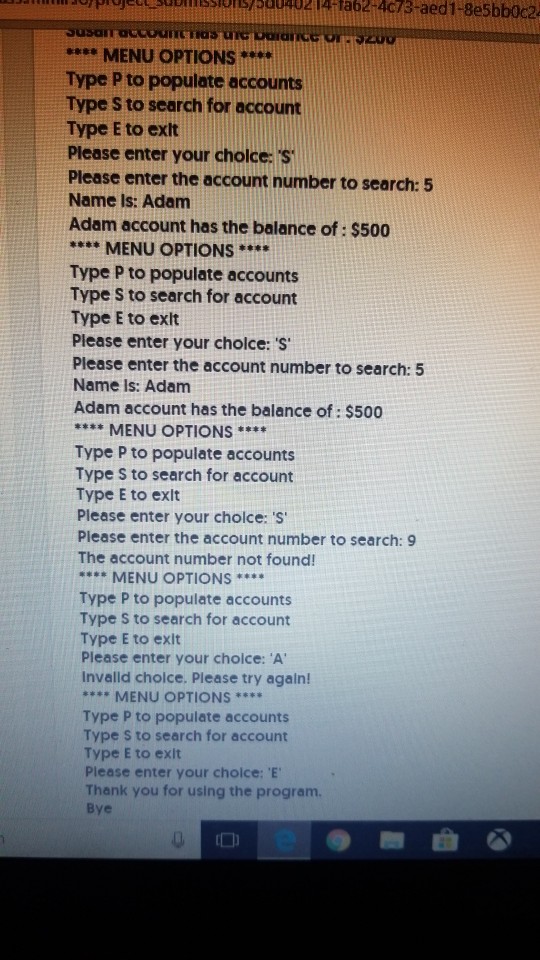
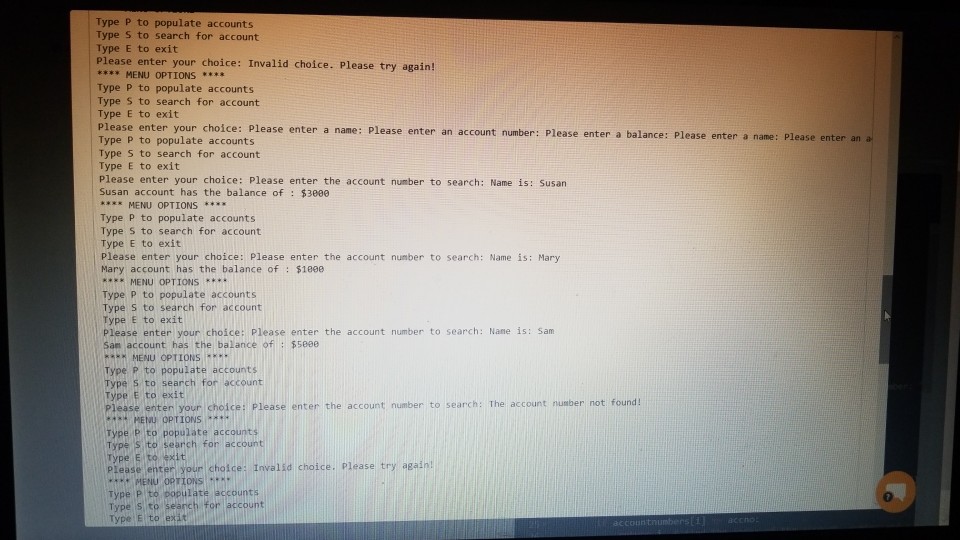
Banking Application using Arrays and Functions. For those who do not use unctions to do this homework ther wil loose 25% of the ports. After you write and submlt thls program, please keep a copy of It with yourself. Because you will be using It for the next homeworlk Create three arrays called Names and accountnumbers and balance Notice that the Names array is a string array while accountnumbers and balance will hold numeric values e Write a program to display the menu with the following options and ask for the user input Type P to populate accounts Type S to search for account. Type E to exit. . If the user types P Populate all the three arrays up to 5 values e And display the menu again . If the user types S then: Ask the user for the account number . Search the array for that account number and find its position in the accountnumbers array e Display the Name, and balance at the position found during the above search If the user types E. then . Terminate the program with the following message . Thank you for using the program. Bye If the user types any other option Display the message Invalid choice. Please try againi" and go back and display the menu e optlon E, to exlt the program PS: You program must keep dlsplaying the menu until the user types the option E. to exit the progranm Mimir Requirement: The file name must be C$902Module6Homeworkl.py For exact messages to display, menu options, please reter to the test case sce nario below Test Scenario: MENU OPTIONS*** Type P to populate accounts Type S to search for account 1:06 AM
Step by Step Solution
There are 3 Steps involved in it

Get step-by-step solutions from verified subject matter experts
 Study Help