







Question: python code for all commented parts please All these images are blurry, correct? That's because they are averages of the points in different clusters. From
python code for all commented parts please
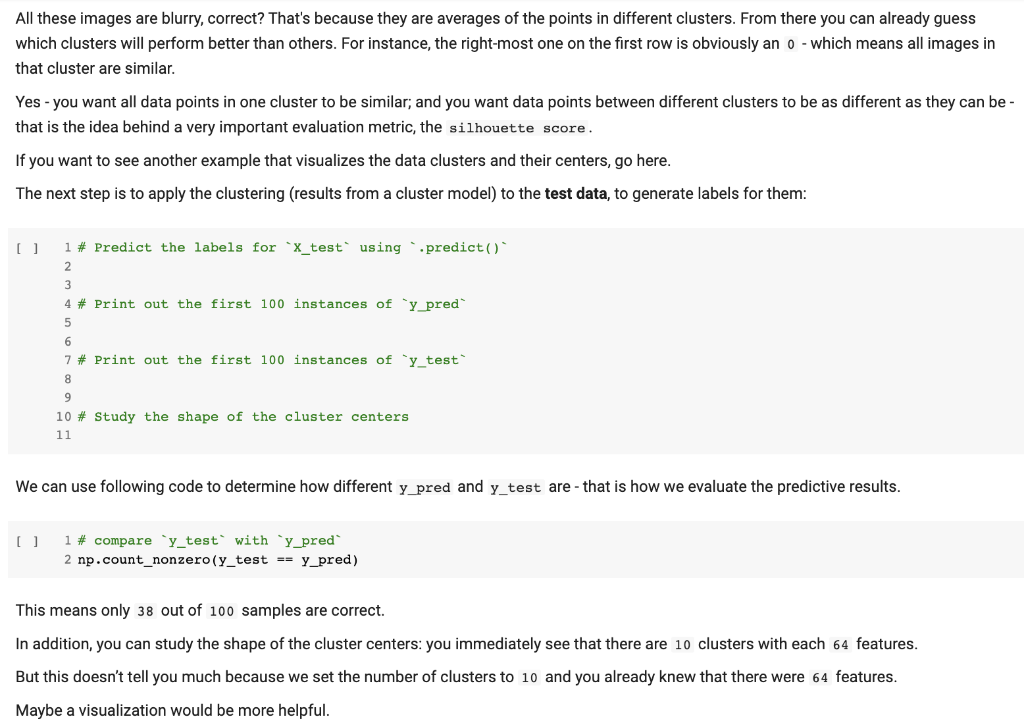
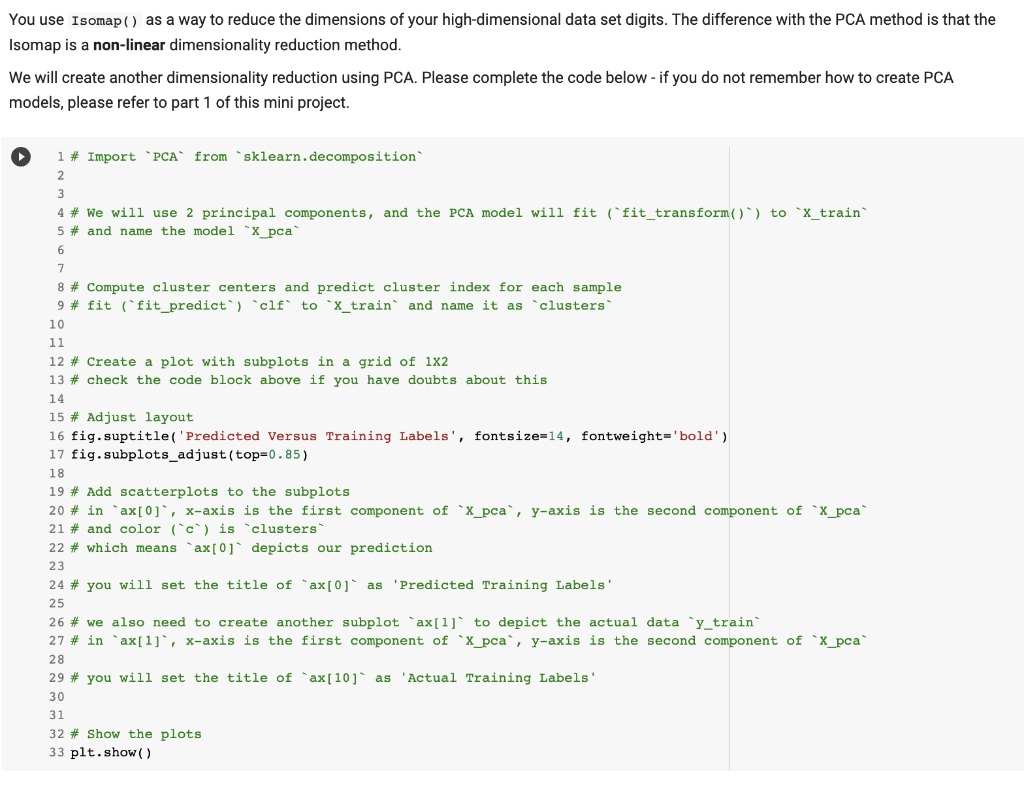
All these images are blurry, correct? That's because they are averages of the points in different clusters. From there you can already guess which clusters will perform better than others. For instance, the right-most one on the first row is obviously an 0 - which means all images in that cluster are similar. Yes - you want all data points in one cluster to be similar; and you want data points between different clusters to be as different as they can that is the idea behind a very important evaluation metric, the silhouette score. If you want to see another example that visualizes the data clusters and their centers, go here. The next step is to apply the clustering (results from a cluster model) to the test data, to generate labels for them: [ ] 1 \# Predict the labels for ' x _test' using ' predict () 2 3 4 \# Print out the first 100 instances of ' y pred' 5 6 7 \# Print out the first 100 instances of 'y_test' 8 9 10 \# Study the shape of the cluster centers 11 We can use following code to determine how different y_pred and ytest are - that is how we evaluate the predictive results. [ ] 1 \# compare 'y_test' with 'y_pred' 2np.count_nonzero ( y _test == y_pred) This means only 38 out of 100 samples are correct. In addition, you can study the shape of the cluster centers: you immediately see that there are 10 clusters with each 64 features. But this doesn't tell you much because we set the number of clusters to 10 and you already knew that there were 64 features. Maybe a visualization would be more helpful. You use Isomap ( ) as a way to reduce the dimensions of your high-dimensional data set digits. The difference with the PCA method is that the Isomap is a non-linear dimensionality reduction method. We will create another dimensionality reduction using PCA. Please complete the code below - if you do not remember how to create PCA models, please refer to part 1 of this mini project
Step by Step Solution
There are 3 Steps involved in it

Get step-by-step solutions from verified subject matter experts
 Study Help