







Question: python coding for astronomy! First Last- Image In [0 : %inatplotlib inline import numpy as np import matplotlib.pyplot as plt import astropy.io.fits as fits from
python coding for astronomy!
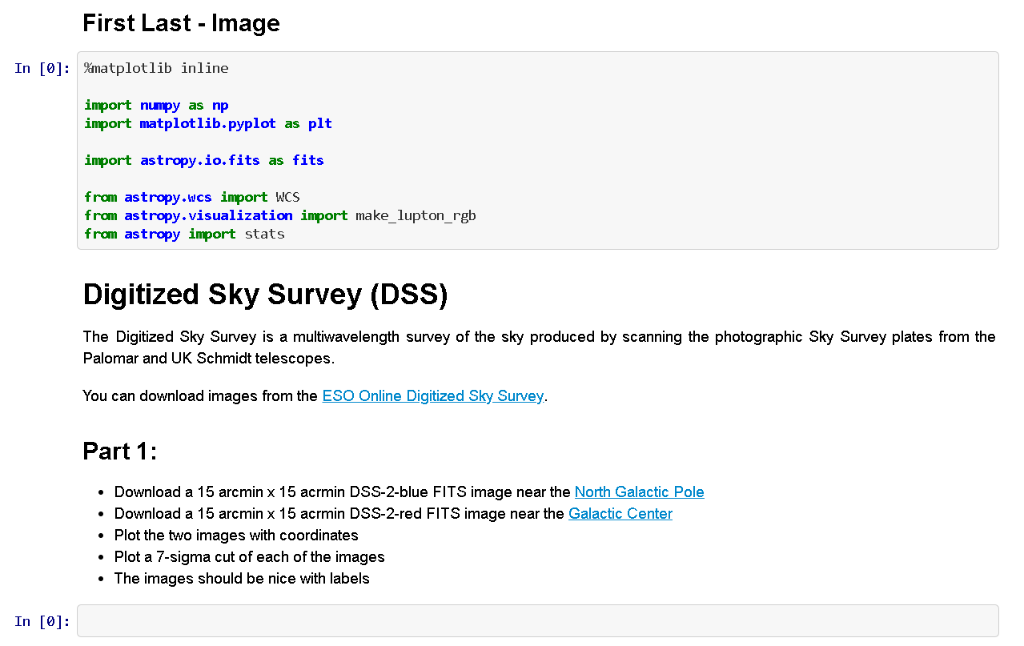
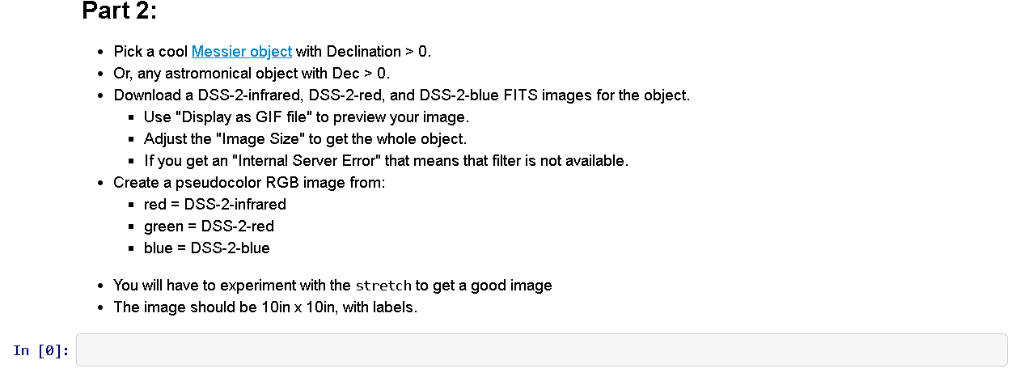
First Last- Image In [0 : %inatplotlib inline import numpy as np import matplotlib.pyplot as plt import astropy.io.fits as fits from astropy.wcs import WCS from astropy.visualization import make_lupton_rgb from astropy import stats Digitized Sky Survey (DSS) The Digitized Sky Survey is a multiwavelength survey of the sky produced by scanning the photographic Sky Survey plates from the Palomar and UK Schmidt telescopes You can download images from the ESO Online Digitized Sky Survey Part 1 Download a 15 arcmin x 15 acrmin DSS-2-blue FITS image near the North Galactic Pole Download a 15 arcmin x 15 acrmin DSS-2-red FITS image near the Galactic Center *Plot the two images with coordinates Plot a 7-sigma cut of each of the images The images should be nice with labels In [0]: Part 2 Pick a cool Messier object with Declination>0. Or, any astromonical object with Dec> 0. Download a DSS-2-infrared, DSS-2-red, and DSS-2-blue FITS images for the object. Use "Display as GIF file" to preview your image. - Adjust the "lmage Size" to get the whole object. - If you get an "Internal Server Error" that means that filter is not available Create a pseudocolor RGB image from: red DSS-2-infrared green DSS-2-red blue DSS-2-blue You will have to experiment with the stretch to get a good image The image should be 10in x 10in, with labels. In [e]: First Last- Image In [0 : %inatplotlib inline import numpy as np import matplotlib.pyplot as plt import astropy.io.fits as fits from astropy.wcs import WCS from astropy.visualization import make_lupton_rgb from astropy import stats Digitized Sky Survey (DSS) The Digitized Sky Survey is a multiwavelength survey of the sky produced by scanning the photographic Sky Survey plates from the Palomar and UK Schmidt telescopes You can download images from the ESO Online Digitized Sky Survey Part 1 Download a 15 arcmin x 15 acrmin DSS-2-blue FITS image near the North Galactic Pole Download a 15 arcmin x 15 acrmin DSS-2-red FITS image near the Galactic Center *Plot the two images with coordinates Plot a 7-sigma cut of each of the images The images should be nice with labels In [0]: Part 2 Pick a cool Messier object with Declination>0. Or, any astromonical object with Dec> 0. Download a DSS-2-infrared, DSS-2-red, and DSS-2-blue FITS images for the object. Use "Display as GIF file" to preview your image. - Adjust the "lmage Size" to get the whole object. - If you get an "Internal Server Error" that means that filter is not available Create a pseudocolor RGB image from: red DSS-2-infrared green DSS-2-red blue DSS-2-blue You will have to experiment with the stretch to get a good image The image should be 10in x 10in, with labels. In [e]
Step by Step Solution
There are 3 Steps involved in it

Get step-by-step solutions from verified subject matter experts
 Study Help