







Question: PYTHON - For this project, you will create a program that will manage an individual's address book. You are required to use a list of
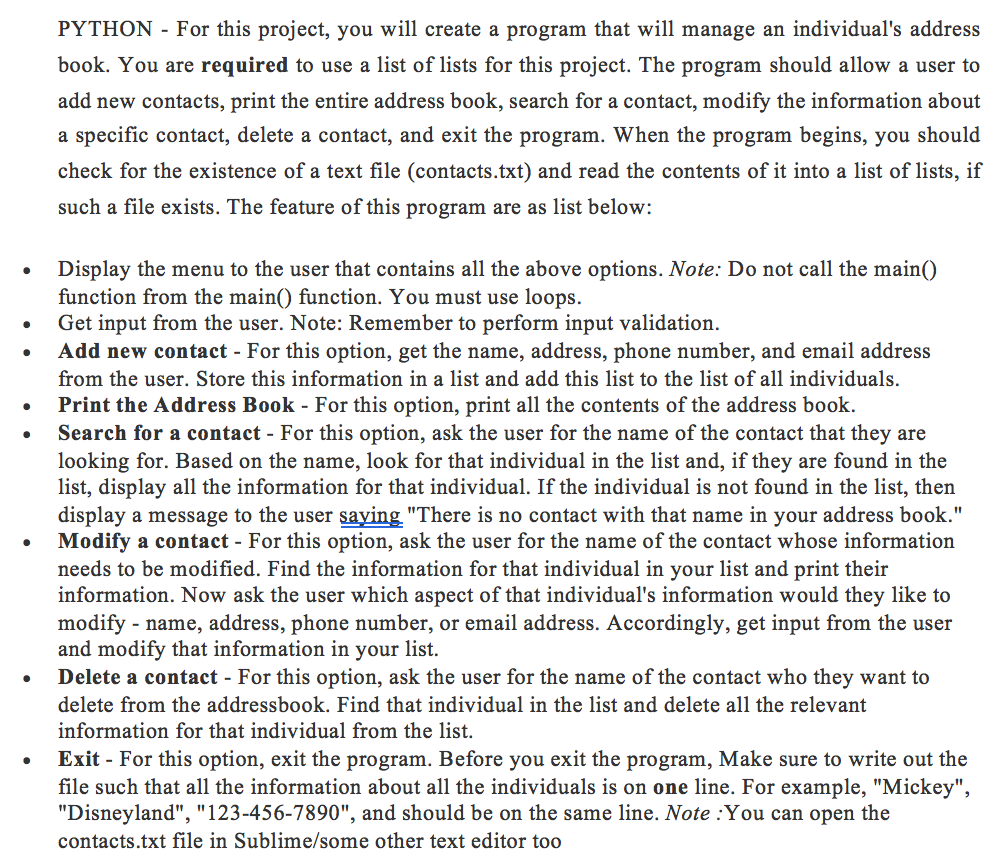
PYTHON - For this project, you will create a program that will manage an individual's address book. You are required to use a list of lists for this project. The program should allow a user to add new contacts, print the entire address book, search for a contact, modify the information about a specific contact, delete a contact, and exit the program. When the program begins, you should check for the existence of a text file (contacts.txt) and read the contents of it into a list of lists, if such a file exists. The feature of this program are as list below: Display the menu to the user that contains all the above options. Note: Do not call the main() function from the main) function. You must use loops. Get input from the user. Note: Remember to perform input validation. Add new contact-For this option, get the name, address, phone number, and email address from the user. Store this information in a list and add this list to the list of all individuals. Print the Address Book - For this option, print all the contents of the address book. Search for a contact - For this option, ask the user for the name of the contact that they are looking for. Based on the name, look for that individual in the list and, if they are found in the list, display all the information for that individual. If the individual is not found in the list, then display a message to the user saying "There is no contact with that name in your address book." Modify a contact - For this option, ask the user for the name of the contact whose information needs to be modified. Find the information for that individual in your list and print their information. Now ask the user which aspect of that individual's information would they like to modify - name, address, phone number, or email address. Accordingly, get input from the user and modify that information in your list. Delete a contact - For this option, ask the user for the name of the contact who they want to delete from the addressbook. Find that individual in the list and delete all the relevant information for that individual from the list. Exit For this option, exit the program. Before you exit the program, Make sure to write out the file such that all the information about all the individuals is on one line. For example, "Mickey" "Disneyland", "123-456-7890", and should be on the same line. Note :You can open the contacts.txt file in Sublime/some other text editor too
Step by Step Solution
There are 3 Steps involved in it

Get step-by-step solutions from verified subject matter experts
 Study Help